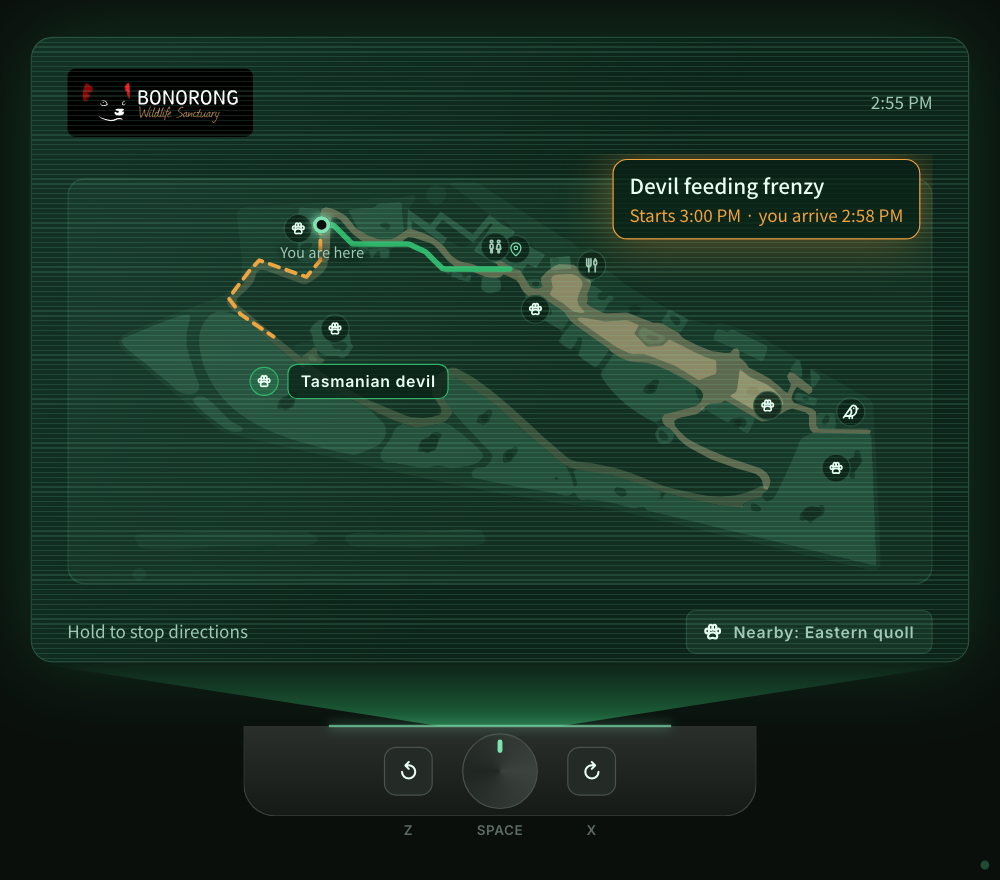
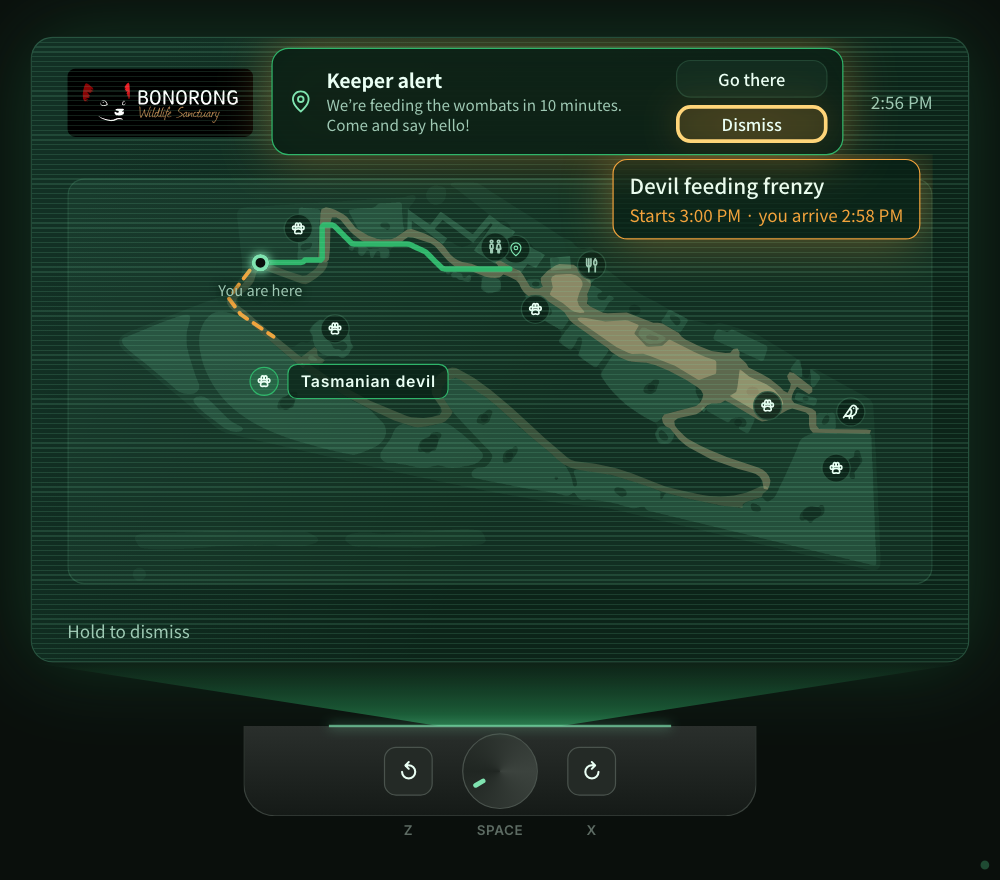
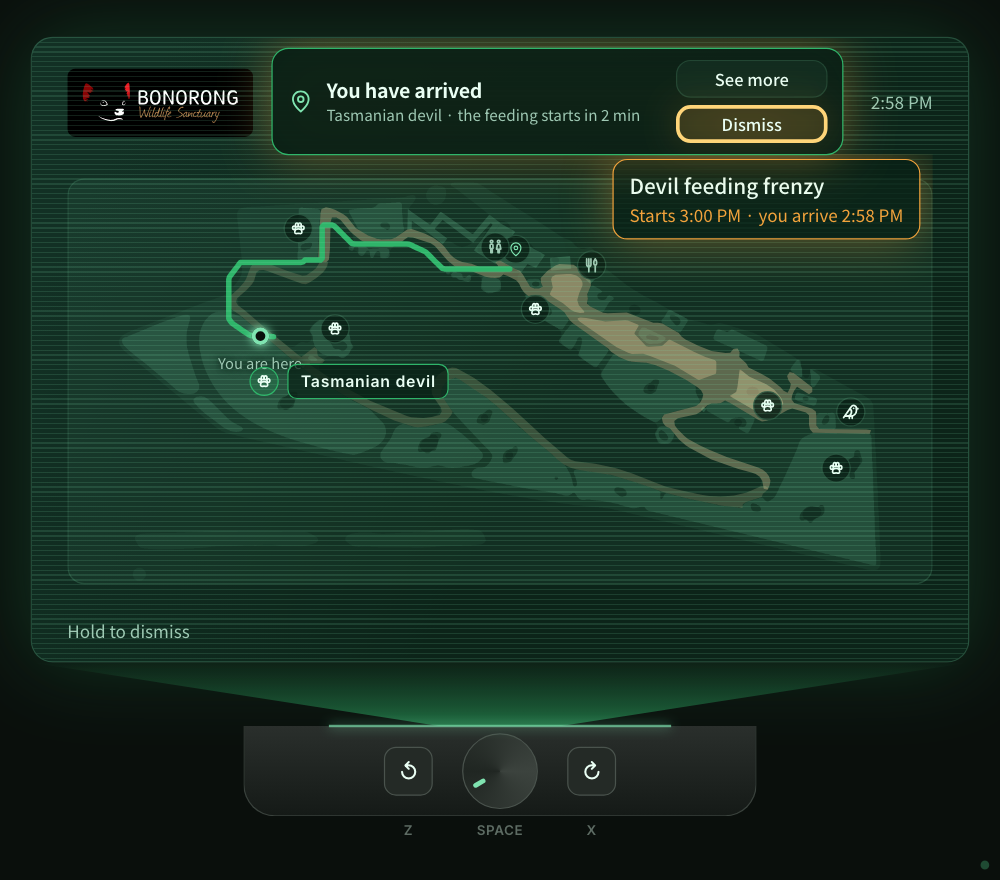
Every screen and state of the final prototype, plus before-and-after shots of each change we made after evaluation. The IDs match the screen references in our Requirements Traceability Matrix (report, Appendix A) and our evaluation findings (Appendix E).
Captured on 1 October 2026 from the version running at bonorong.brianmt.blog, where you can also try the bracelet and Keeper Console live. Select any image to open it full size.
Visitor bracelet
B01–B19 are the same states we inventoried for the heuristic evaluation, so each can be compared with v1.0. B20–B21 are screens the refinements added.
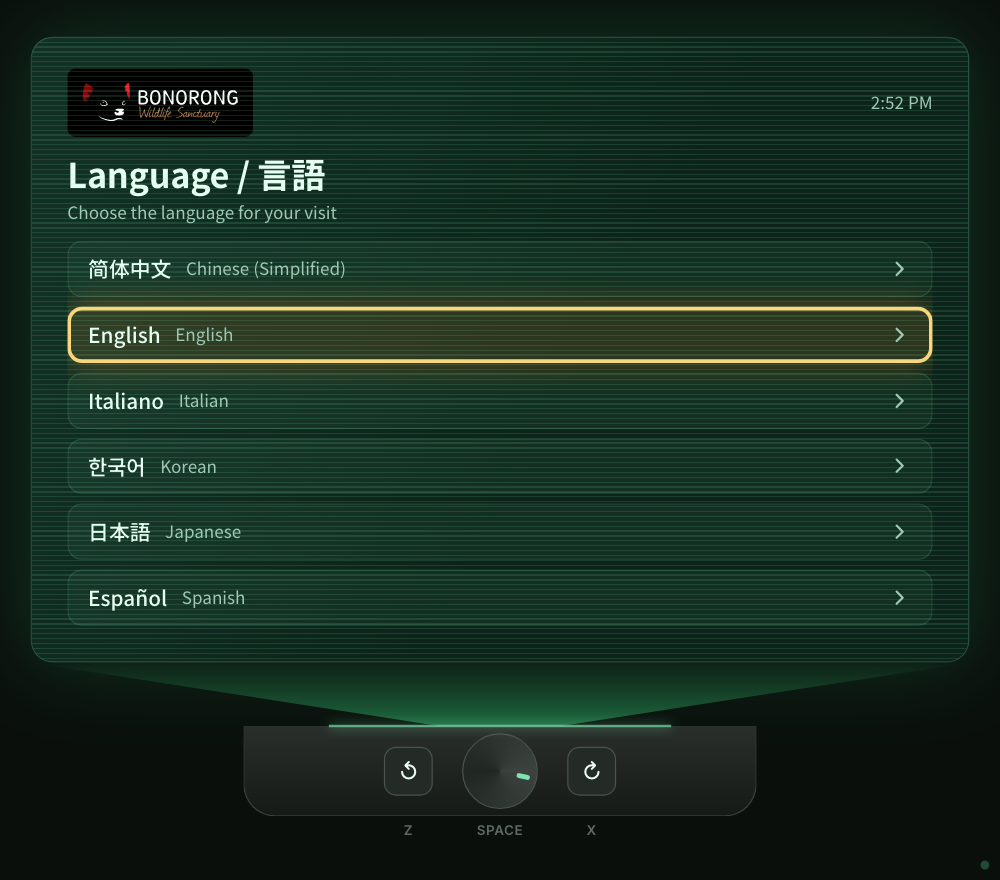
B01Startup language screen, English pre-highlighted
Unchanged since v1.0
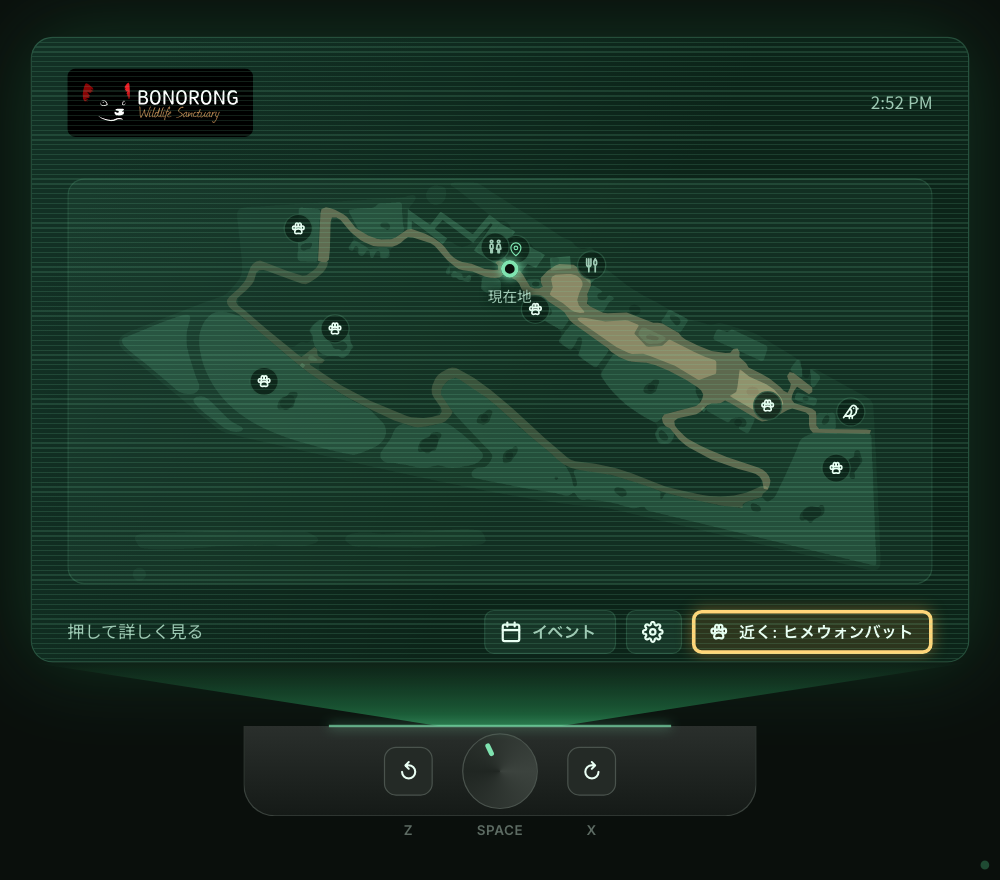
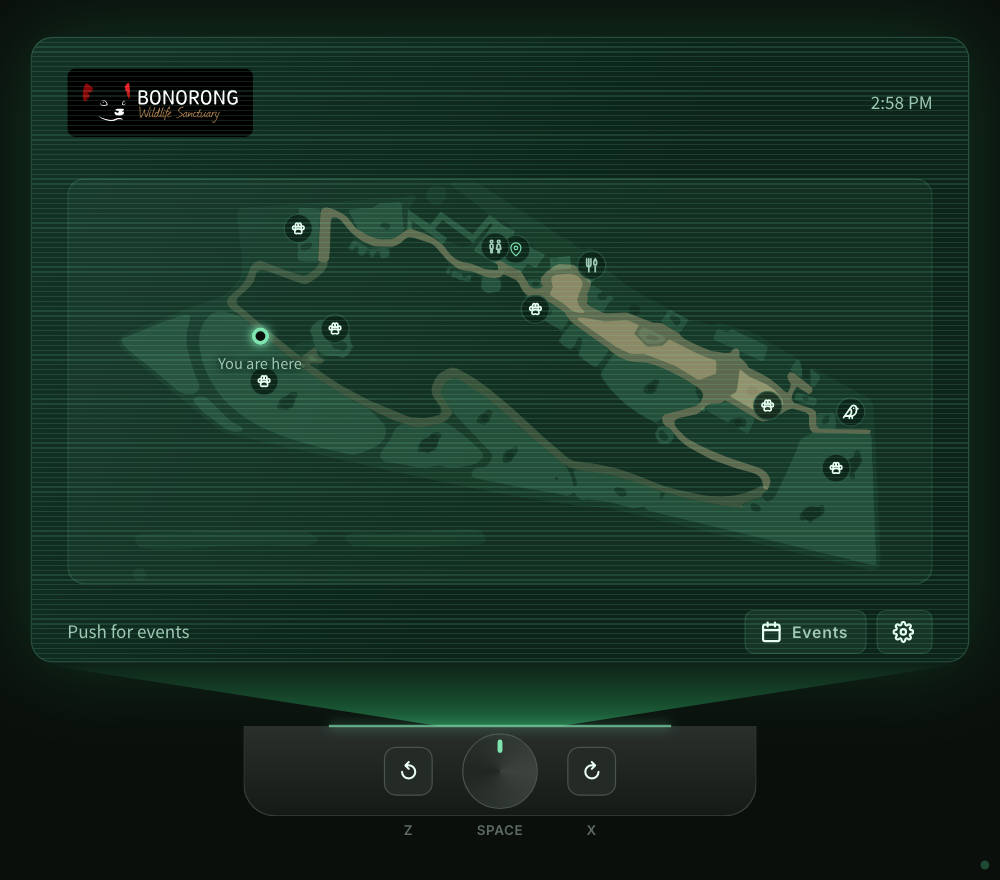
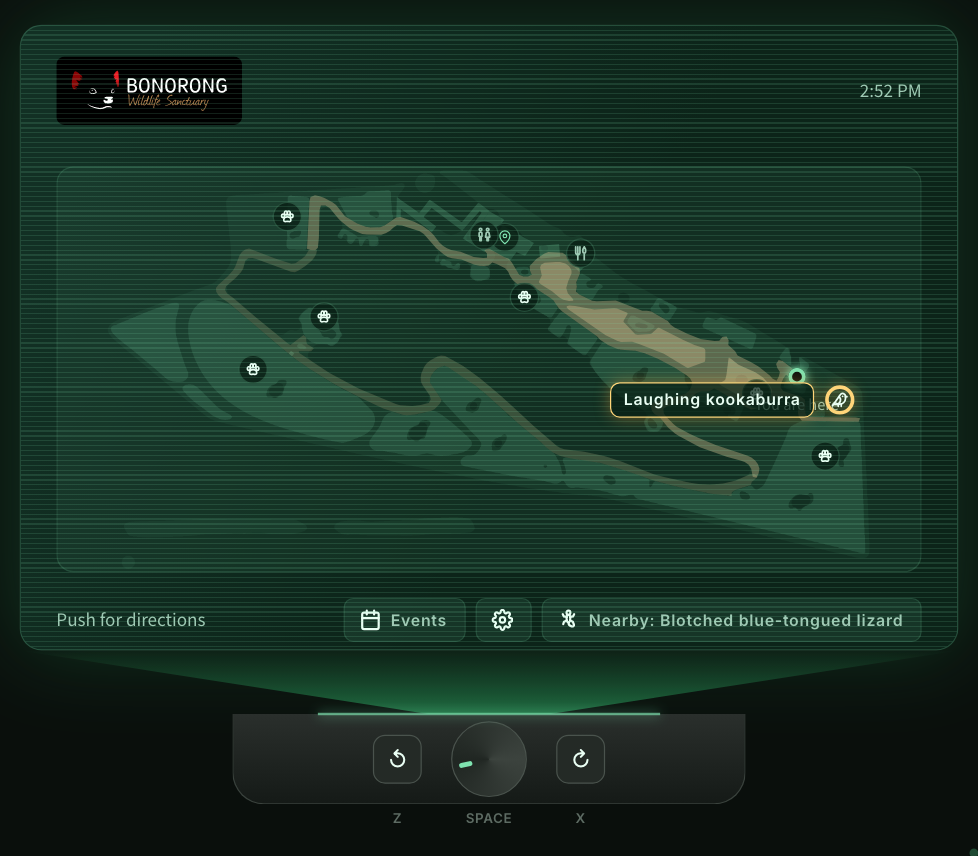
B02Map (home) in Japanese
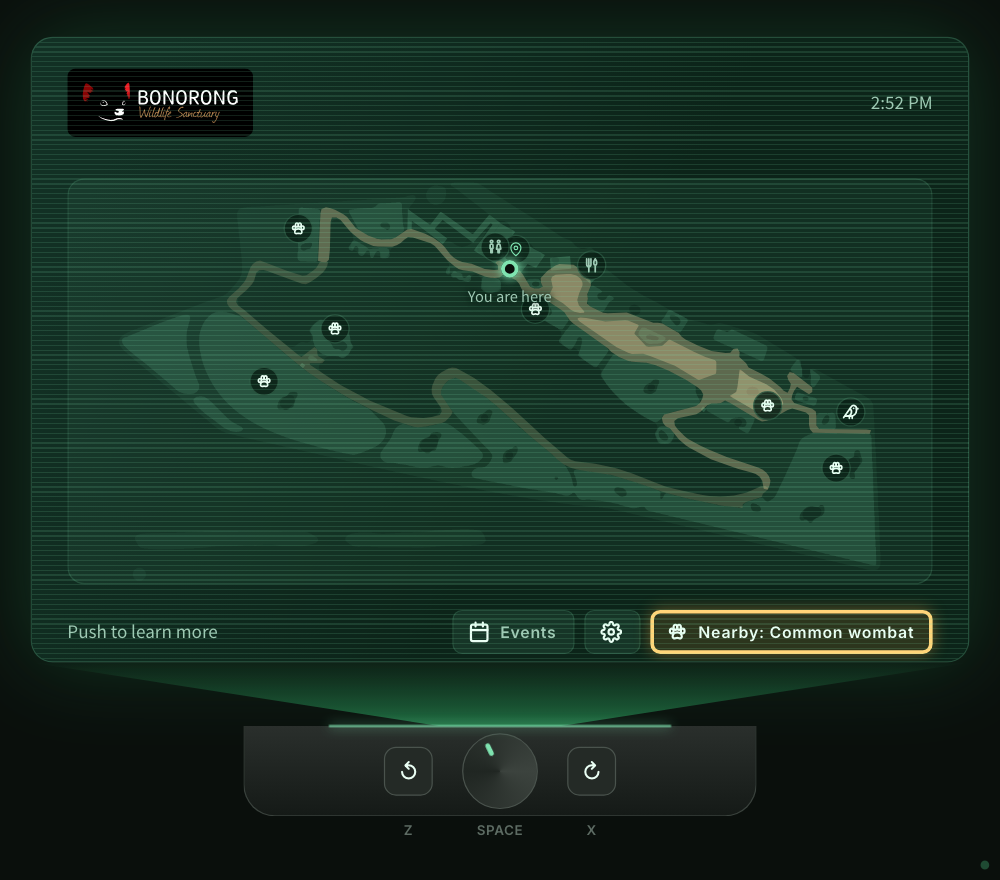
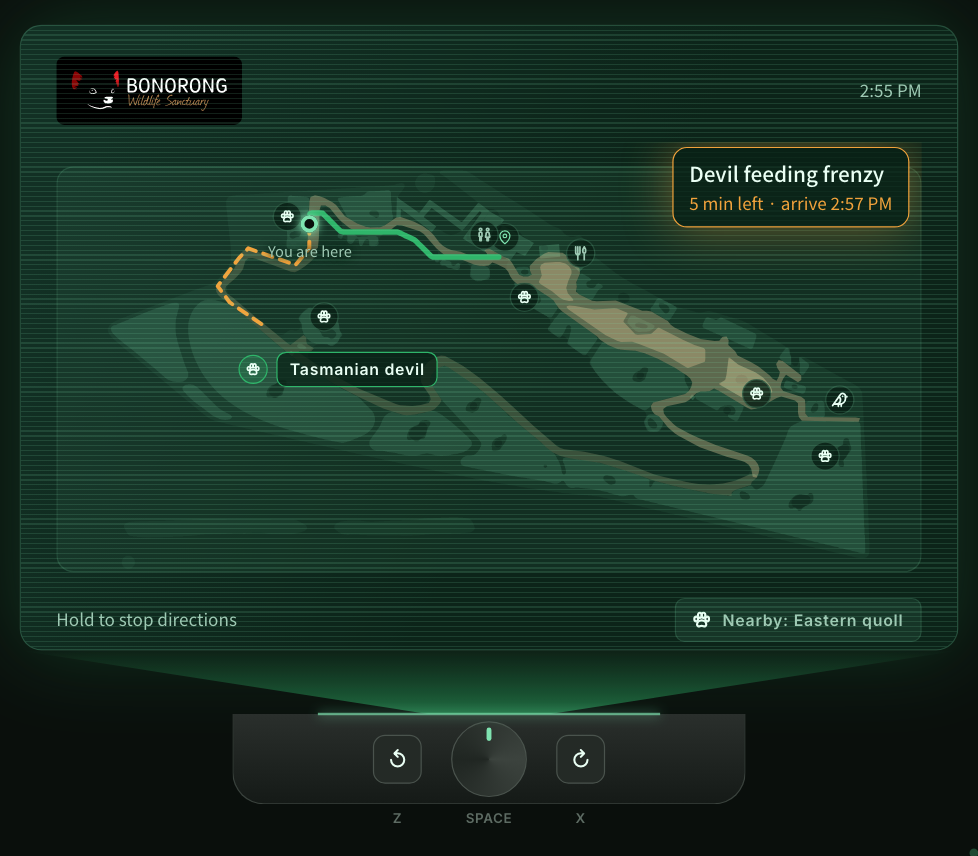
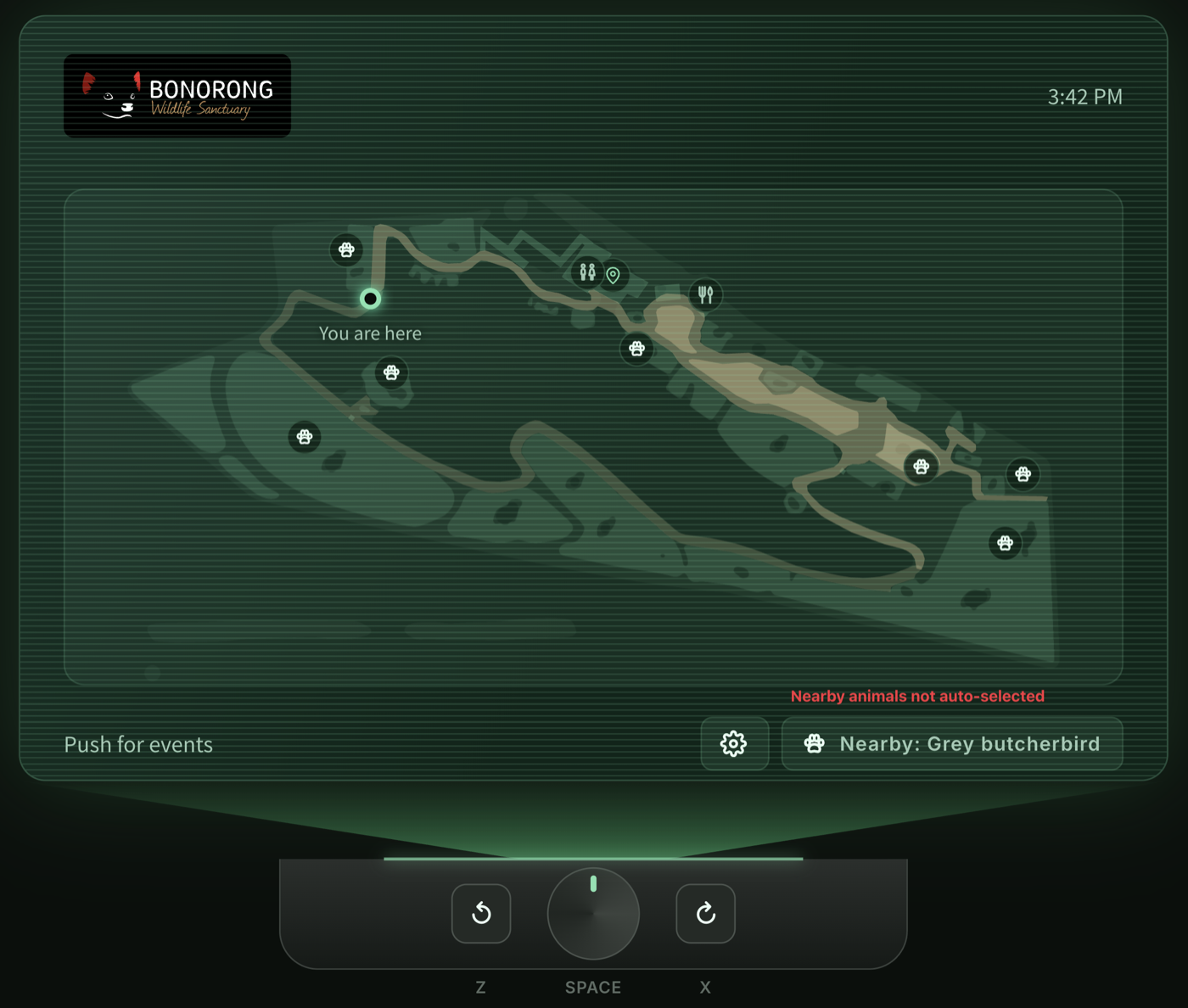
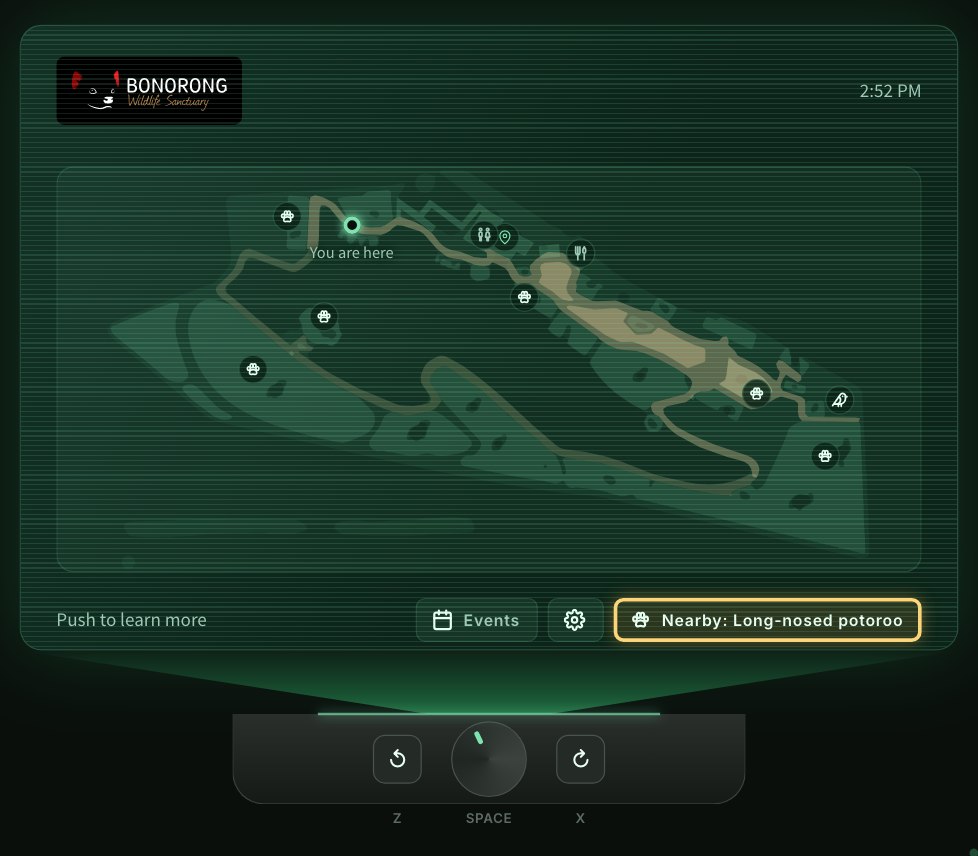
Changed since v1.0: Nearby chip pre-selected (EF6), Events pill (EF1)
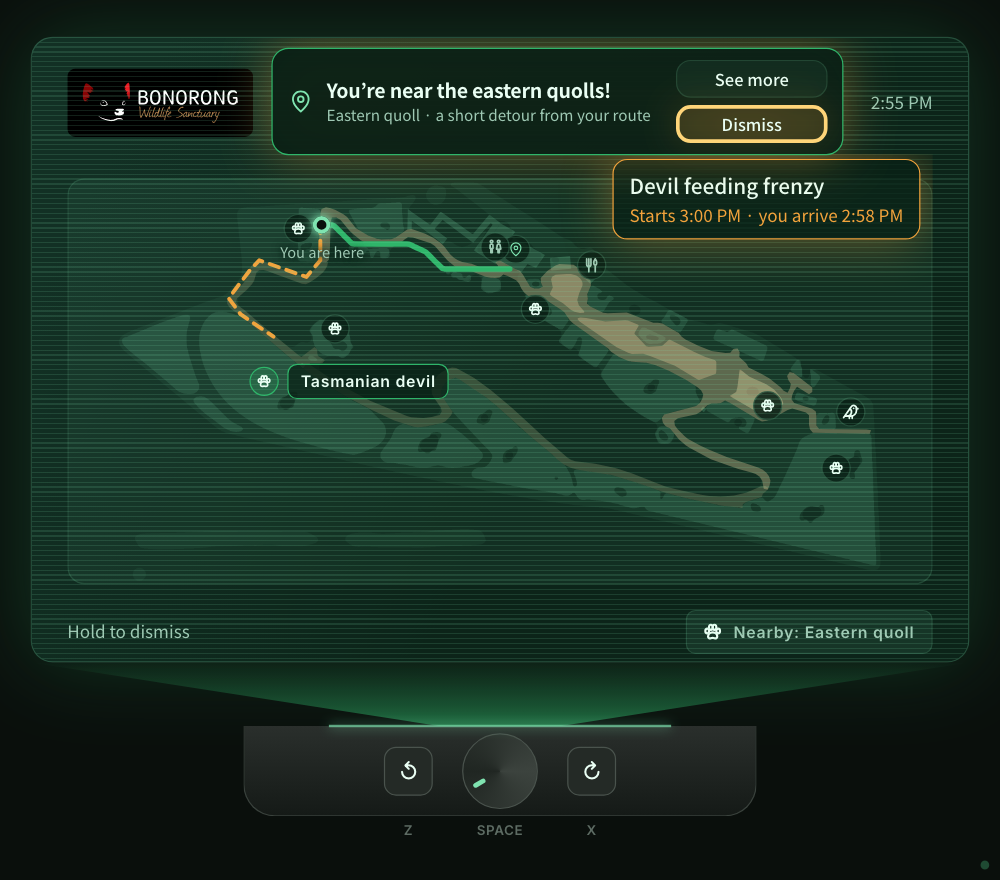
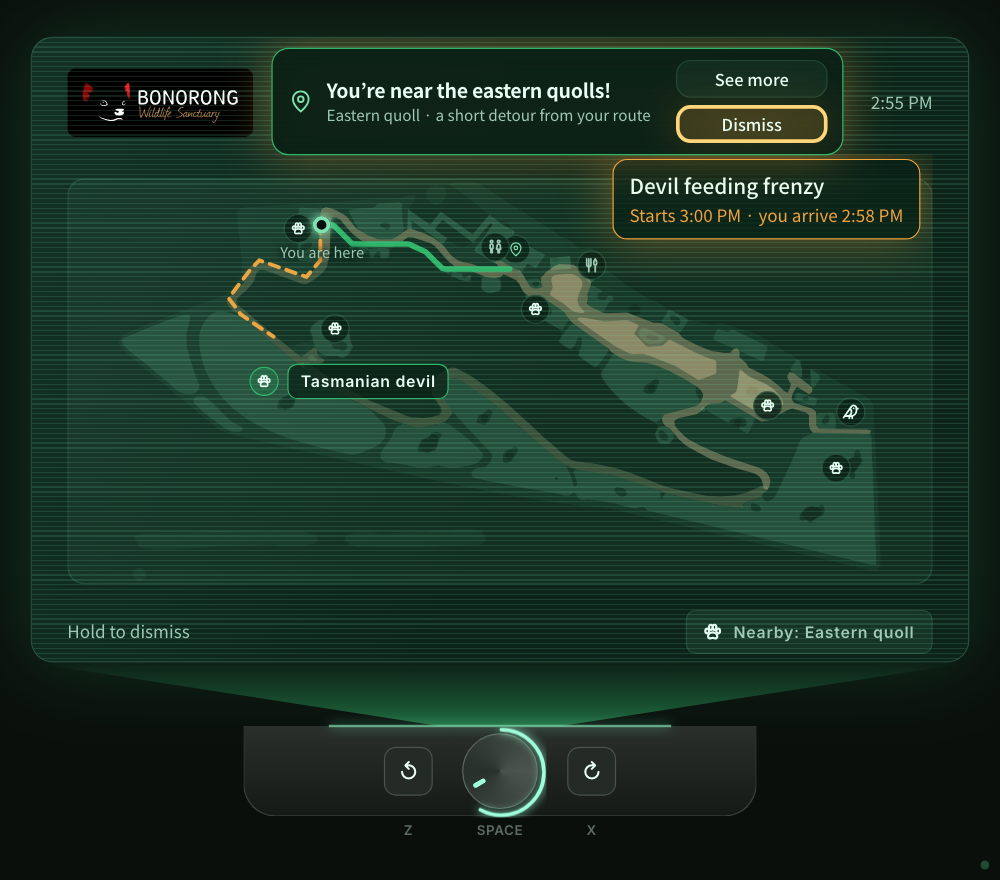
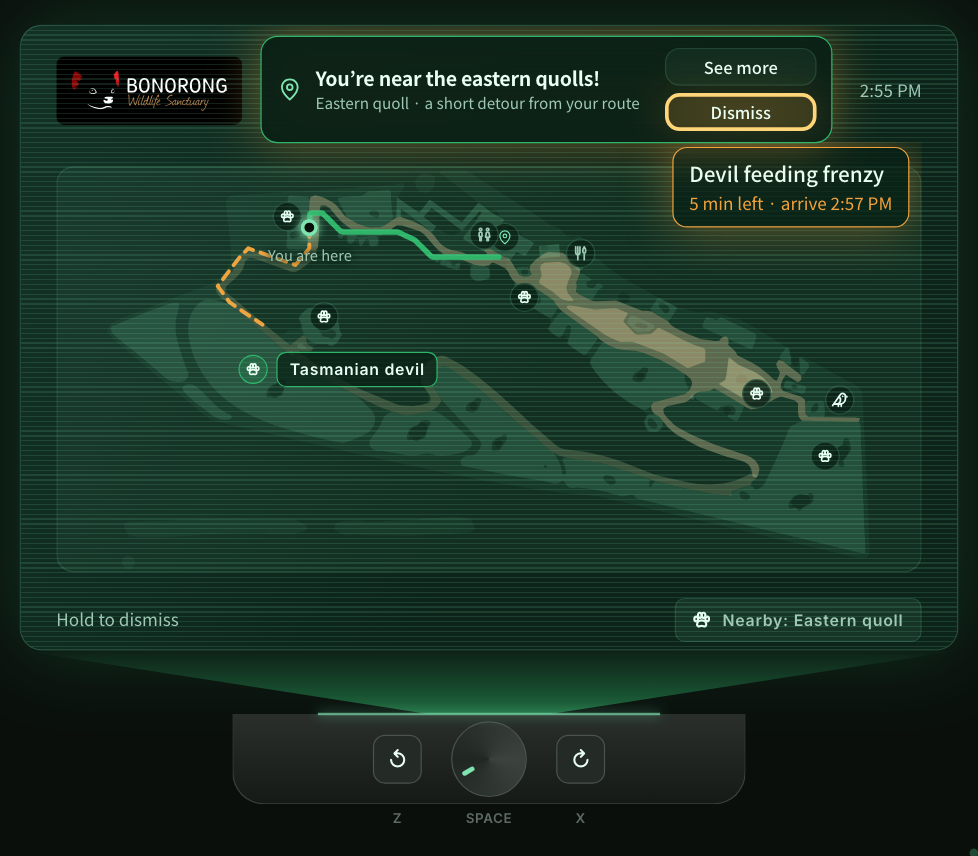
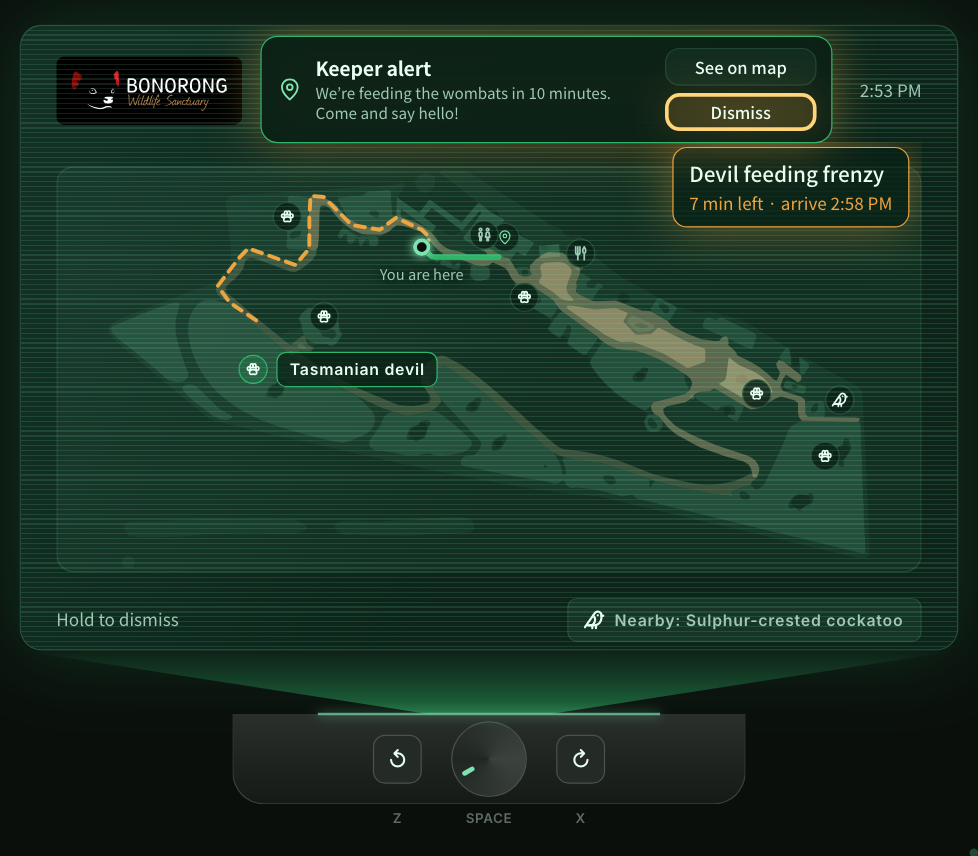
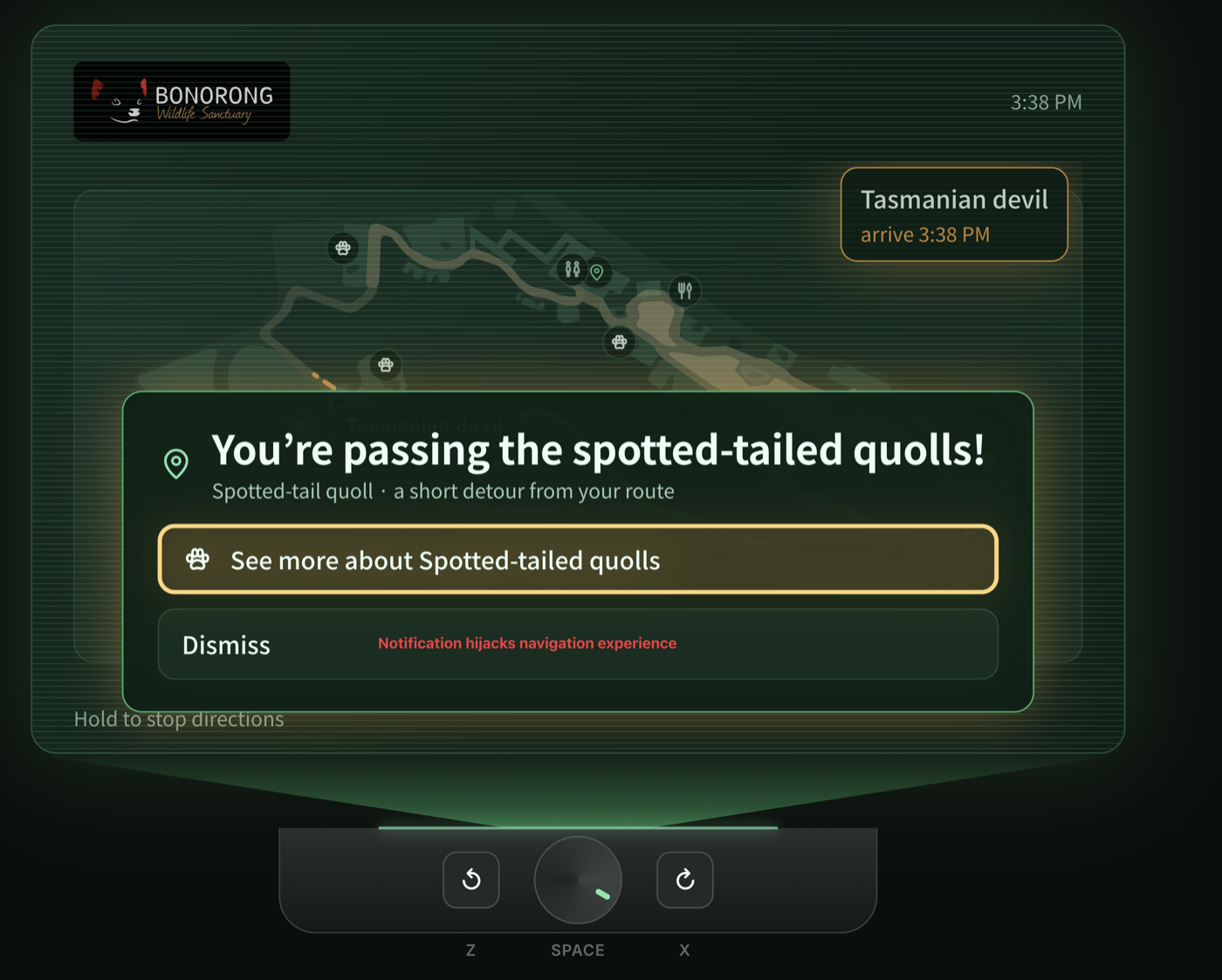
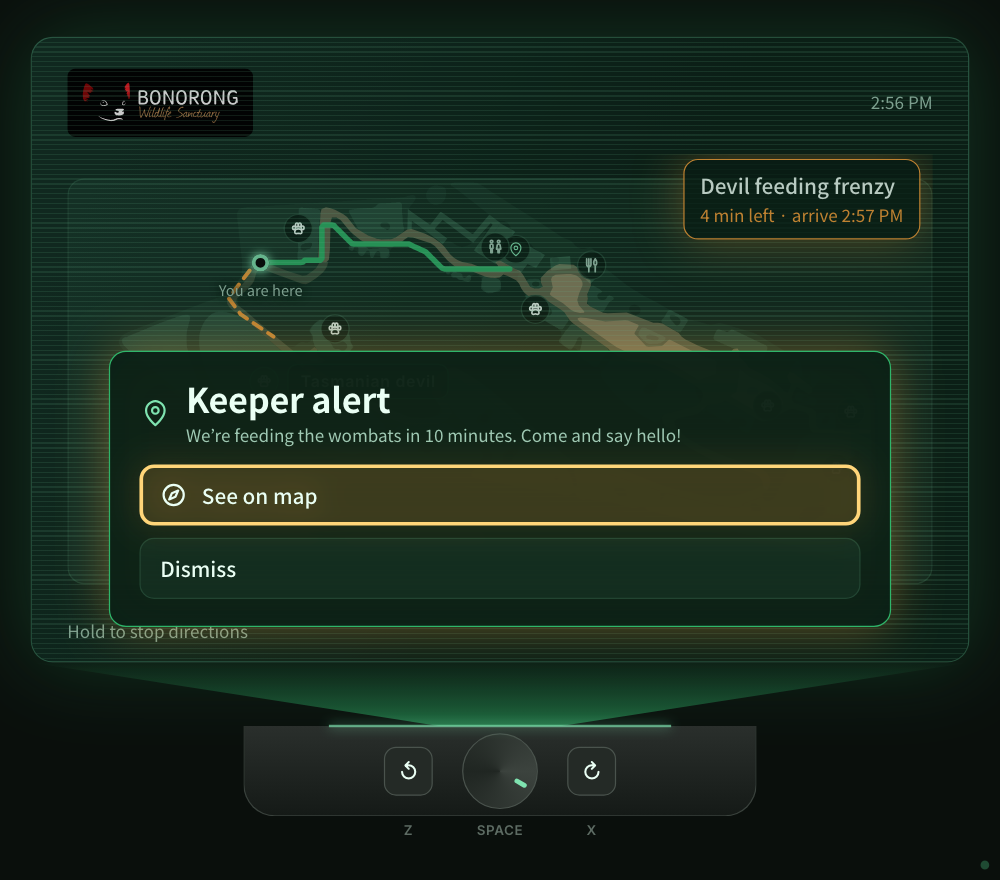
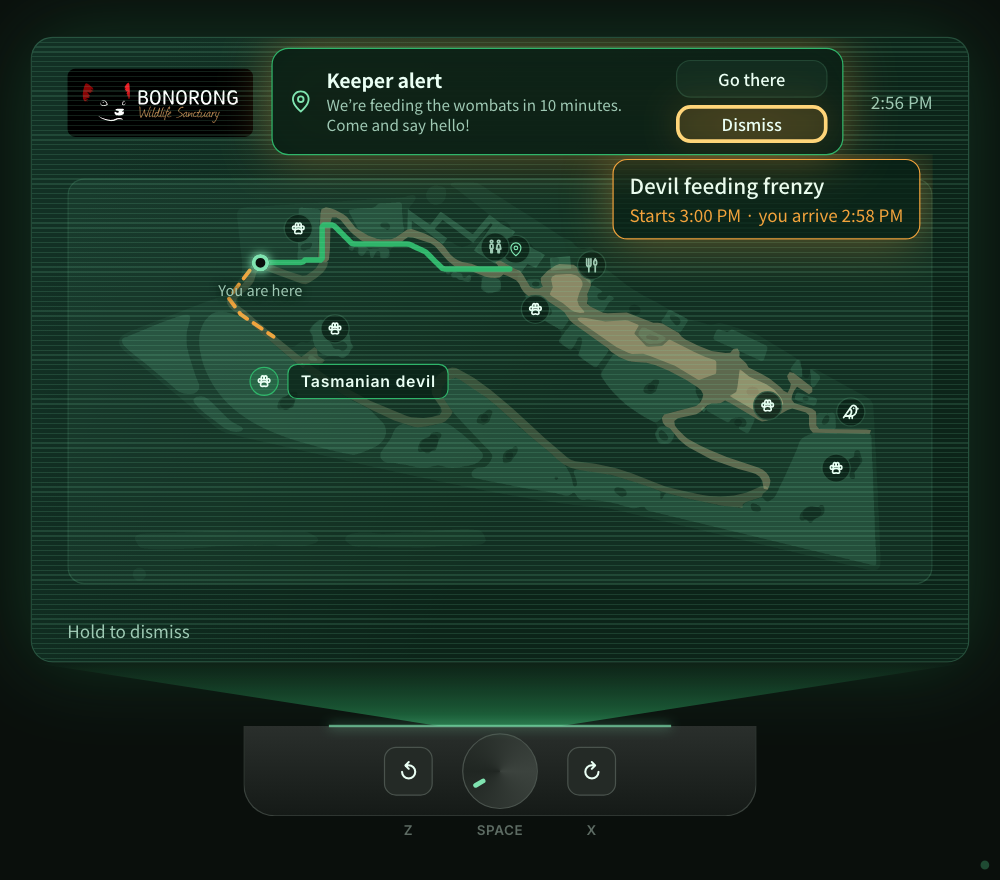
Changed since v1.0: Banner (EF4), Dismiss pre-selected (EF2)
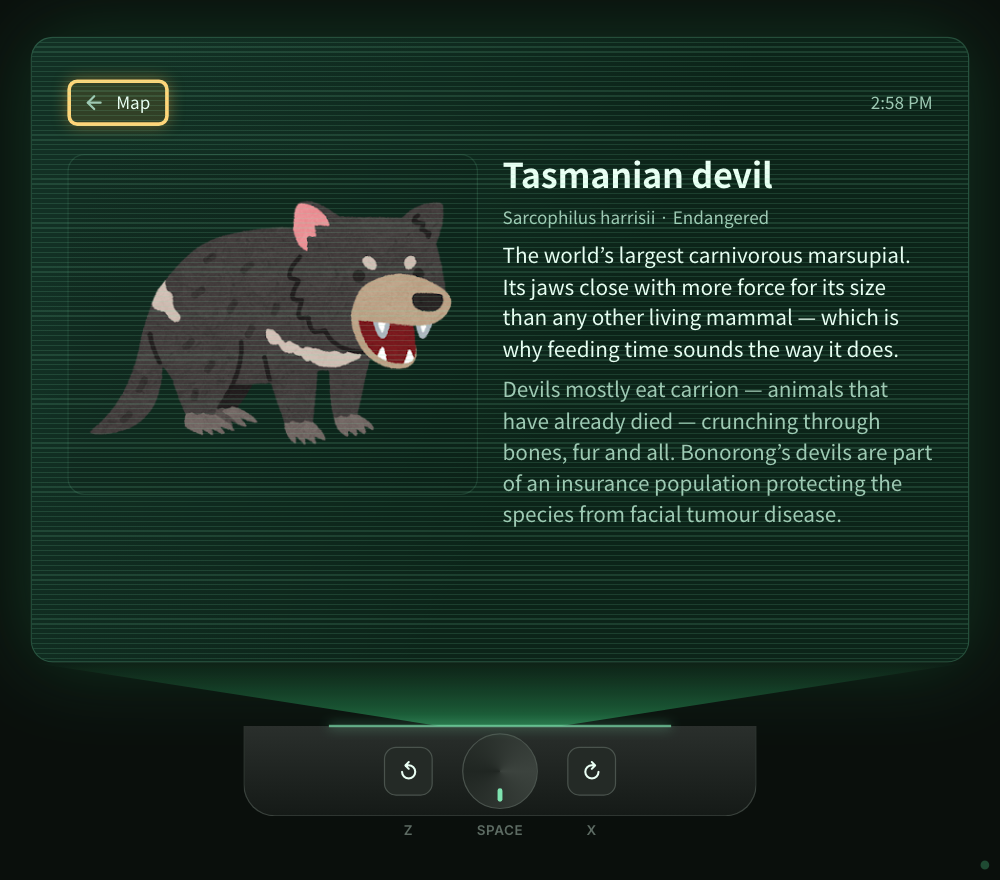
B16Animal information page (Tasmanian devil)
Changed since v1.0: “← Map” back pill (EF1)
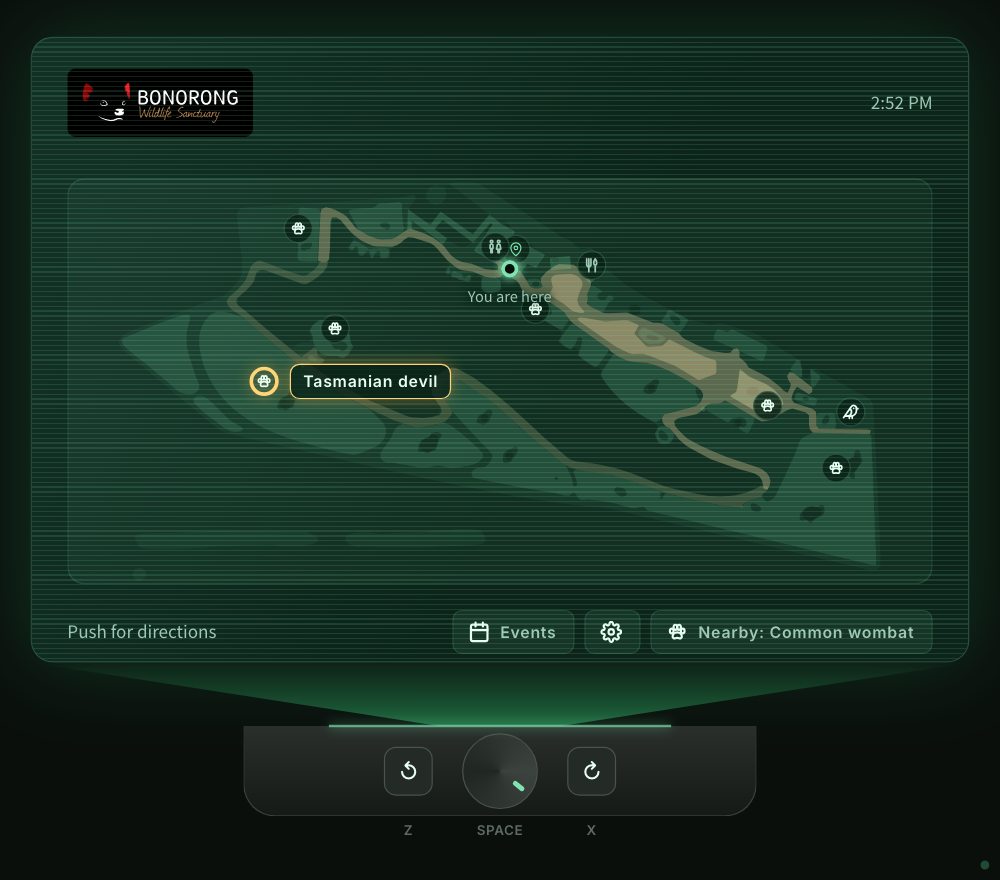
B17Map after leaving the animal page at the devils
Unchanged since v1.0
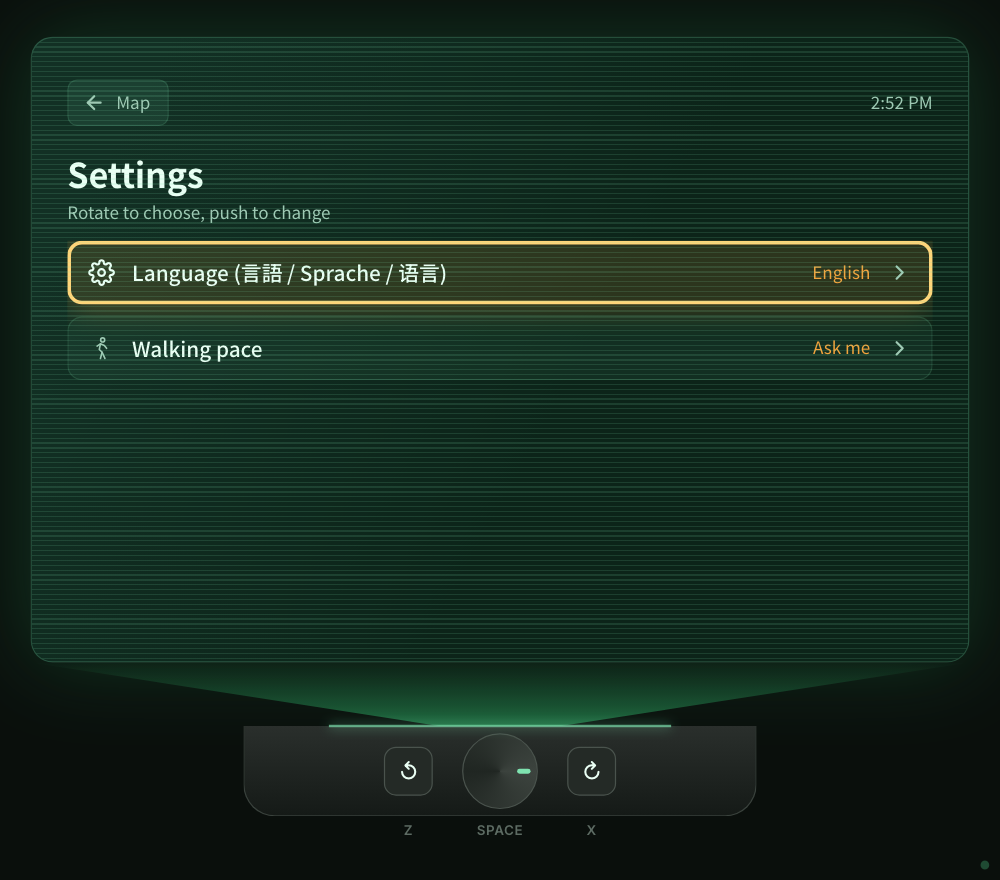
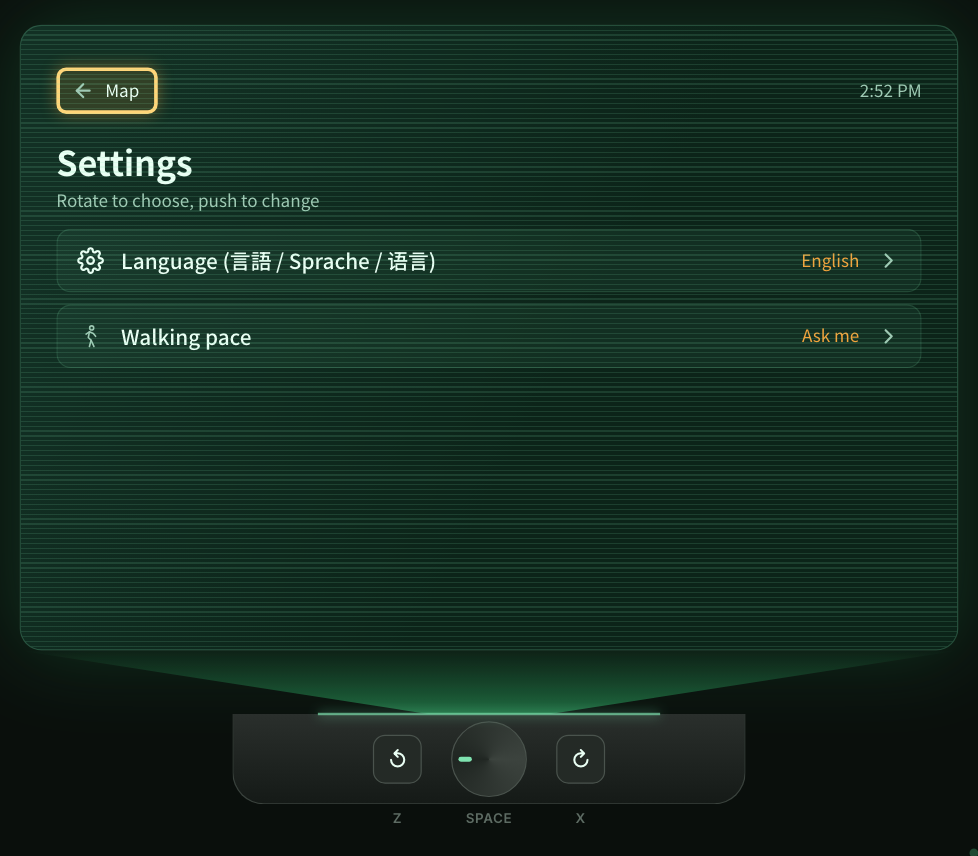
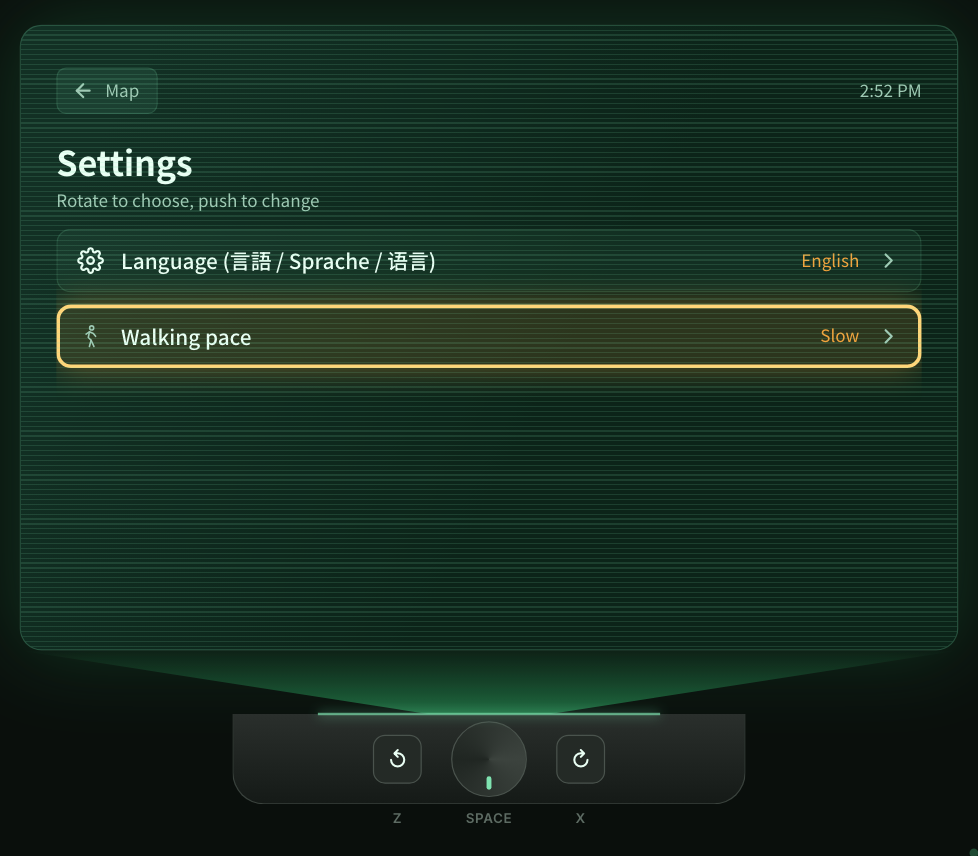
B18Settings: Language and Walking pace rows
Changed since v1.0: Walking pace row (EF7), “← Map” back pill (EF1)
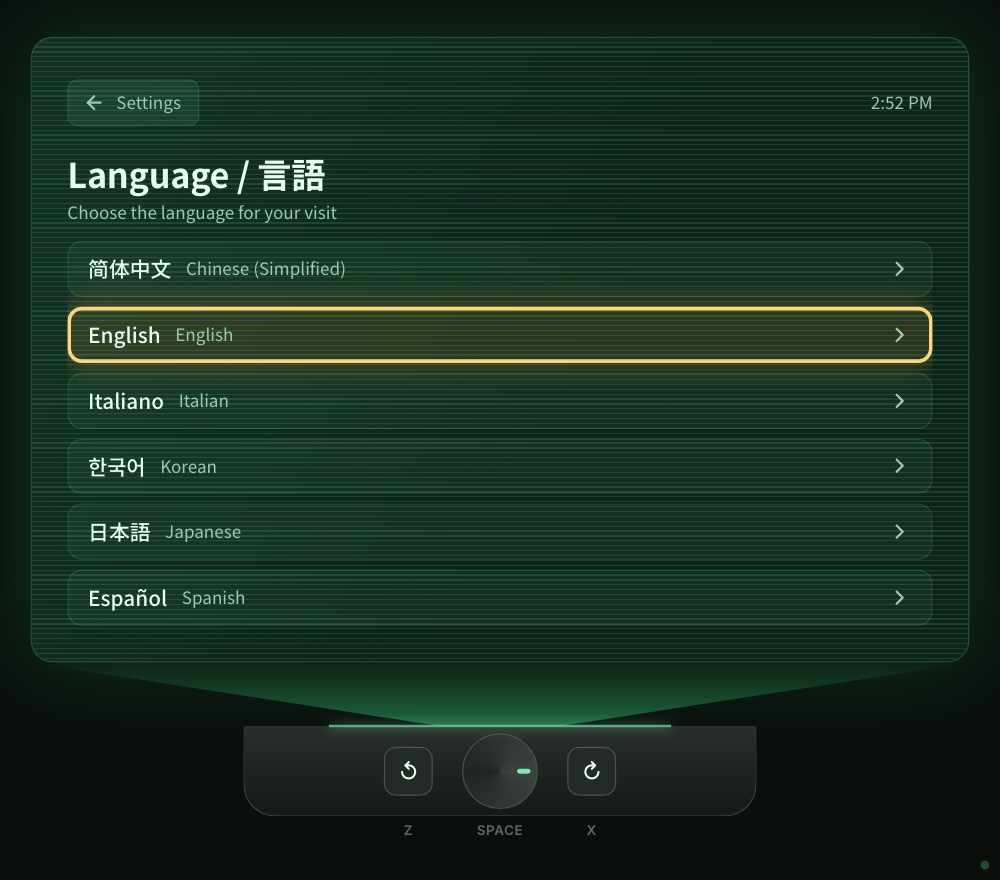
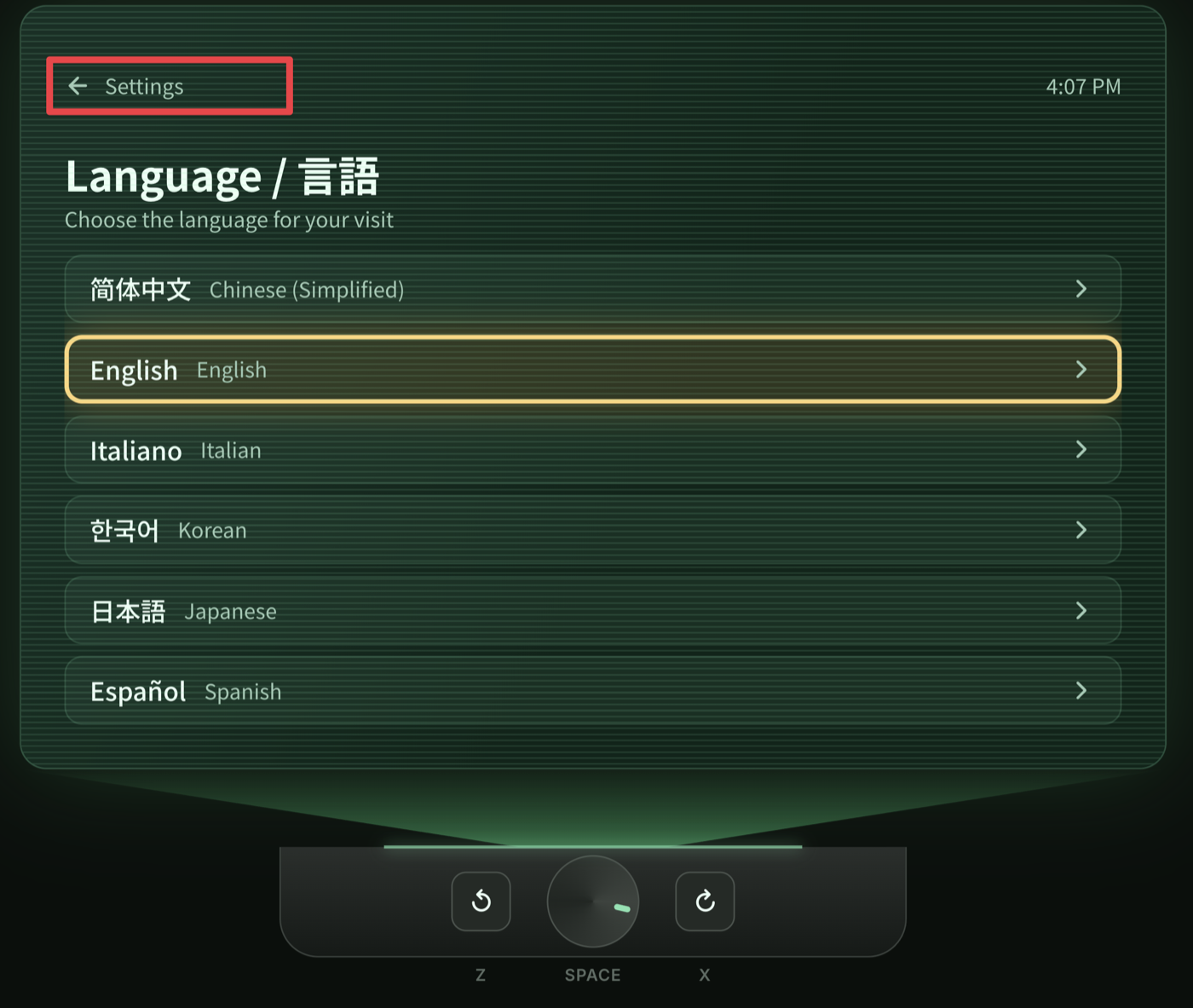
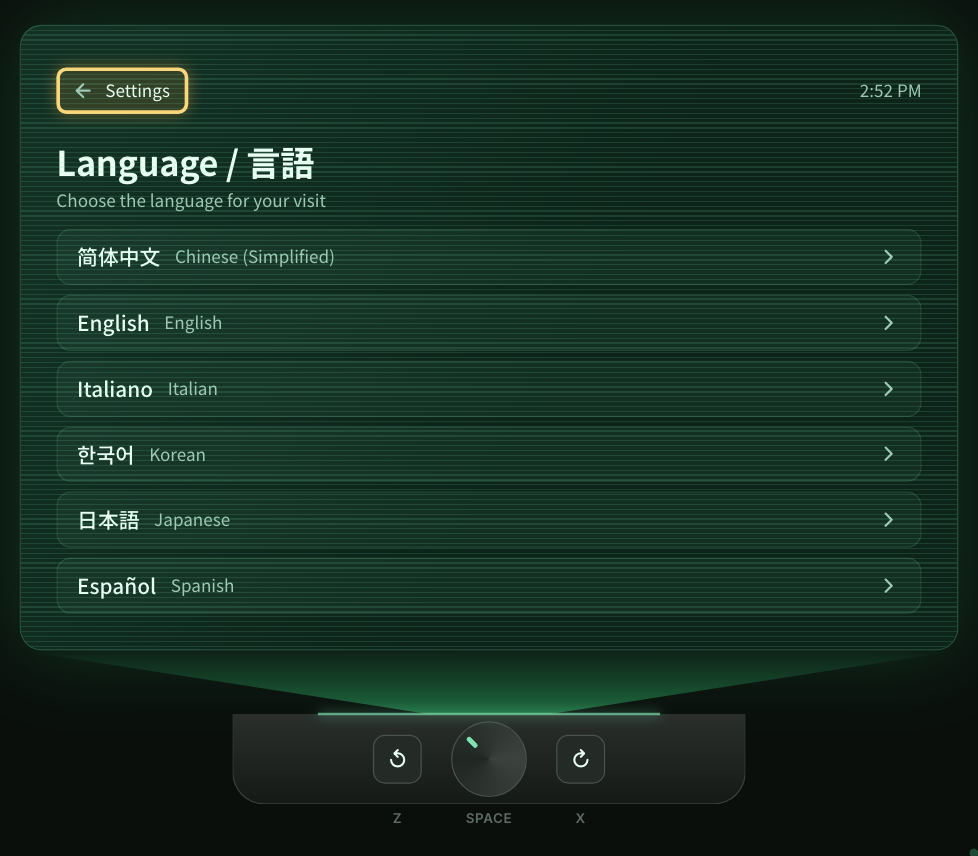
B19Settings → Language
Changed since v1.0: “← Settings” back pill is selectable (EF1)
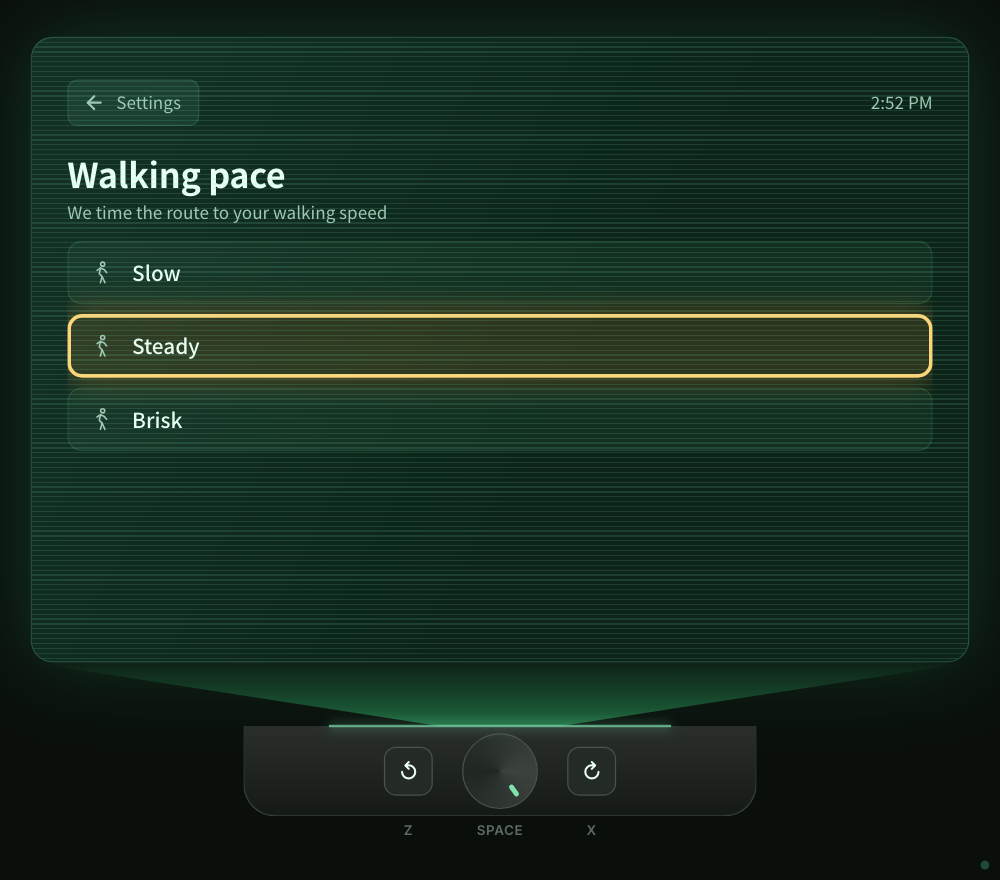
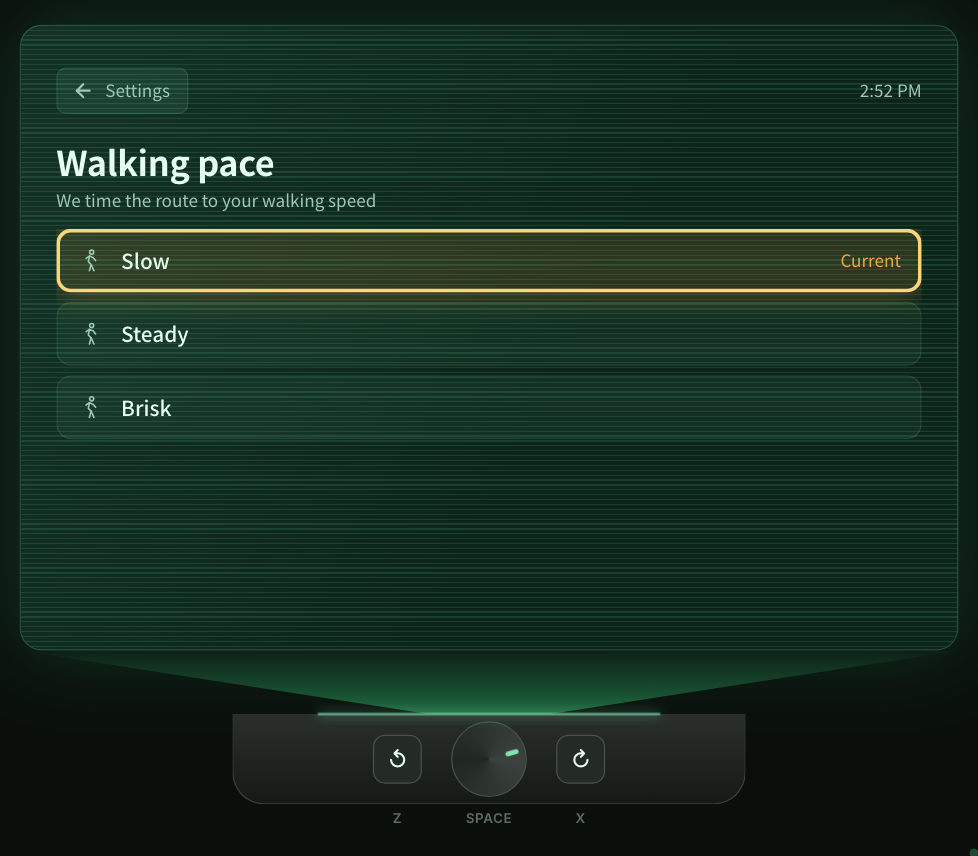
B20Settings → Walking pace
Changed since v1.0: New screen (EF7)
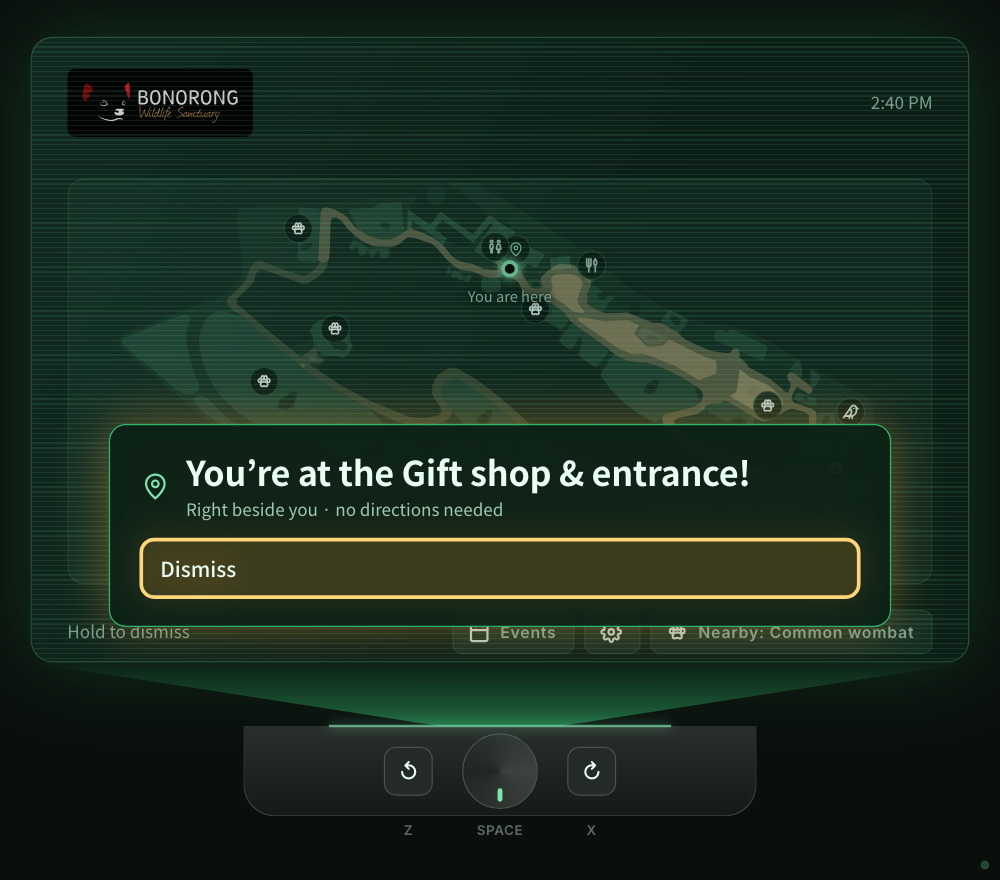
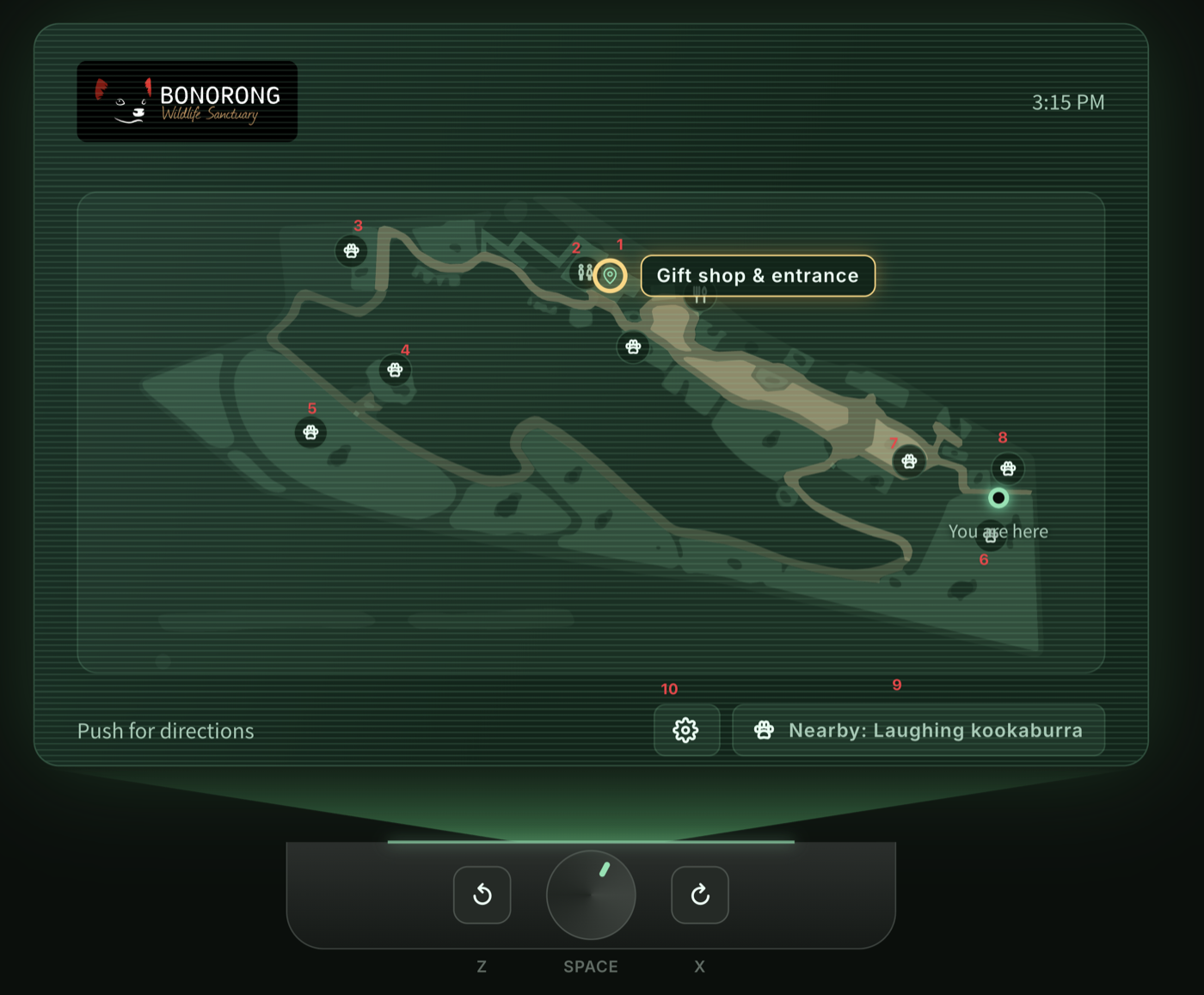
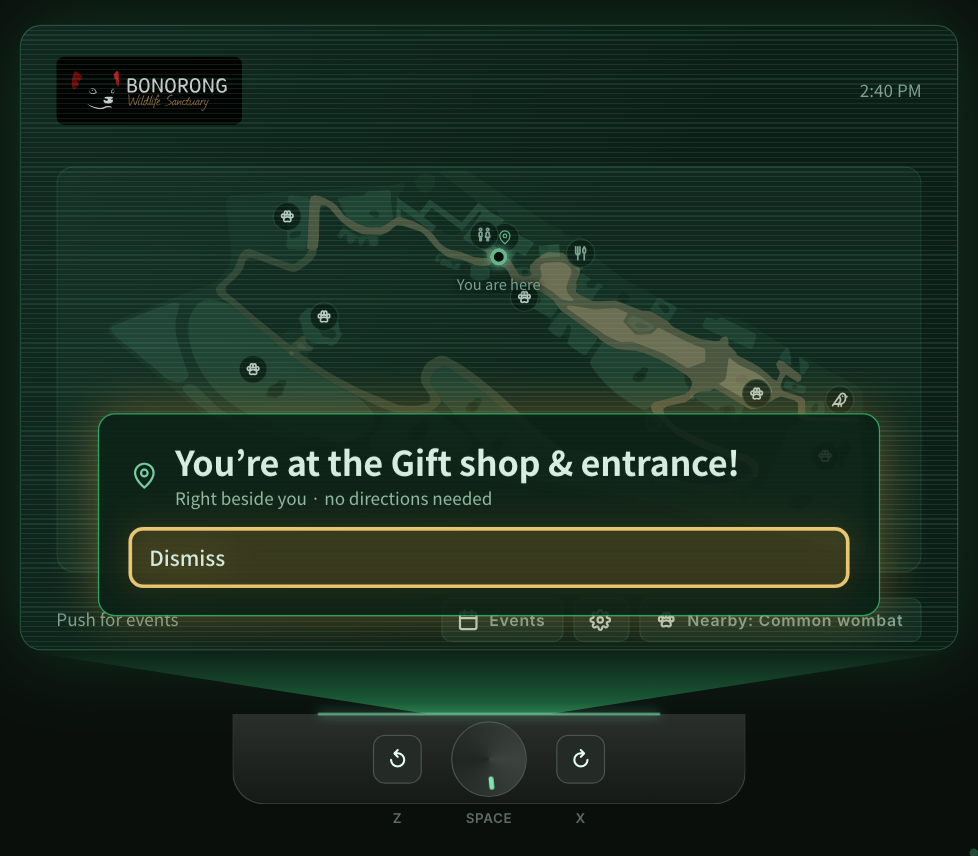
B21Beside the gift shop, selecting it: “You're at the Gift shop & entrance!”
Changed since v1.0: New (EF5)
Keeper Console
C01–C13 match the v1.0 inventory; C14–C15 are the Trash views added by EF10. Console shots are full page, so each form’s bracelet preview is included.
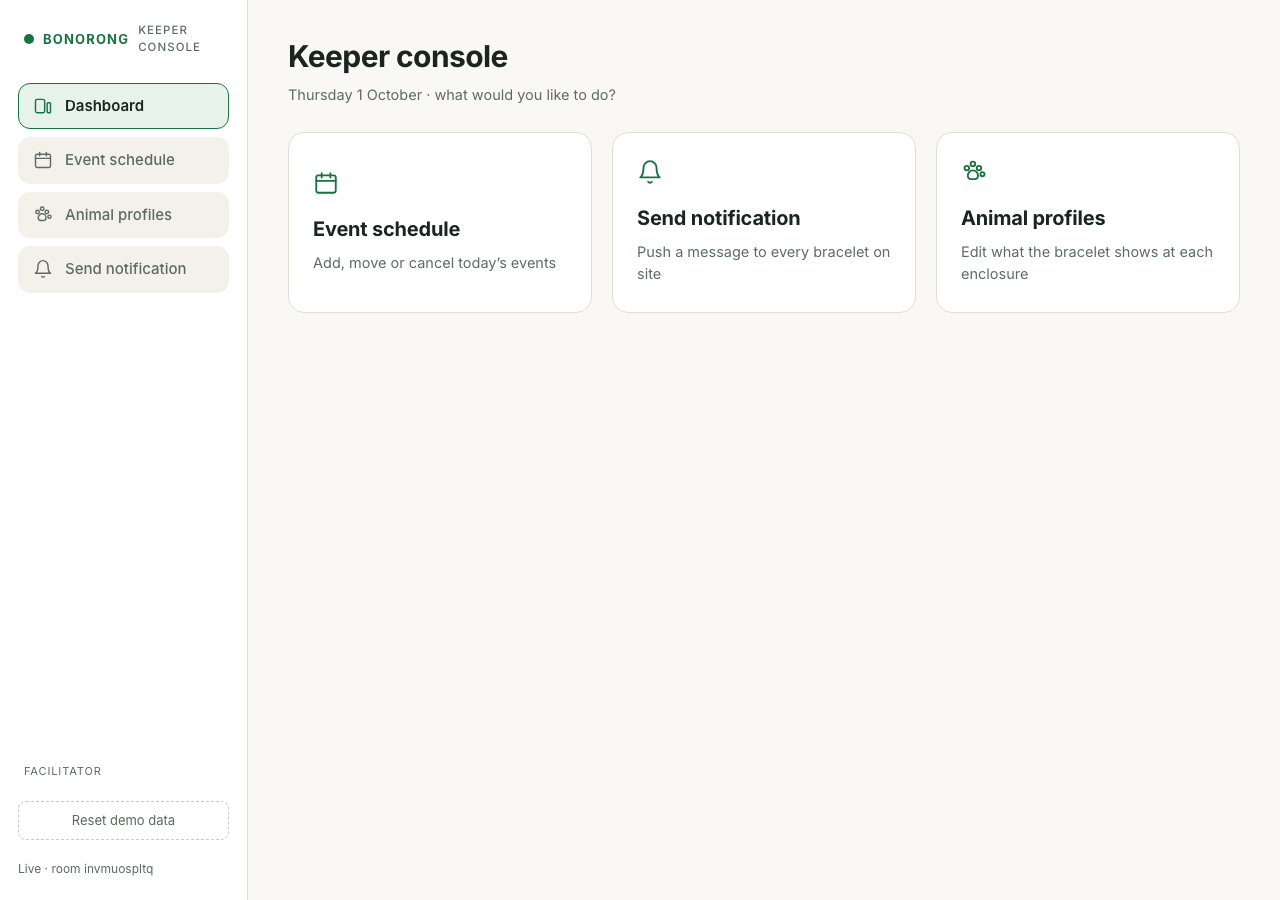
C01Dashboard
Changed since v1.0: Section names (AI-28)
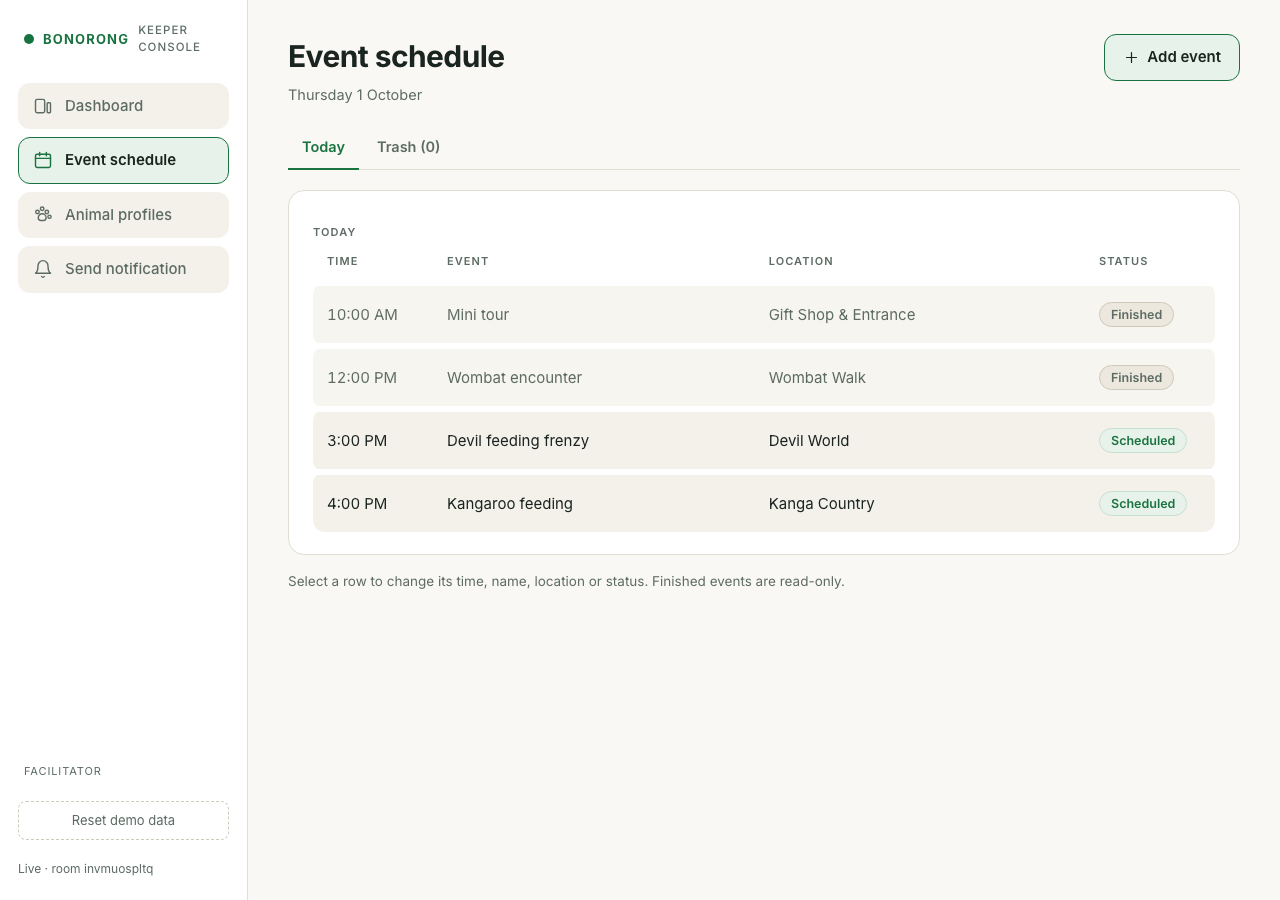
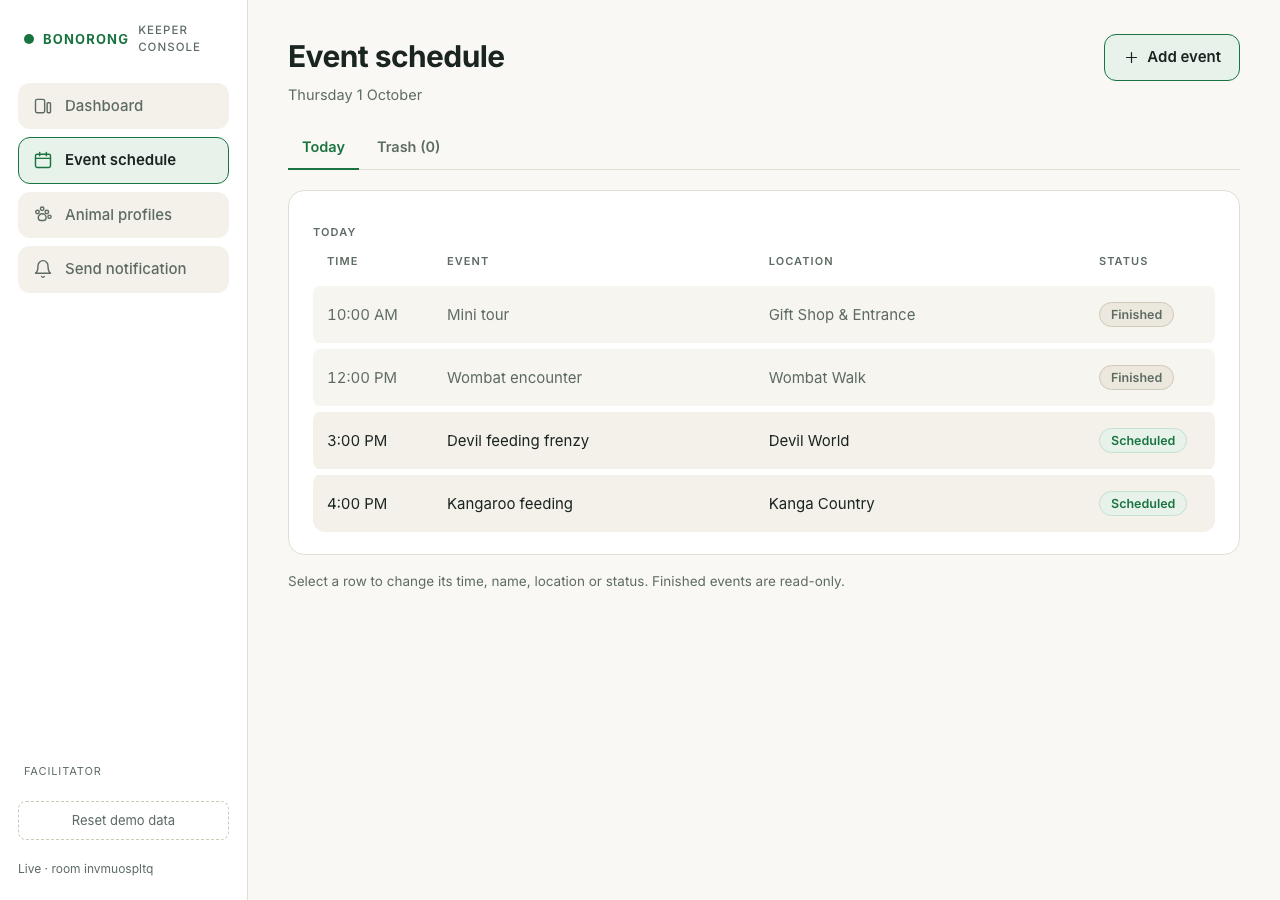
C02Event schedule, with Today and Trash tabs
Changed since v1.0: Name (AI-28), Trash tab (EF10)
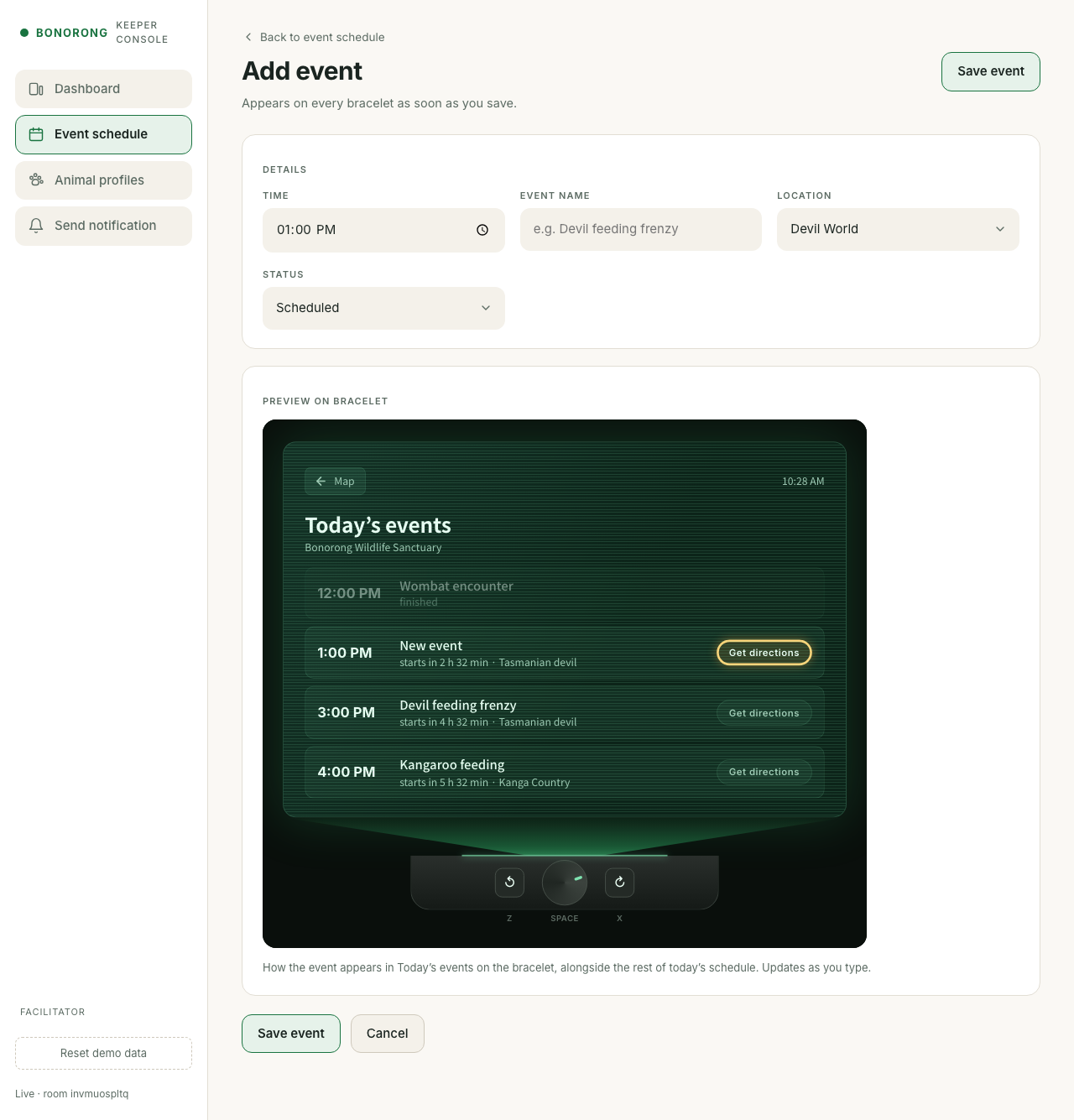
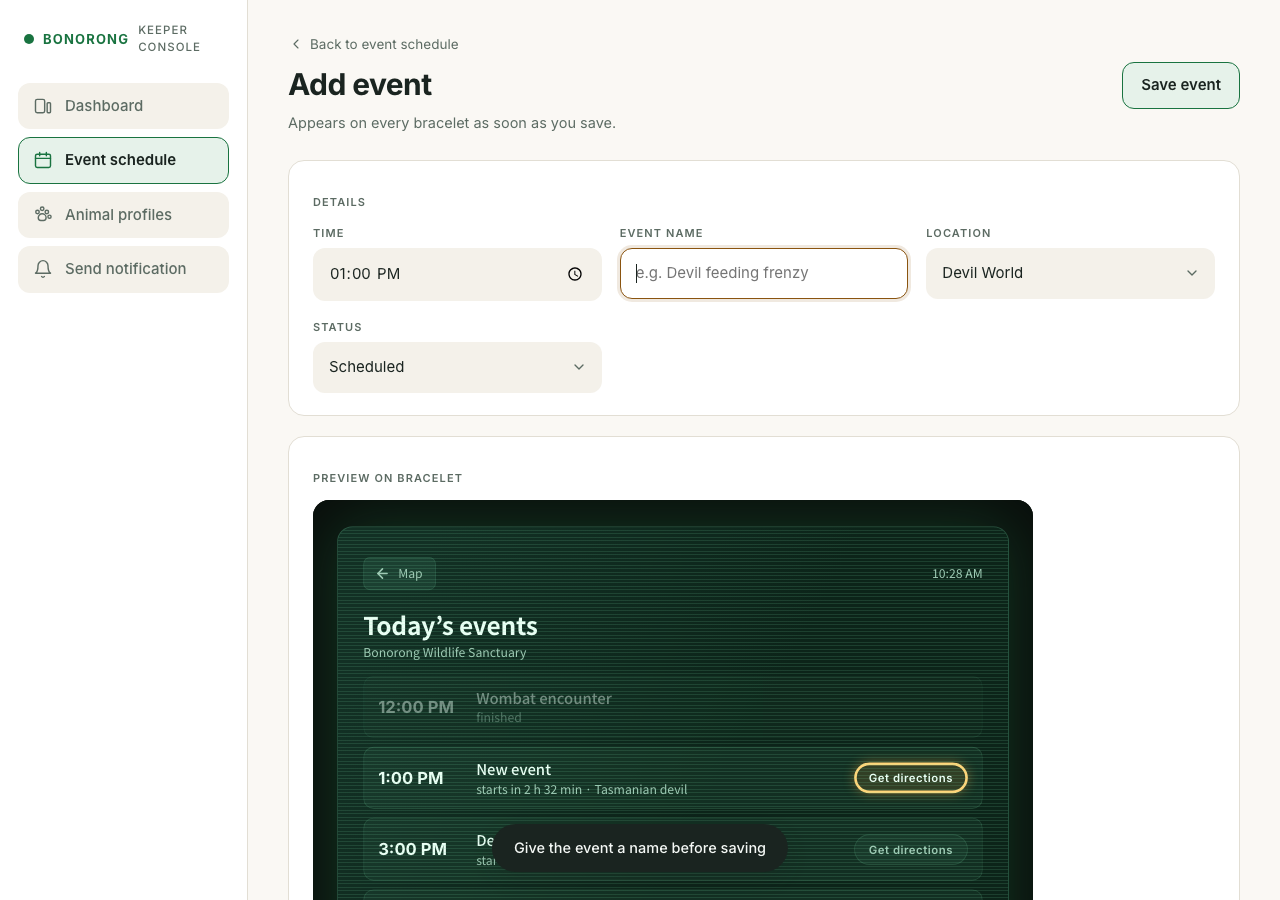
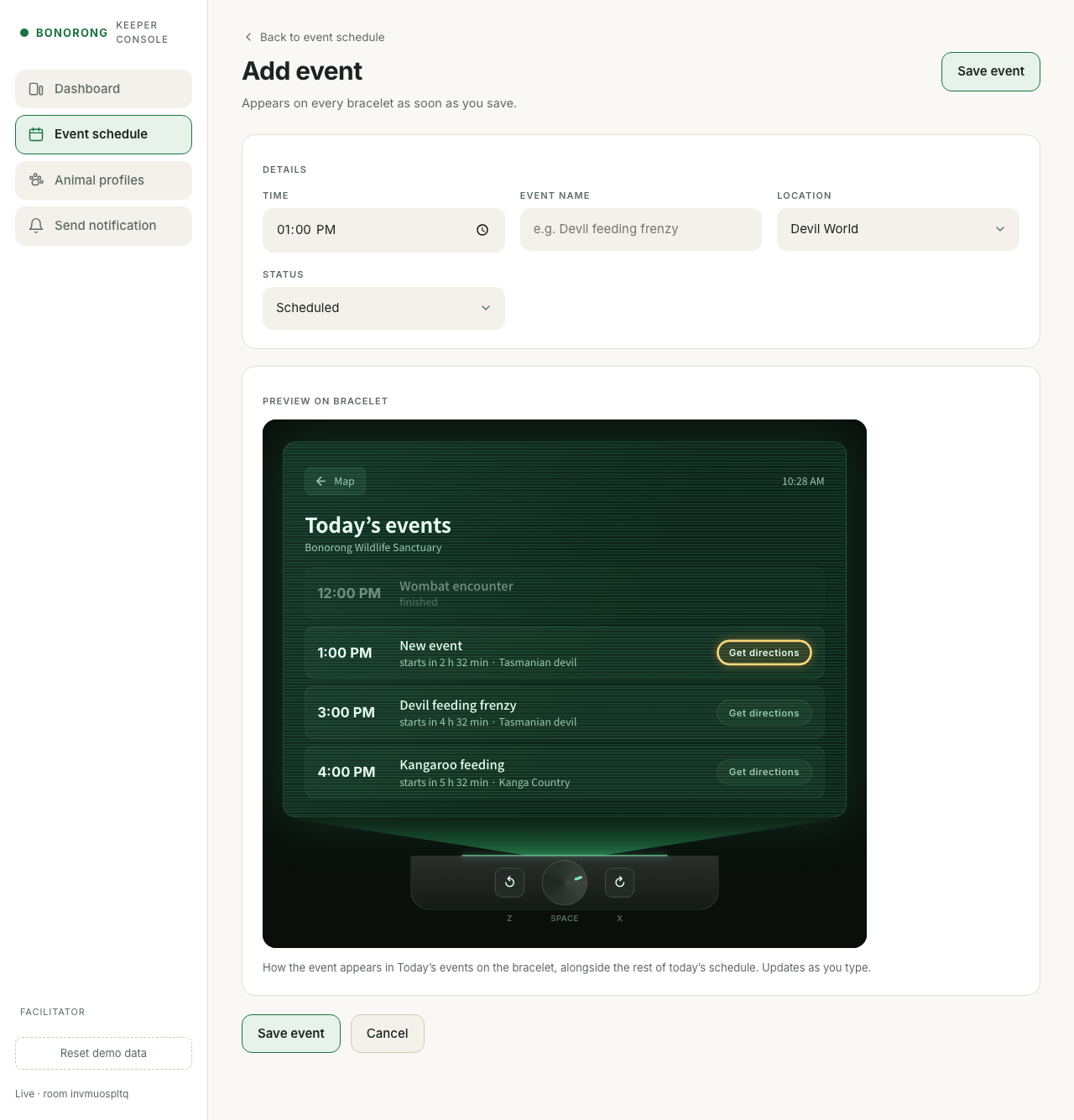
C03Add event, with a live Preview on bracelet
Changed since v1.0: No description field (AI-24), preview (tester request)
C04Add event saved with no name: validation toast
Unchanged since v1.0
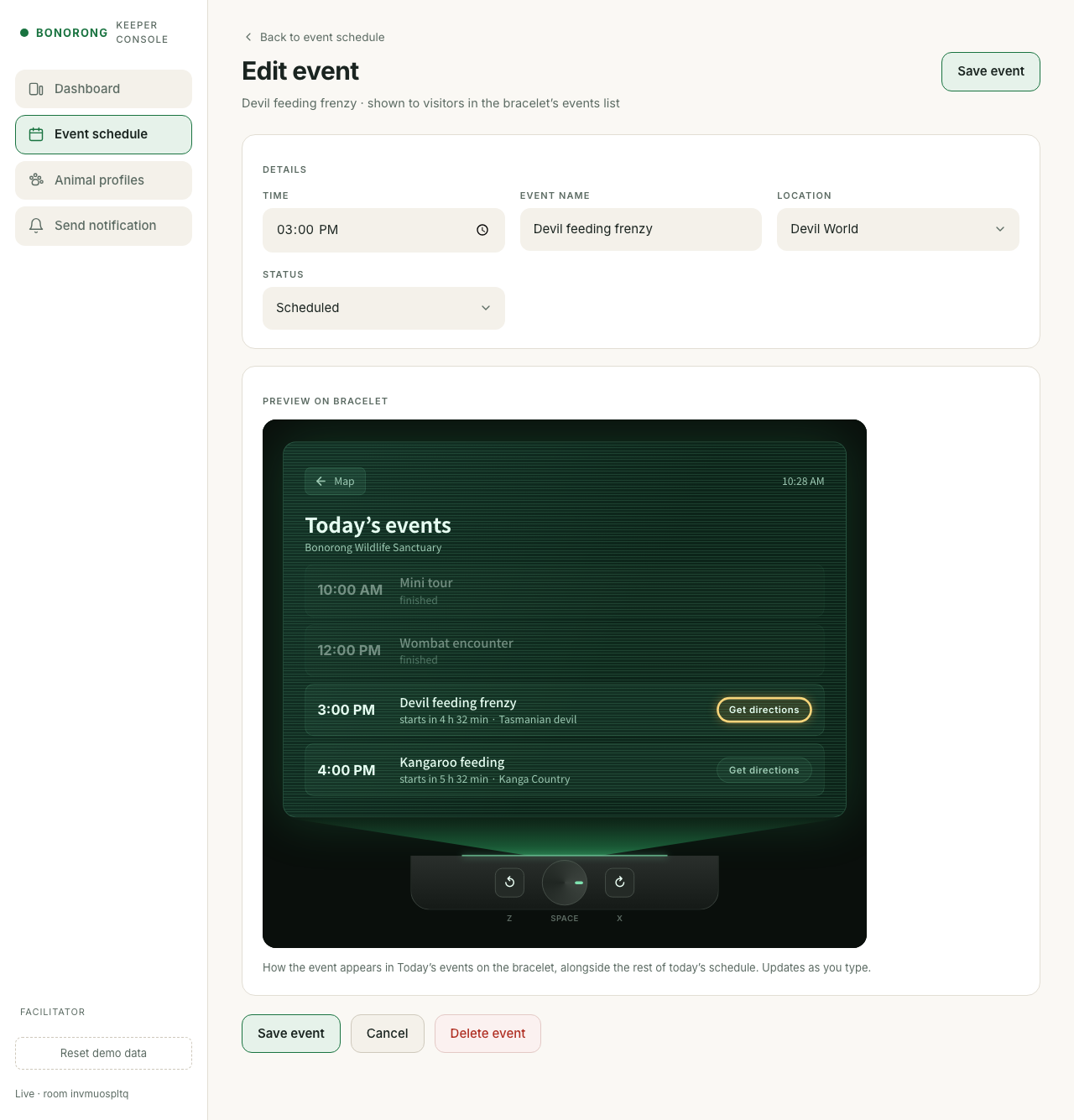
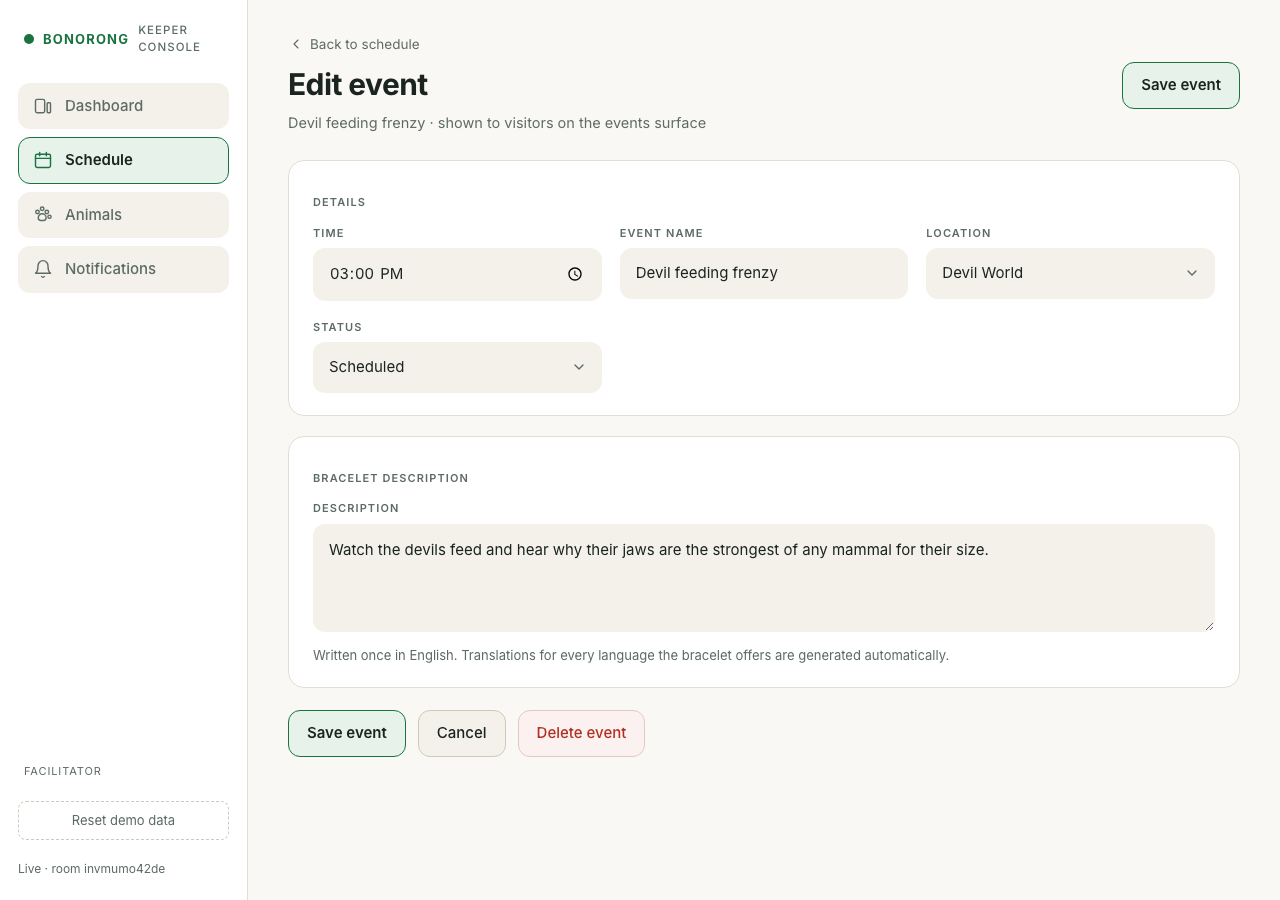
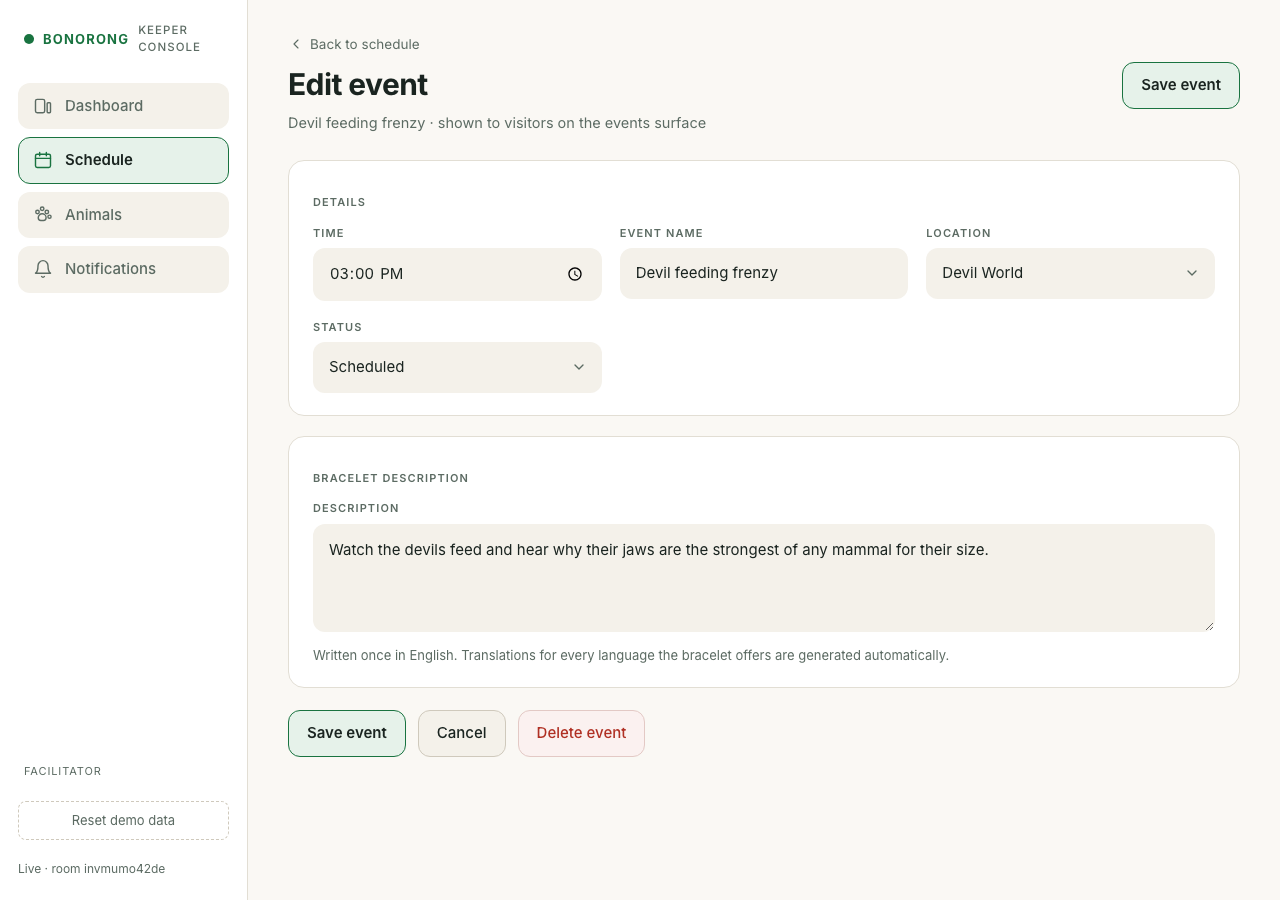
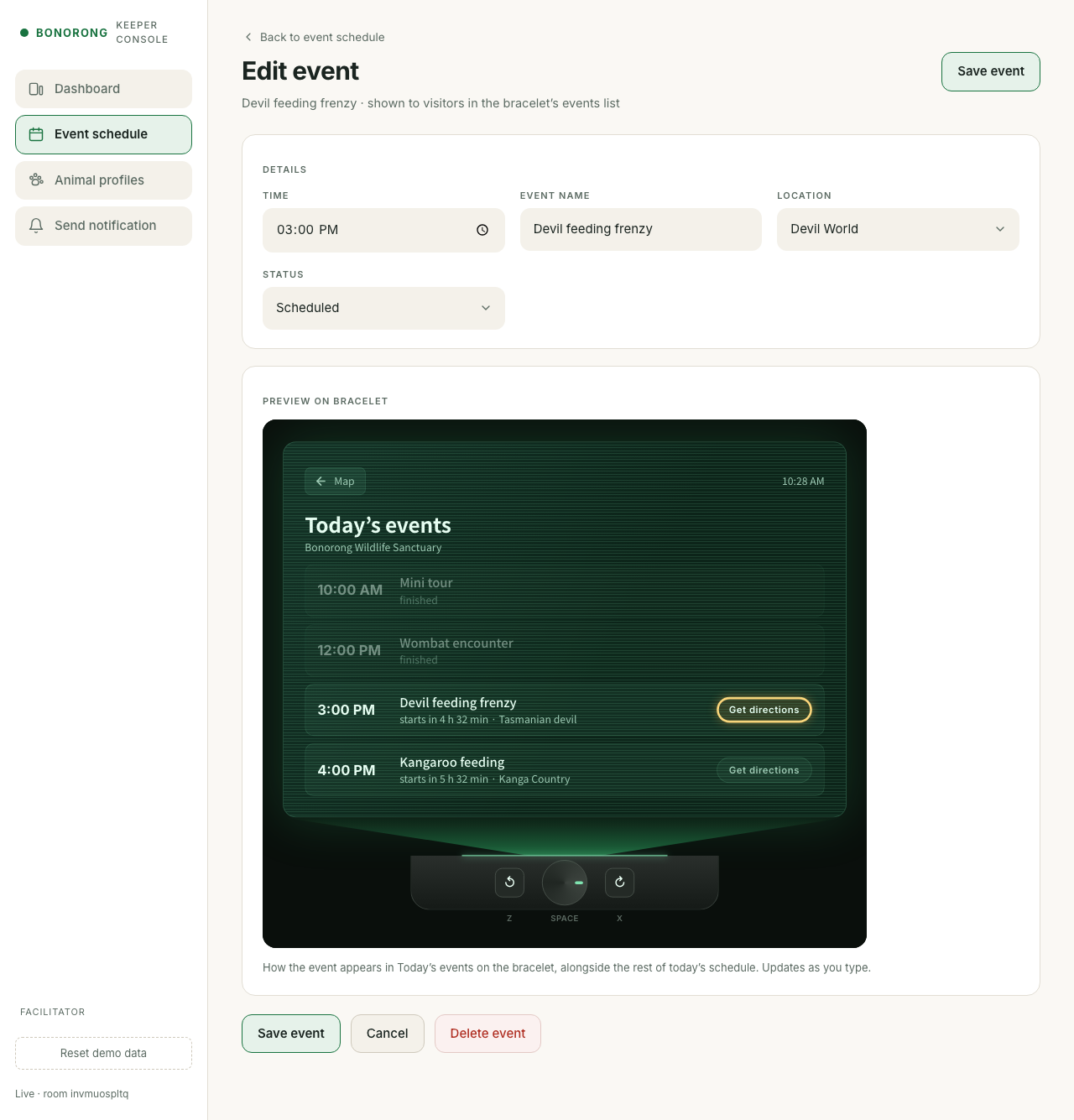
C05Edit event, with Delete event and the preview
Changed since v1.0: Preview, no description field
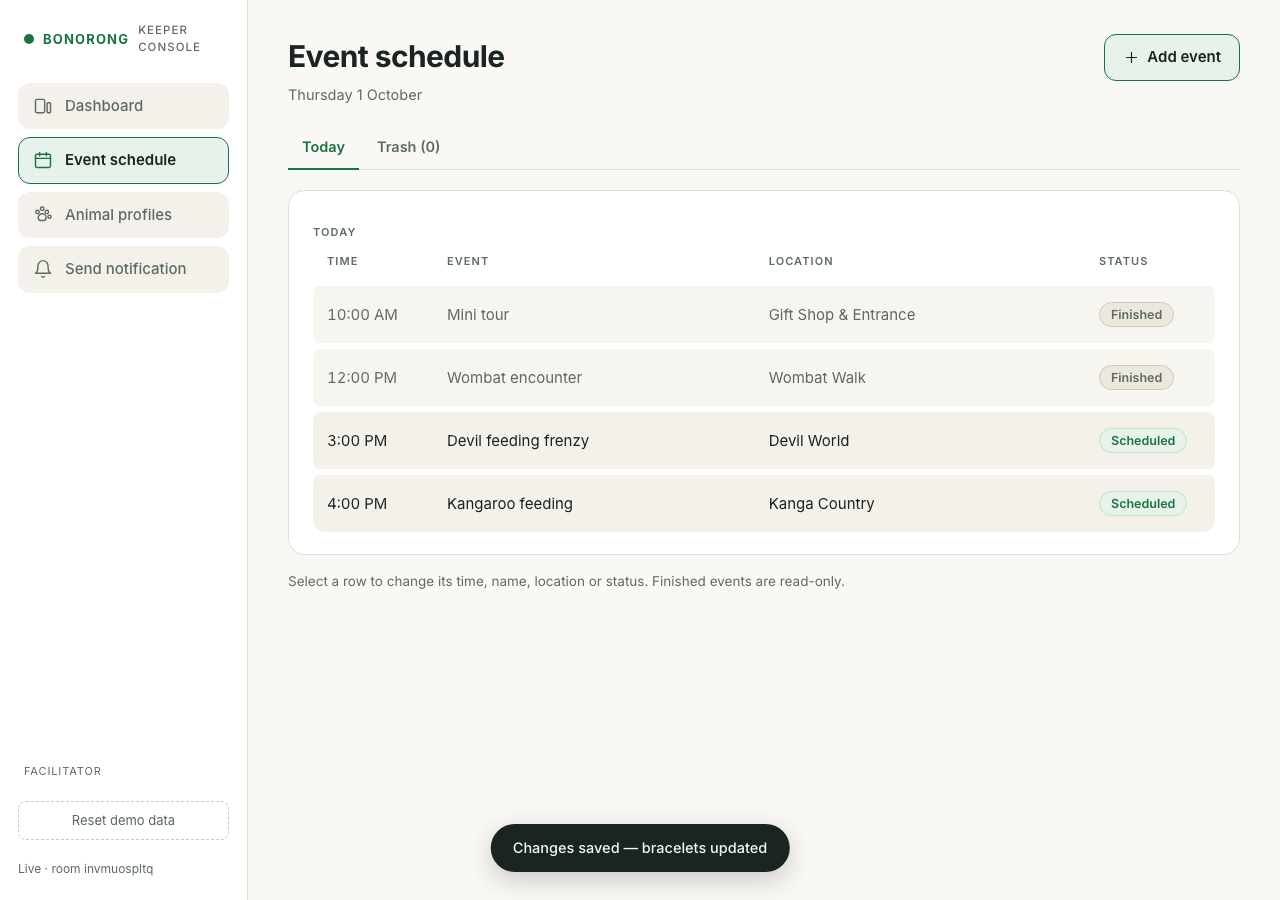
C06Event saved toast
Unchanged since v1.0
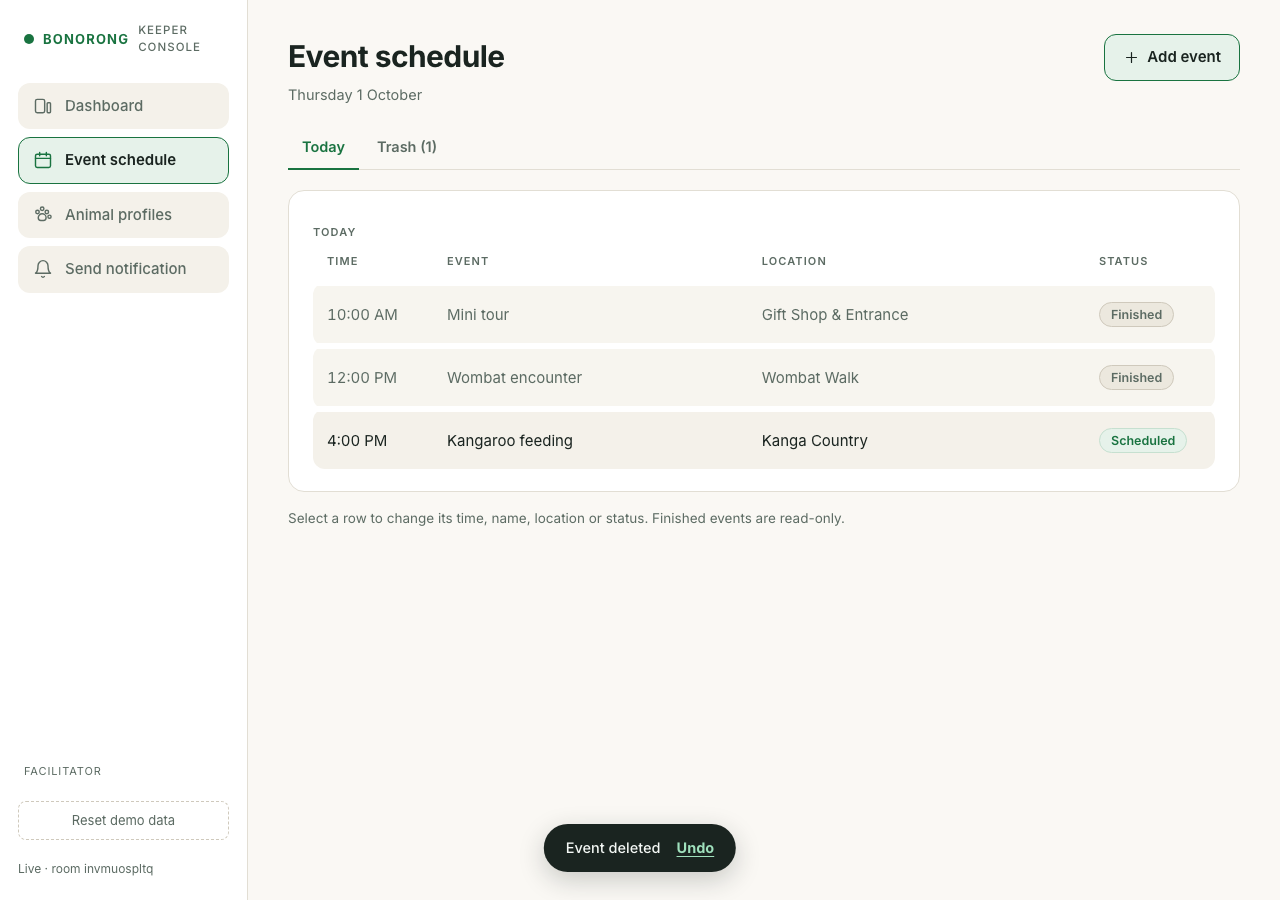
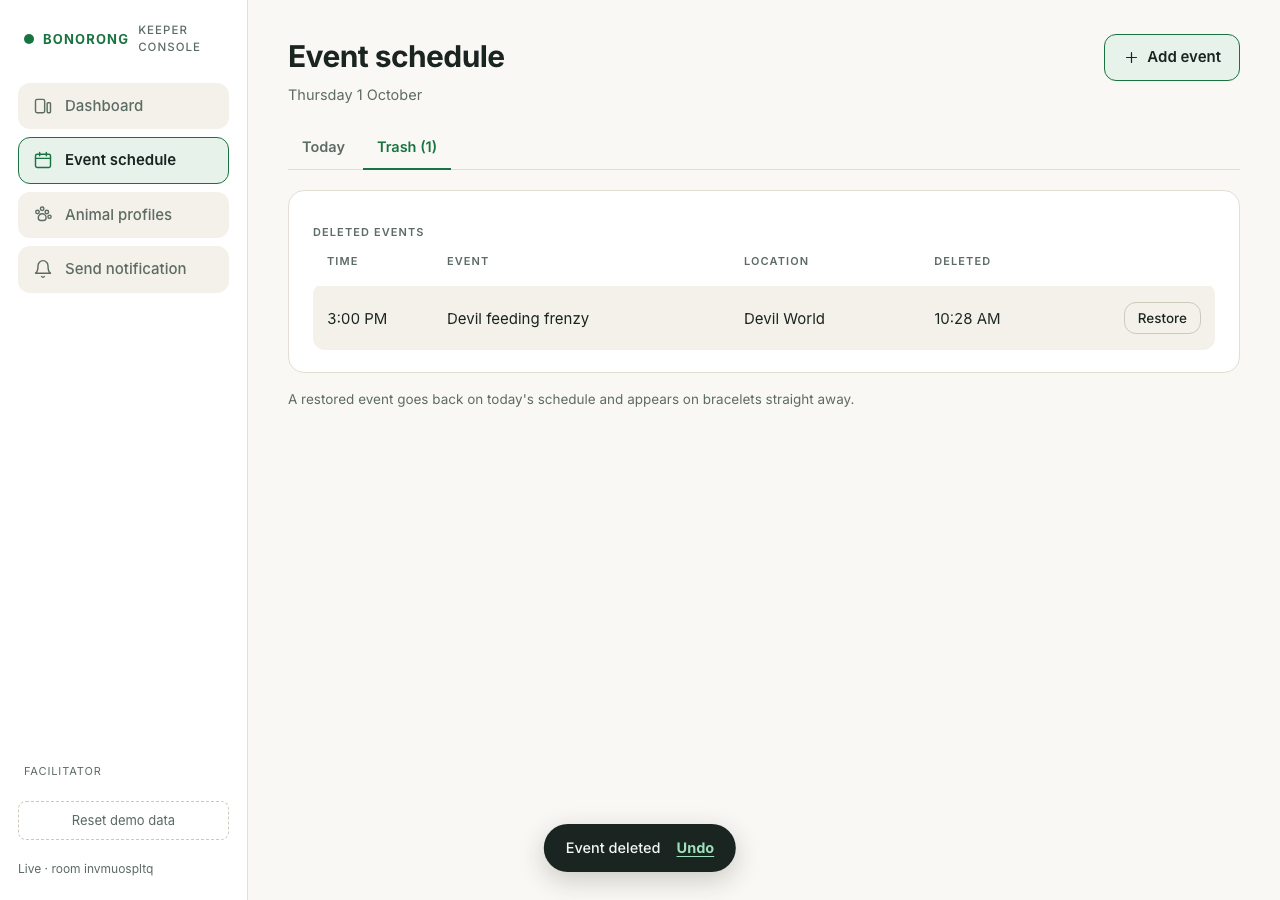
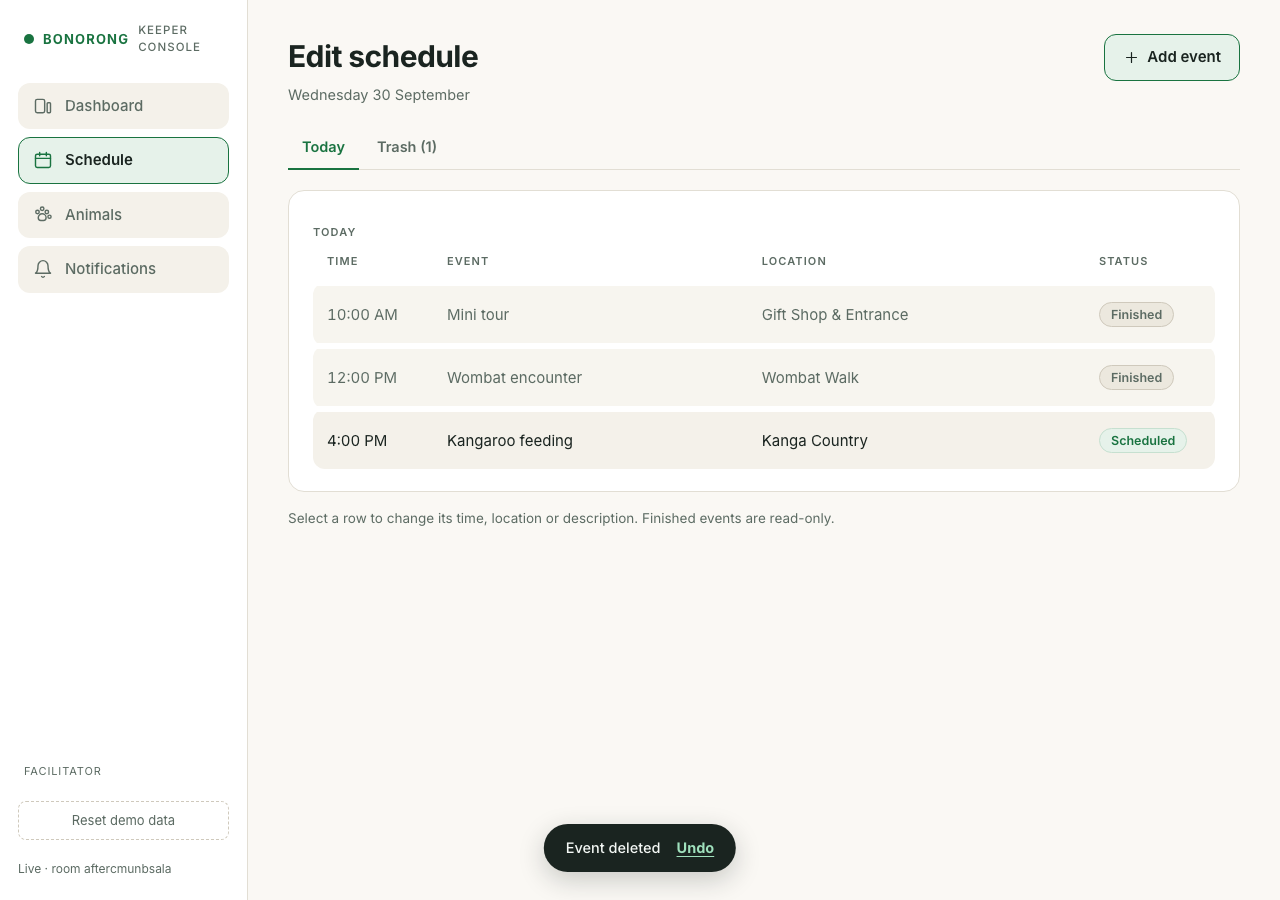
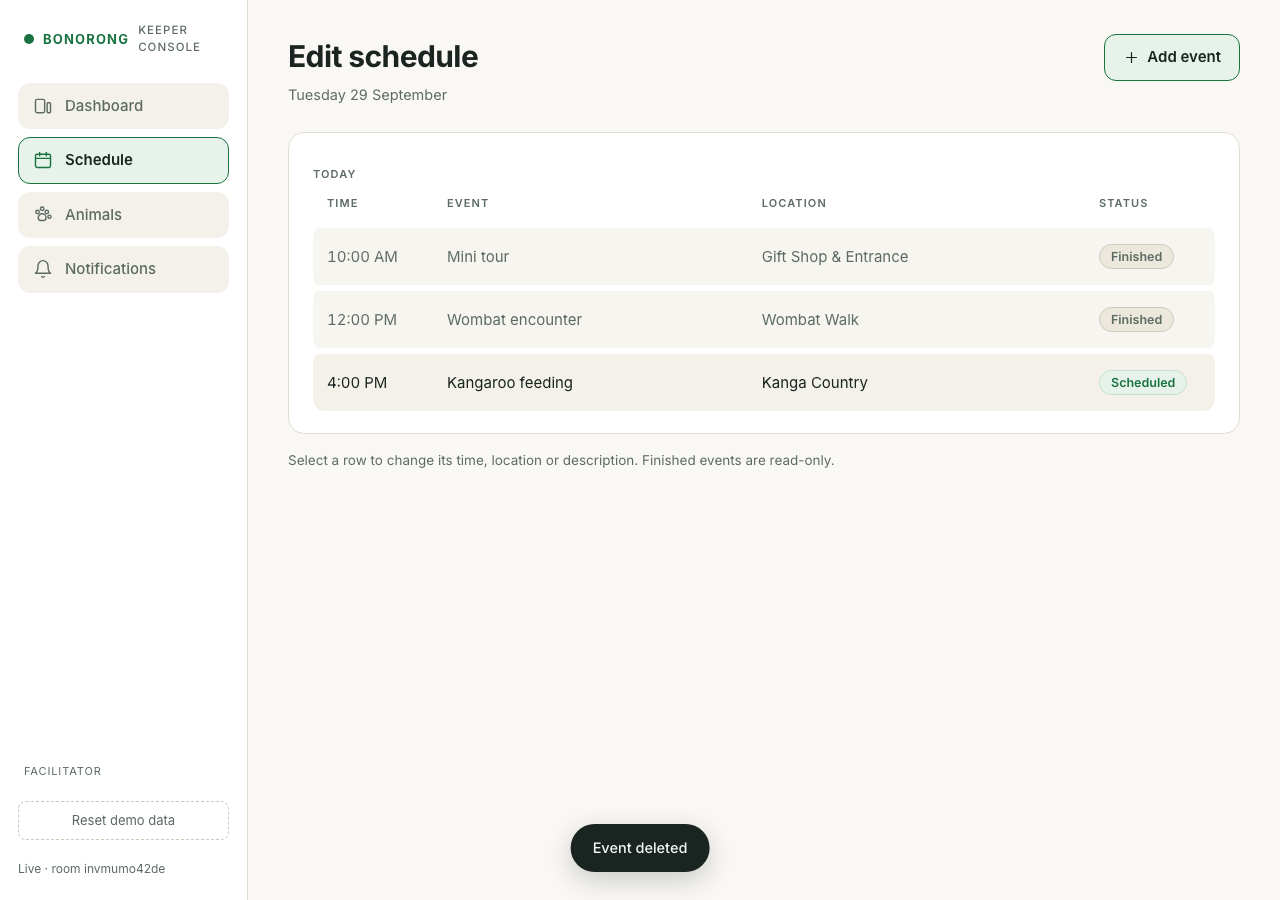
C07Event deleted: toast with Undo
Changed since v1.0: Undo (EF10)
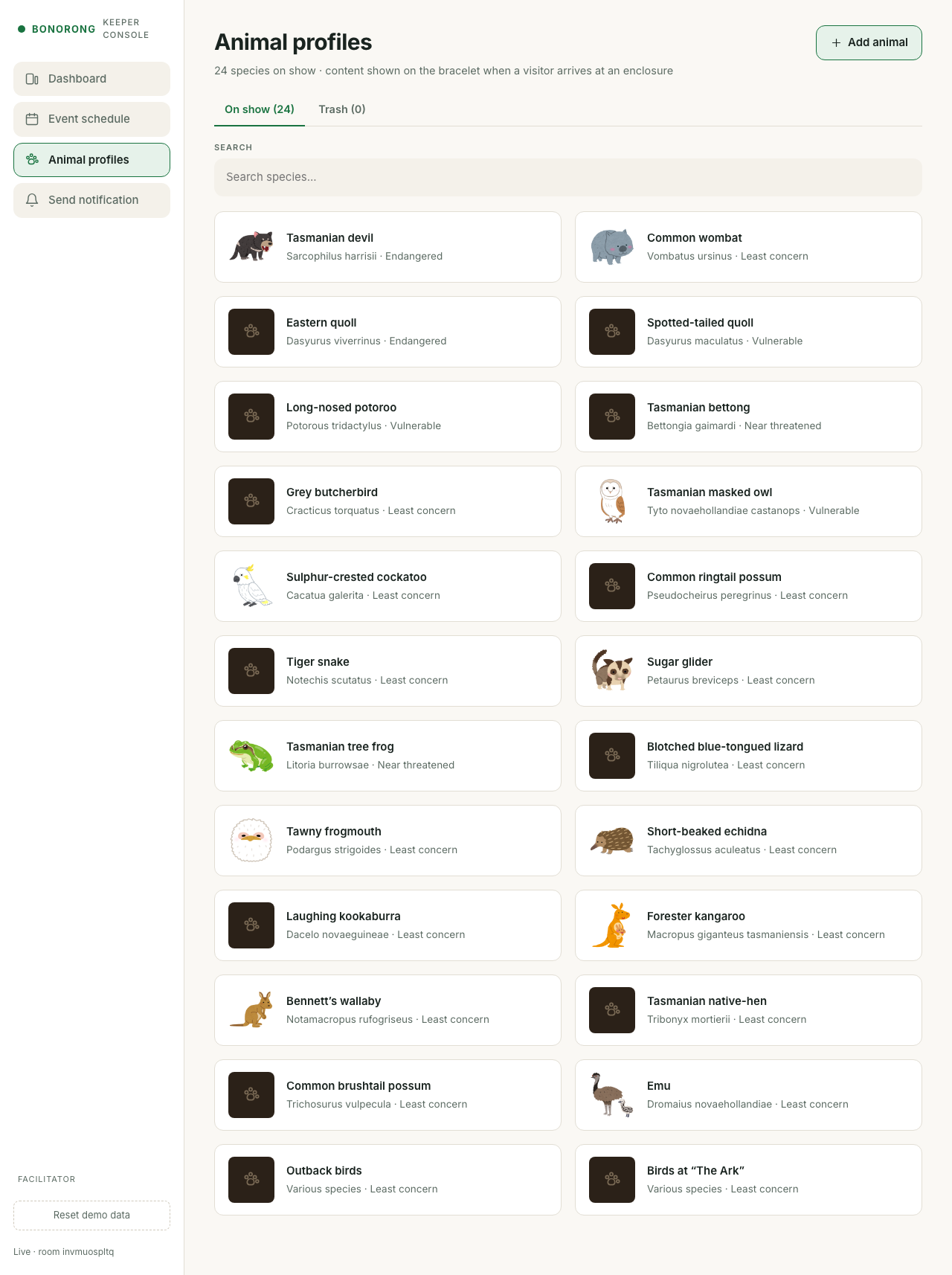
C08Animal profiles, with On show and Trash tabs
Changed since v1.0: Trash tab (EF10)
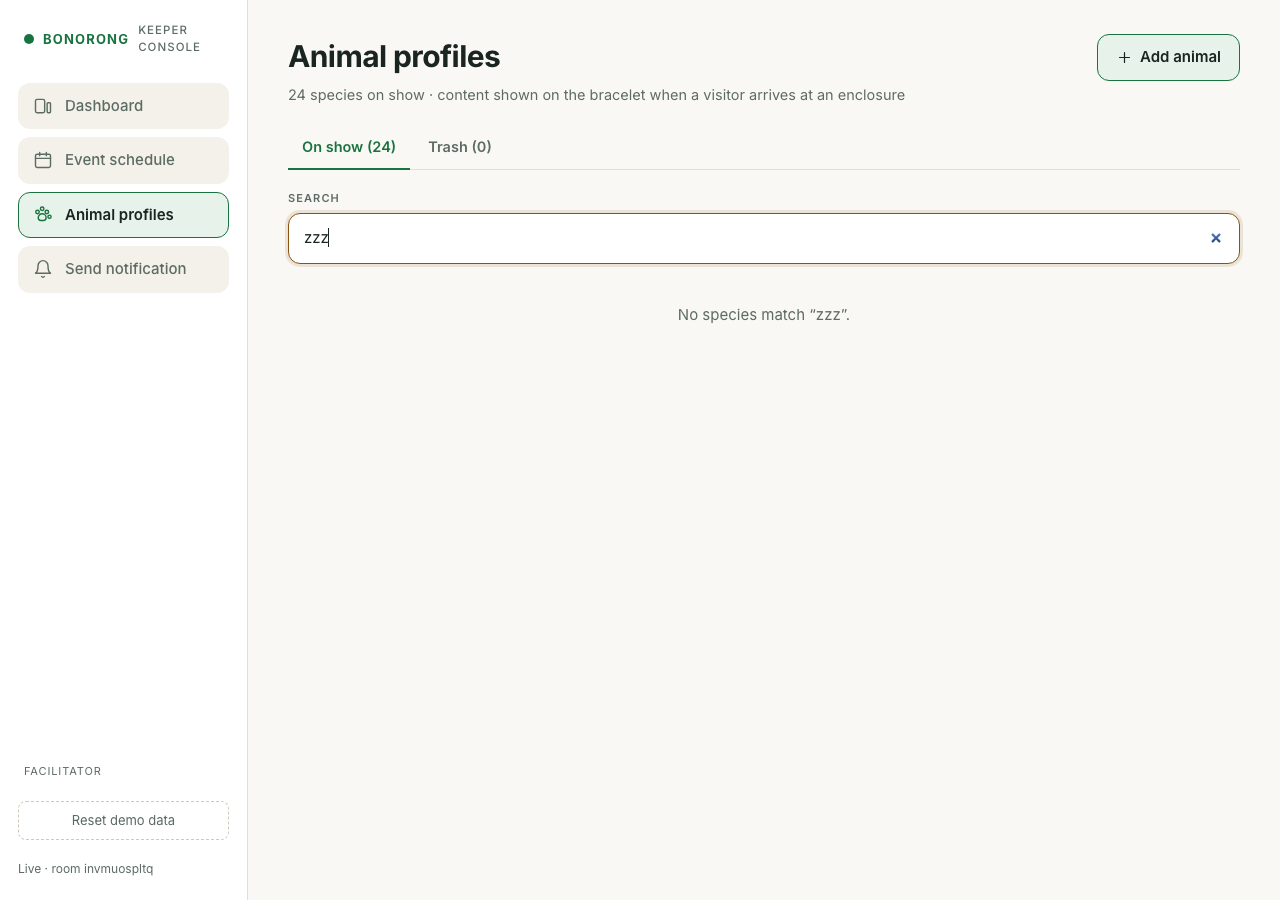
C09Animal search with no match
Unchanged since v1.0
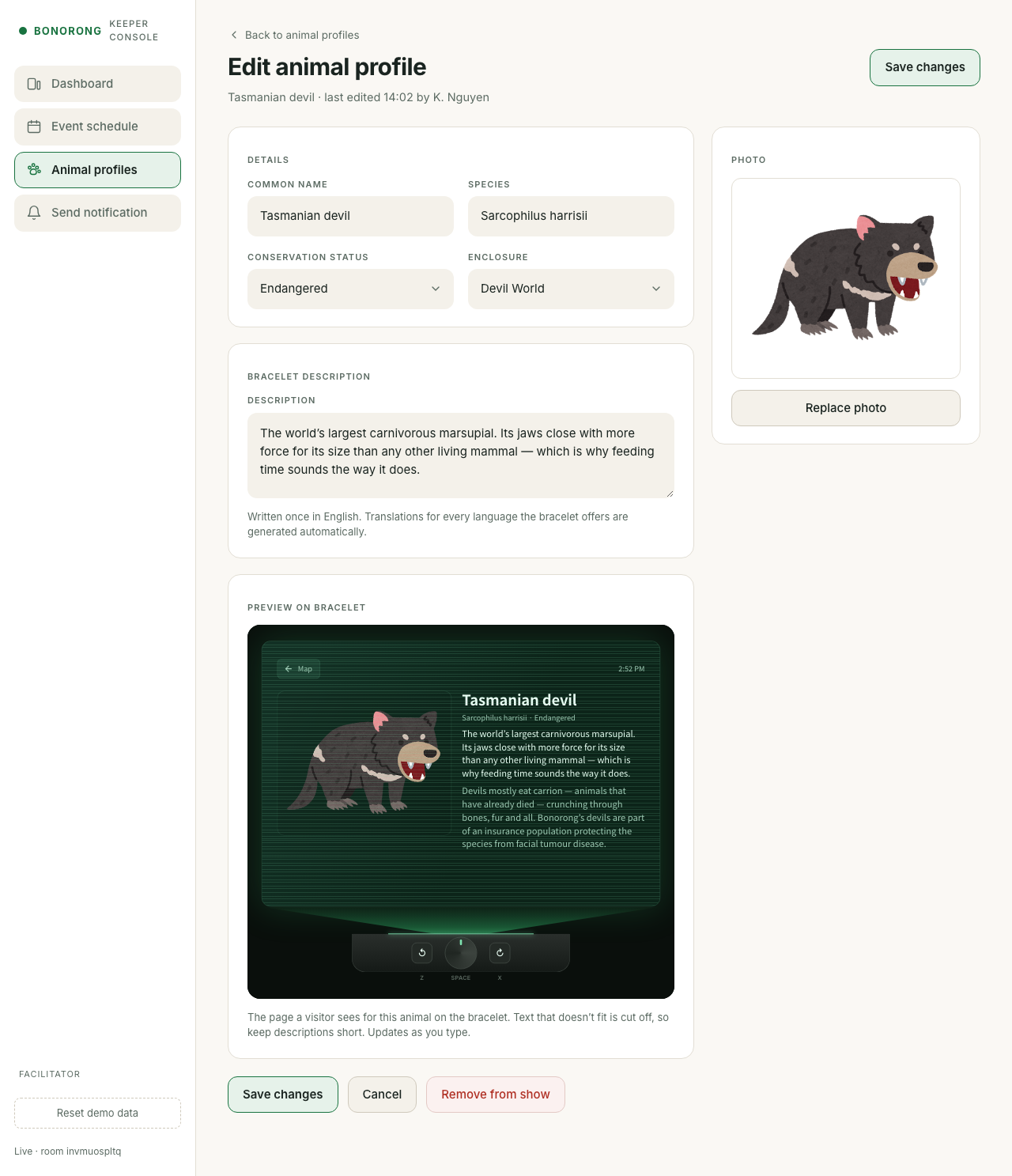
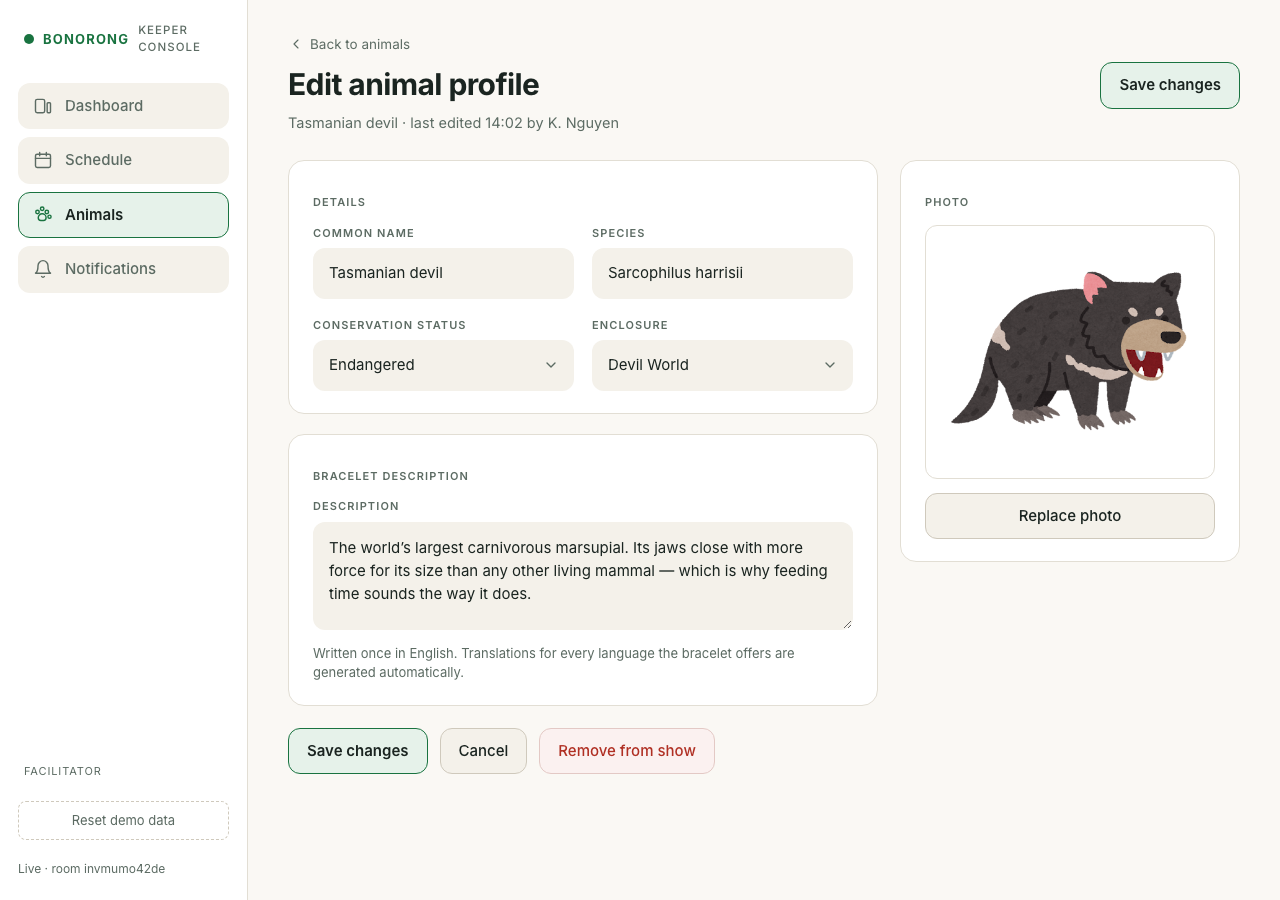
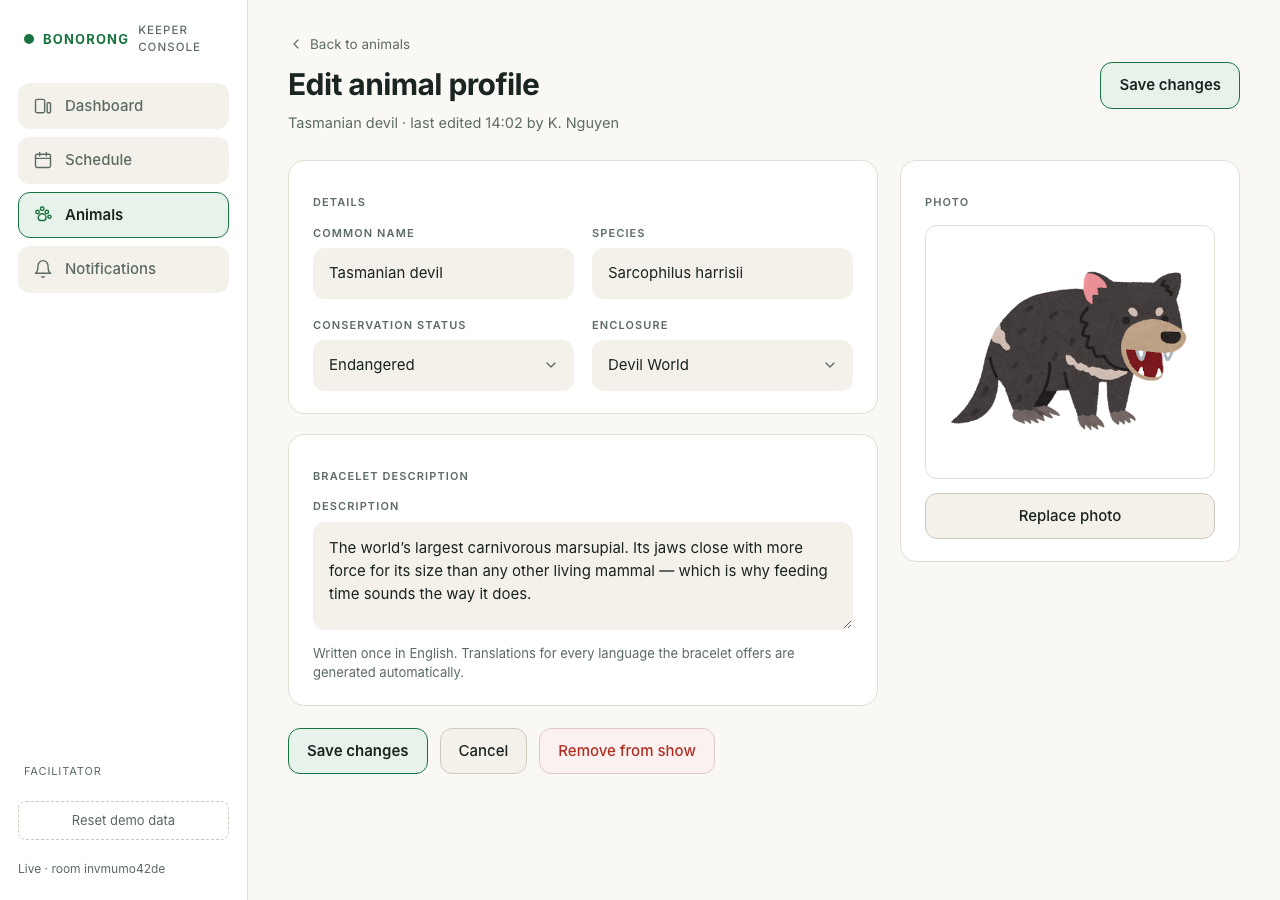
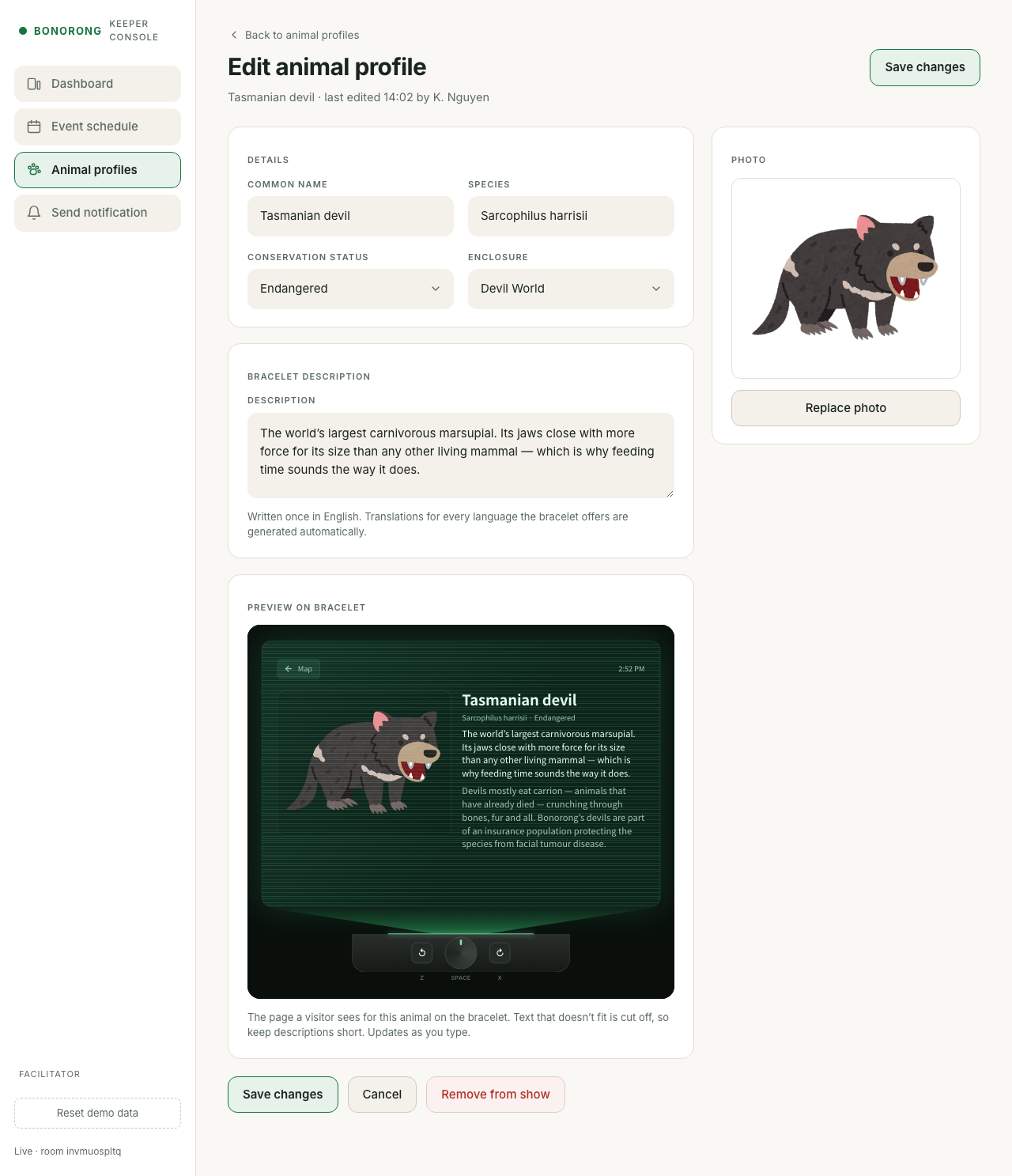
C10Edit animal profile, with a live Preview on bracelet
Changed since v1.0: Preview (tester request)
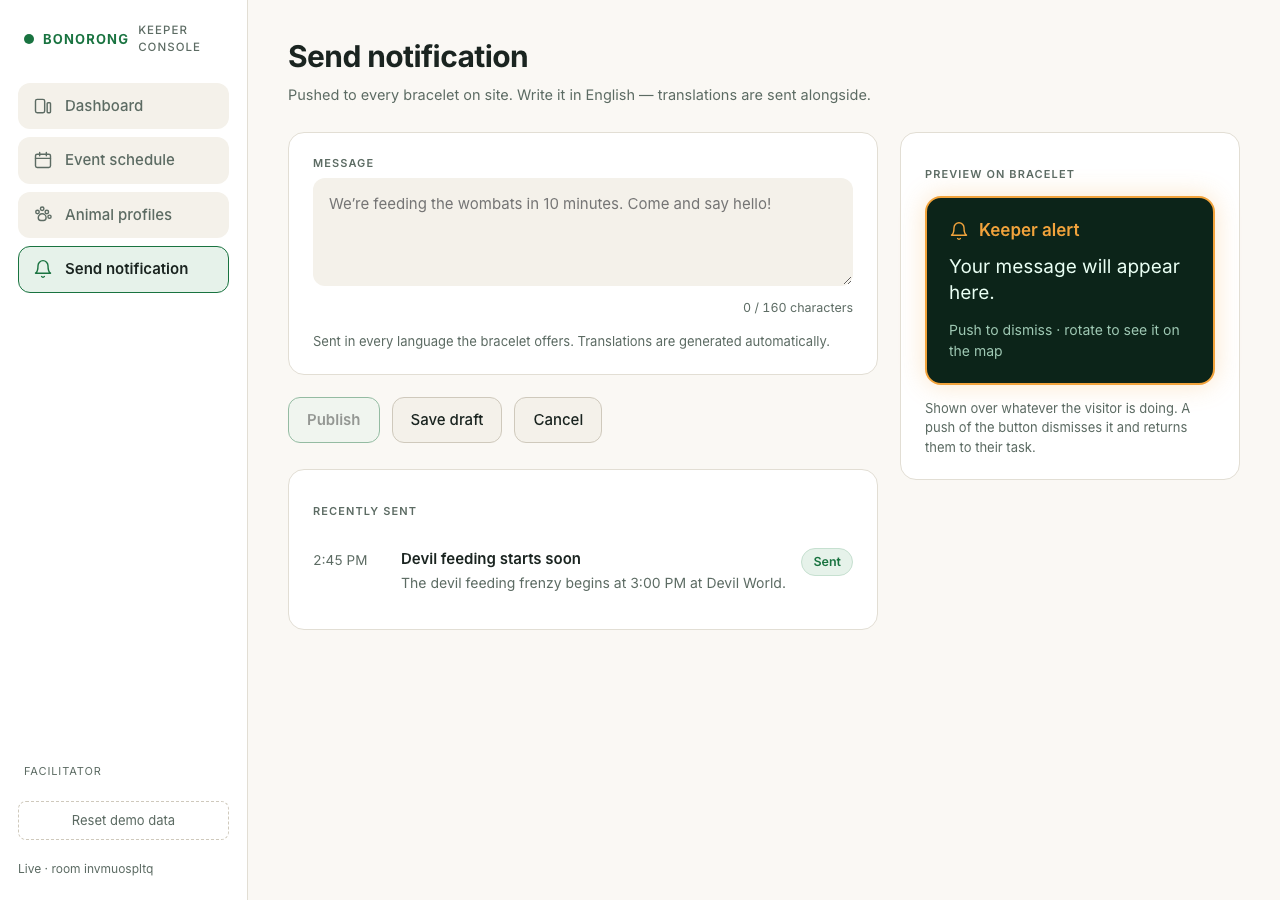
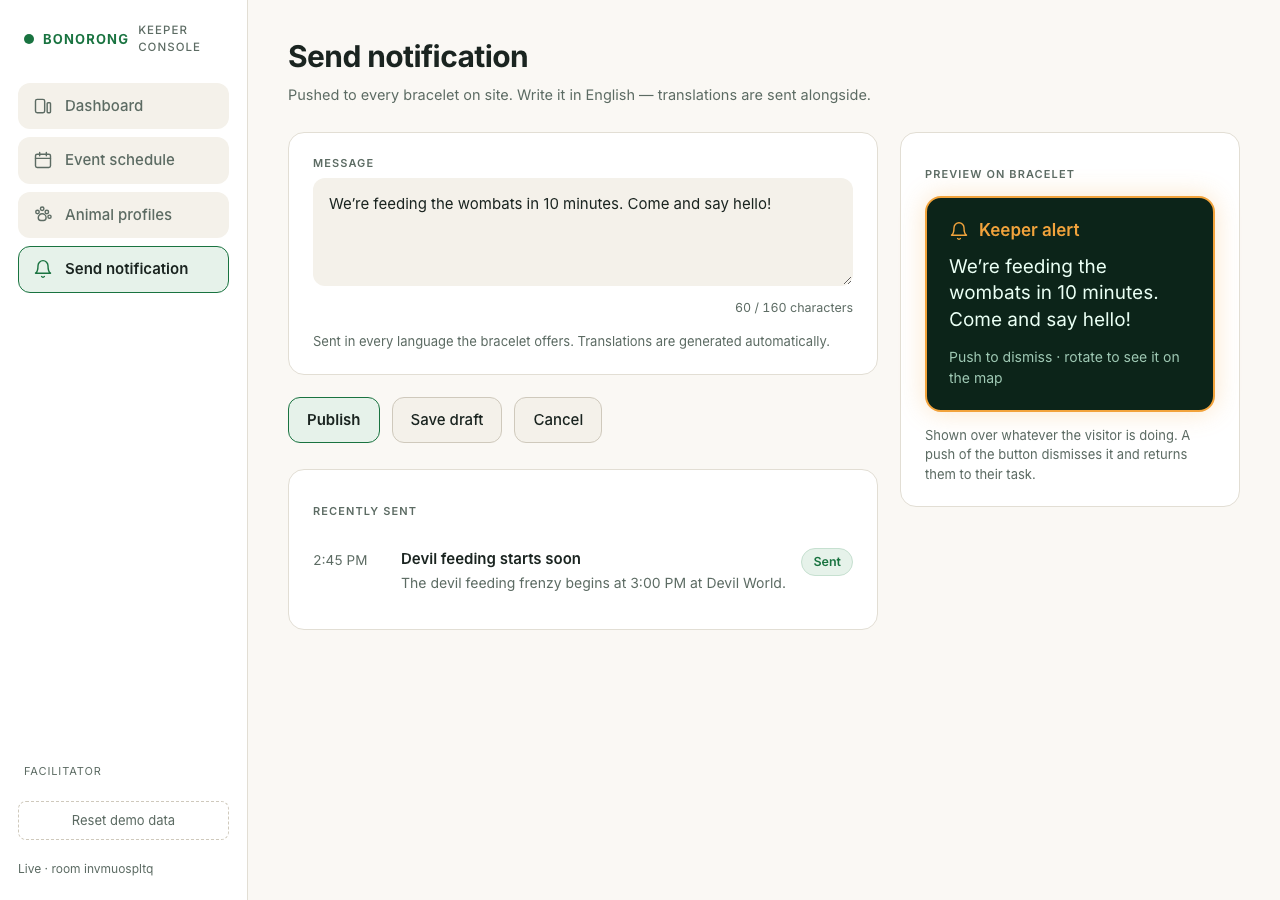
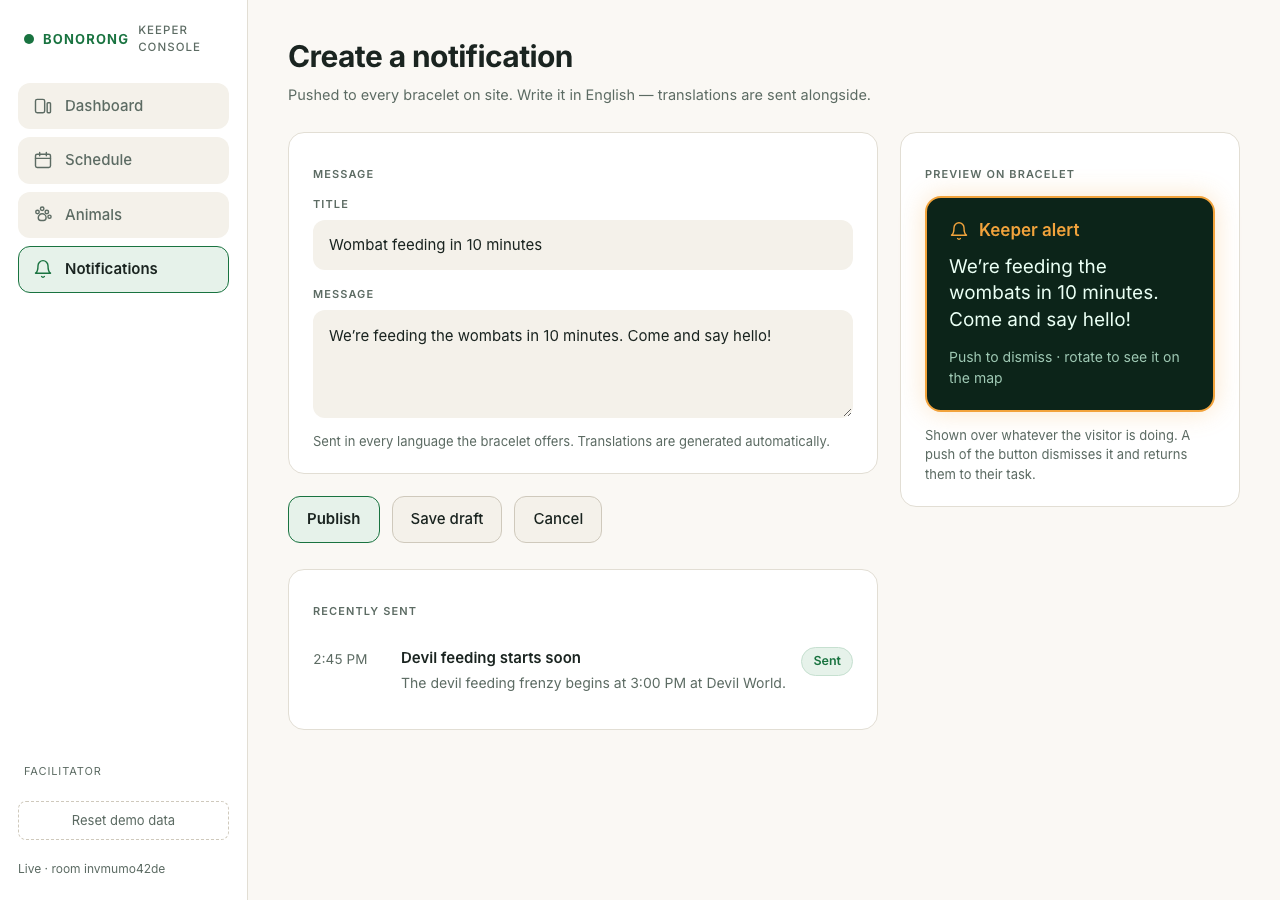
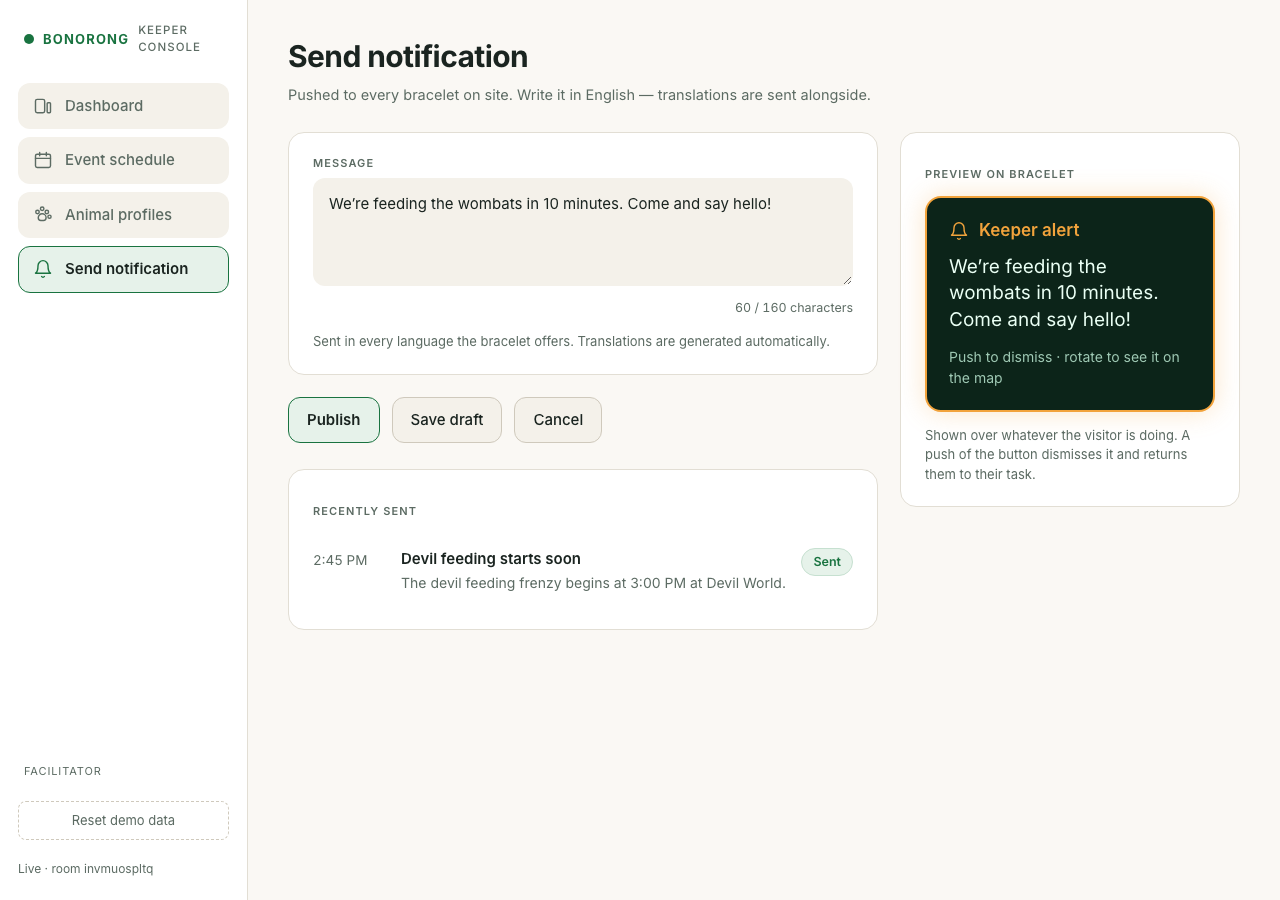
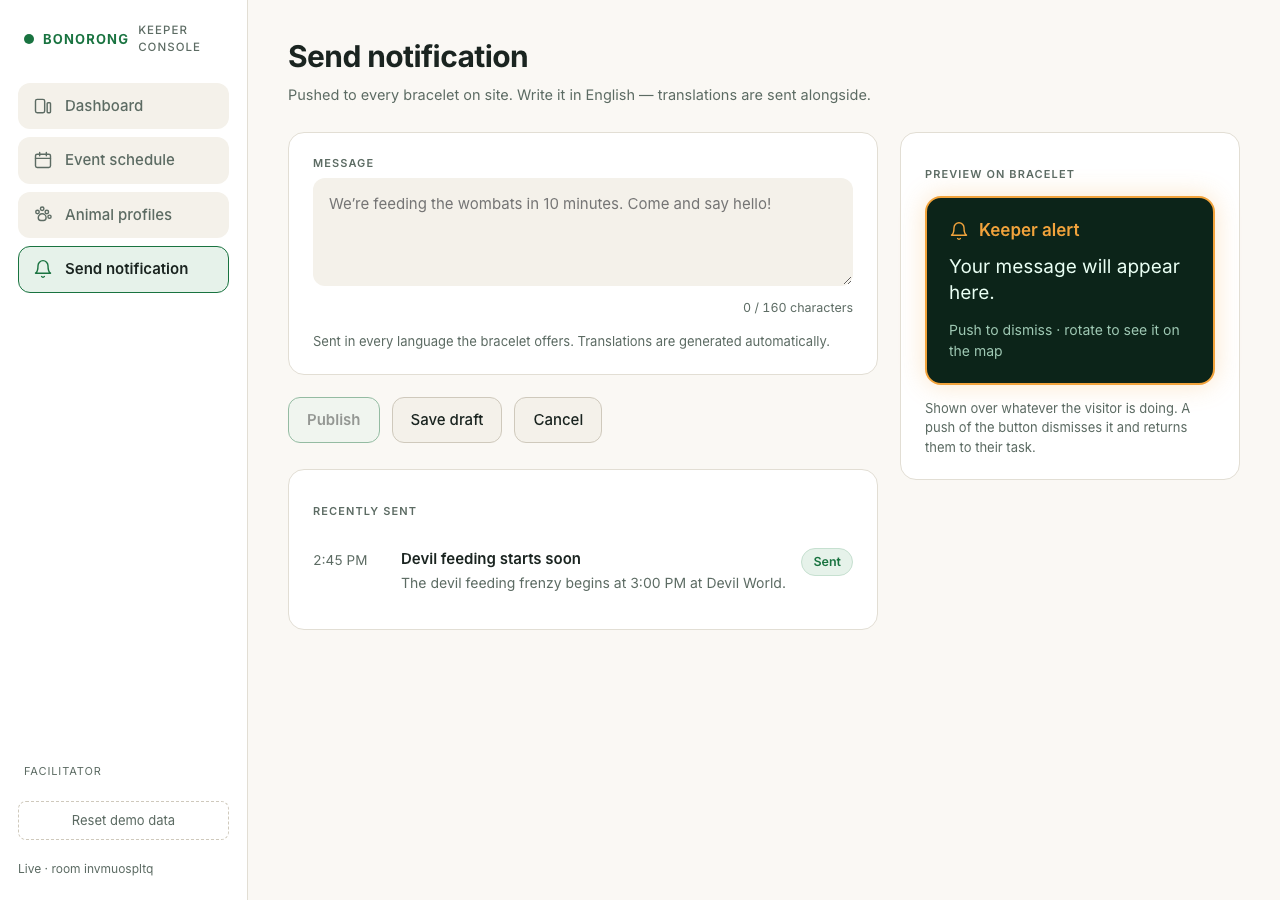
C11Send notification: message only, character counter, bracelet preview
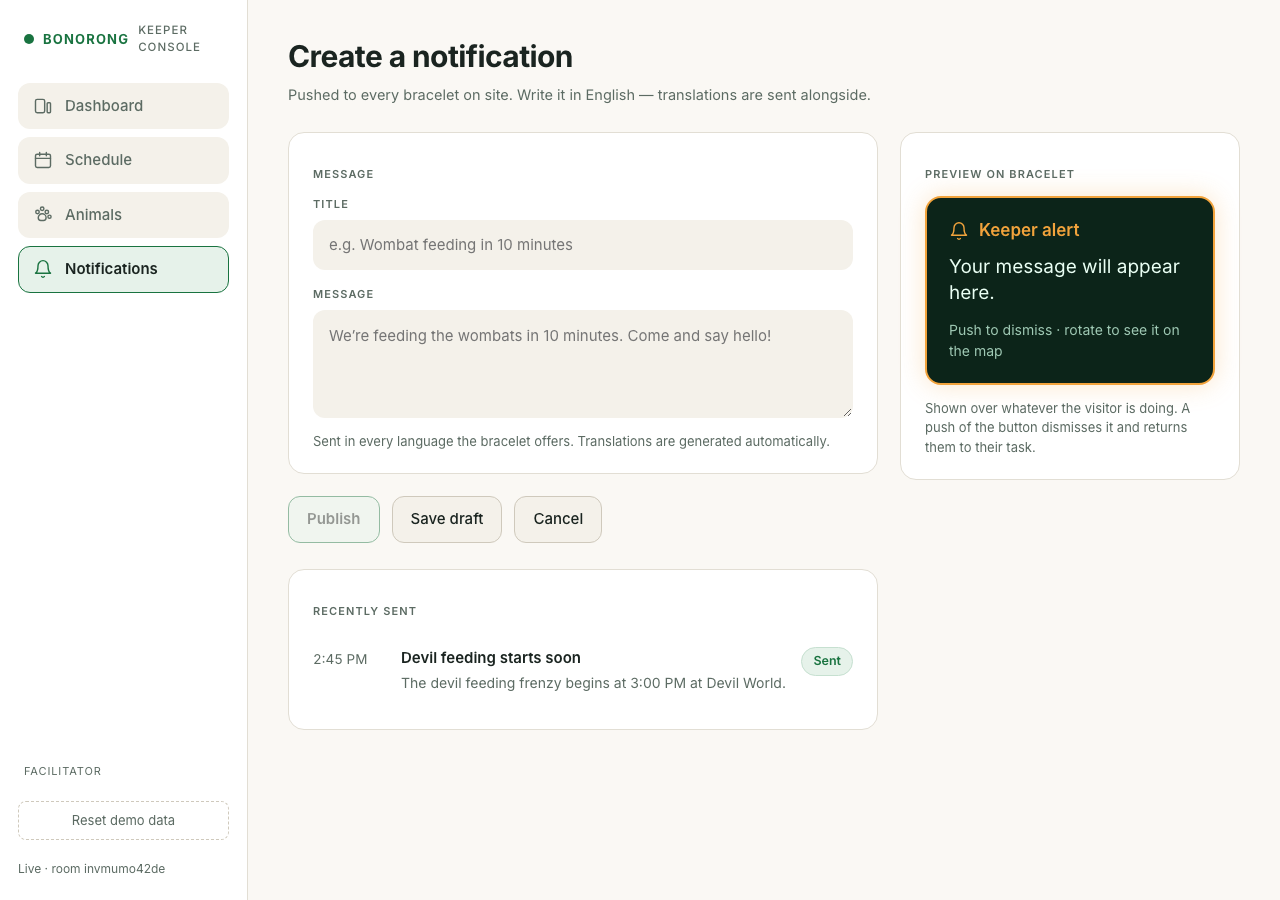
Changed since v1.0: Name (AI-28), no title (AI-22), counter (AI-31)
C12Message filled in
Changed since v1.0: Counter (AI-31)
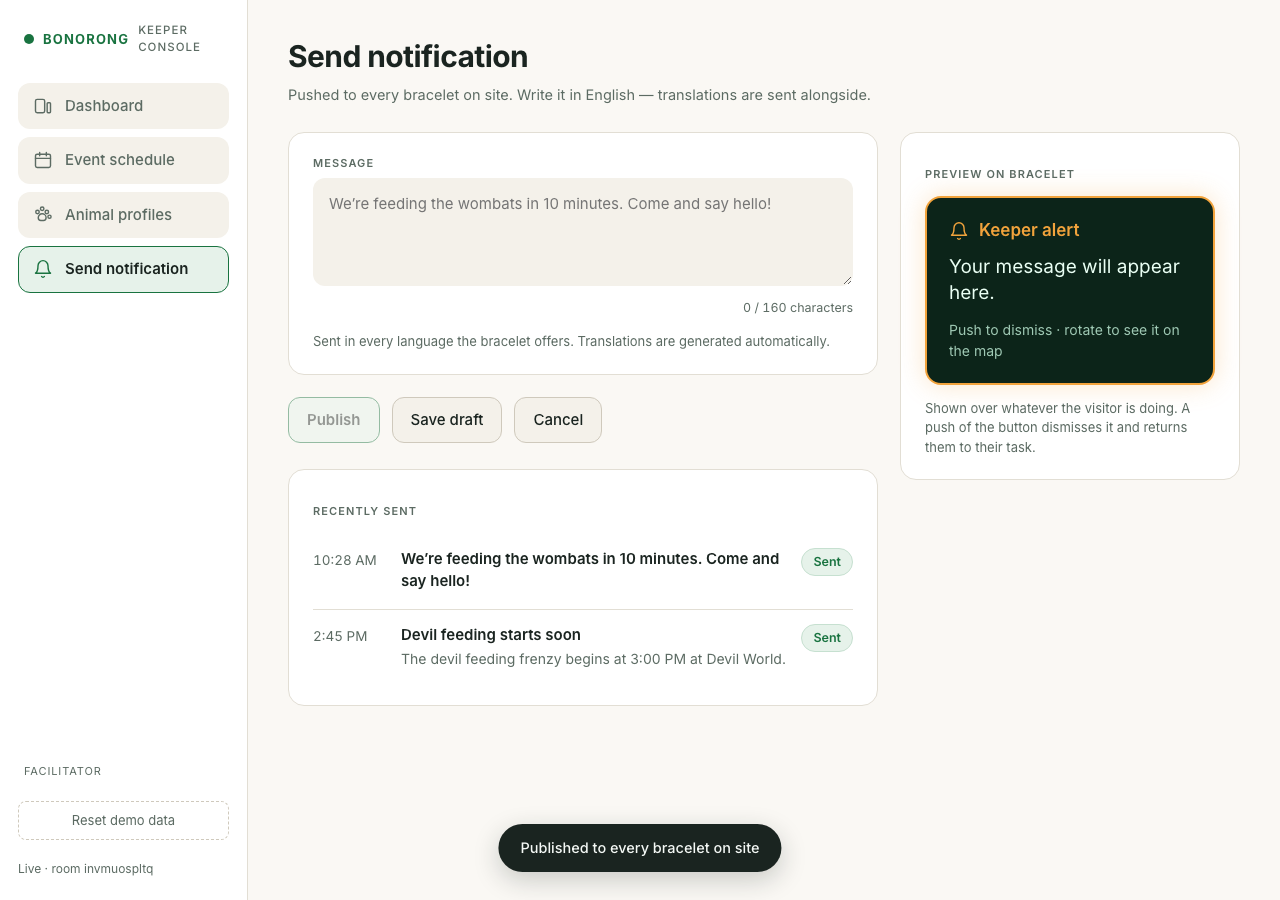
C13Published toast and Recently sent
Changed since v1.0: Untitled messages show the message as the headline (AI-22)
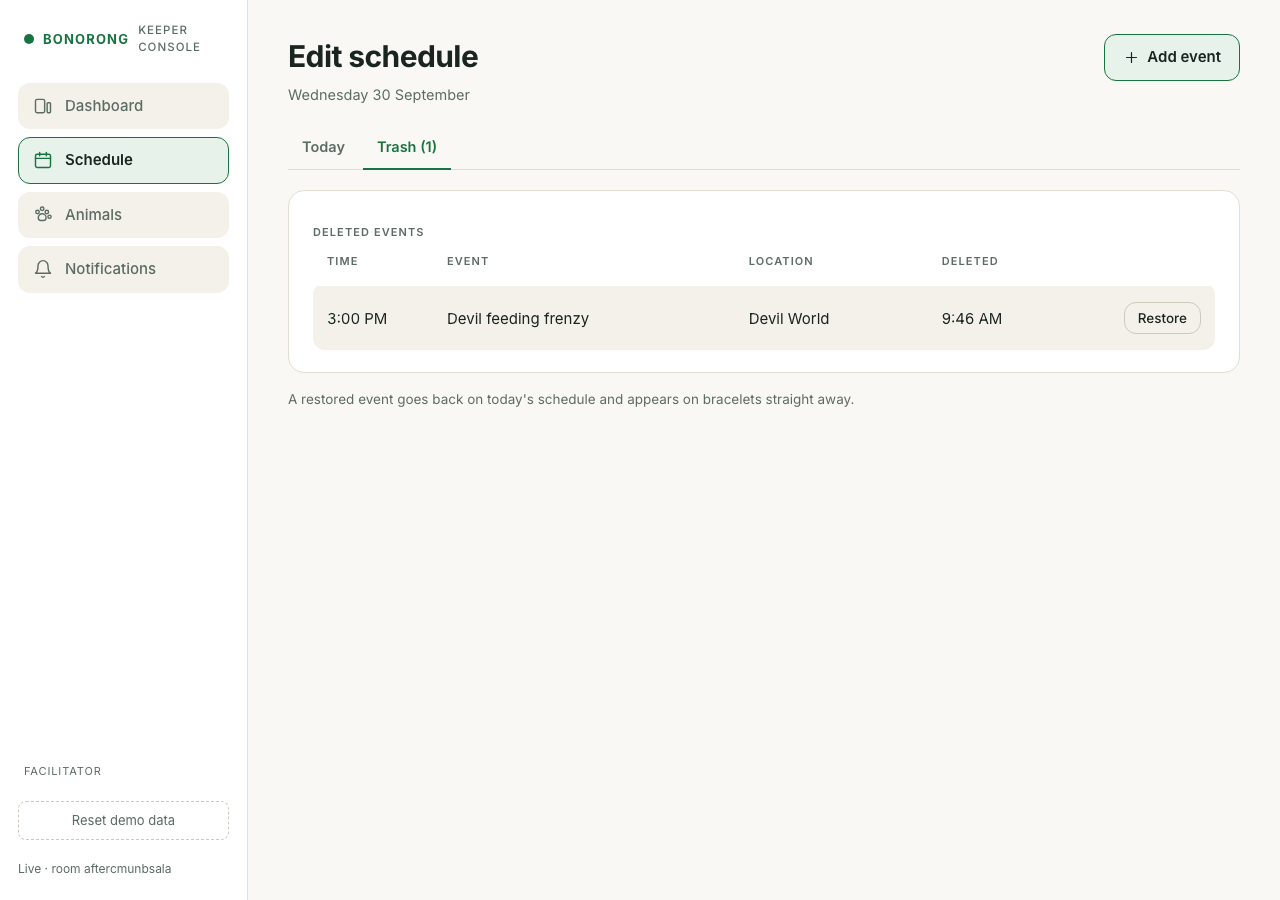
C14Event schedule → Trash, with Restore
Changed since v1.0: New (EF10)
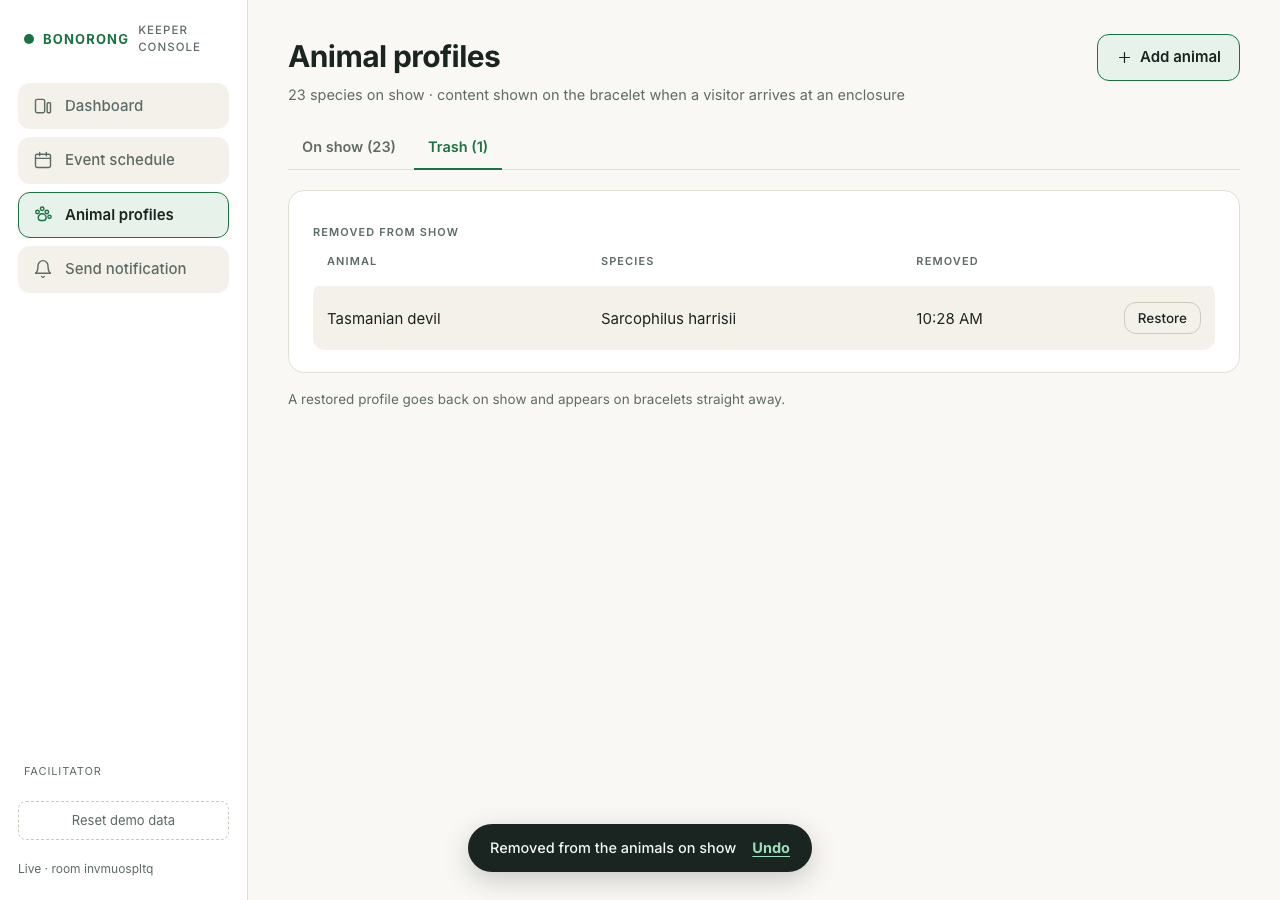
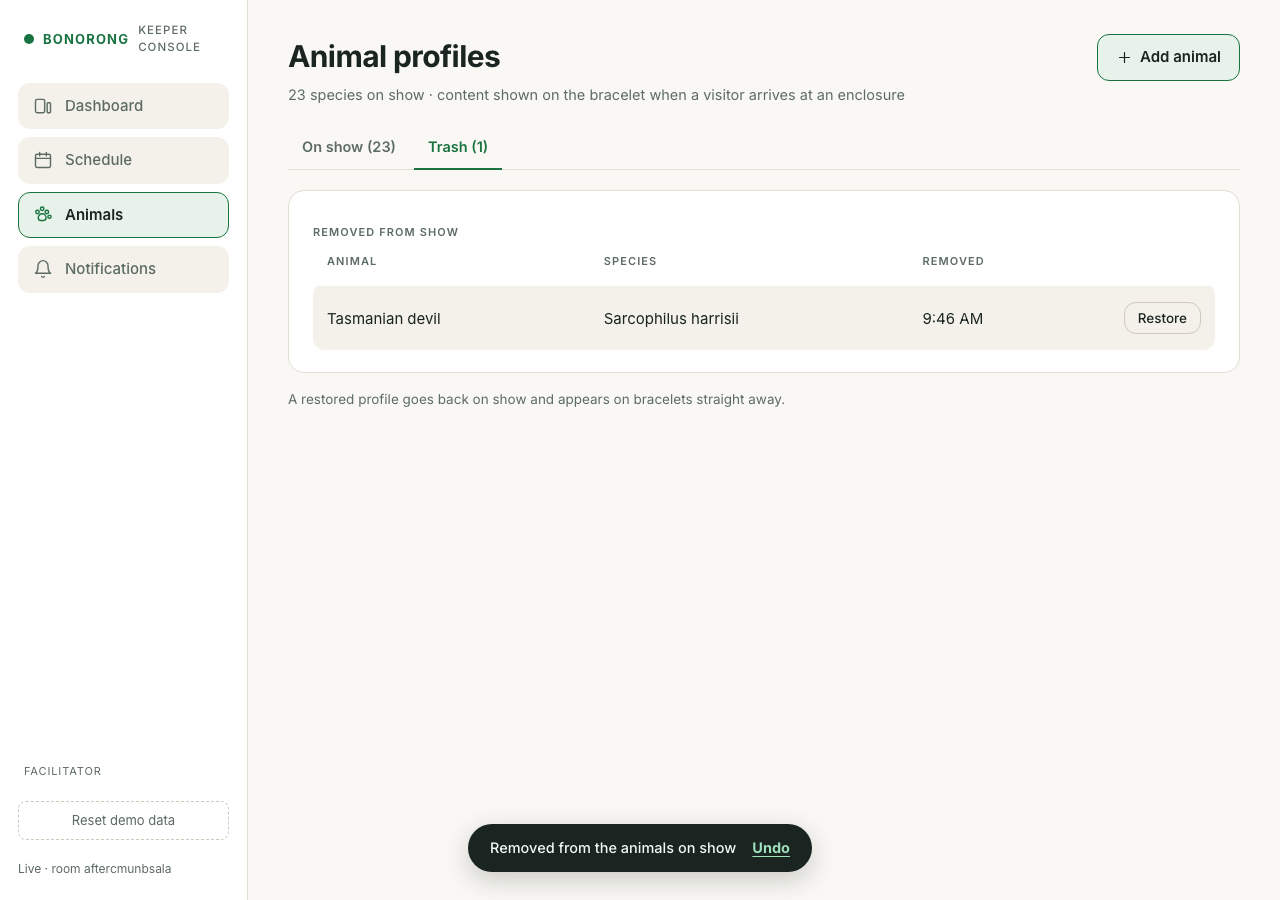
C15Animal profiles → Trash, with Restore
Changed since v1.0: New (EF10)
Evaluation refinements
Each finding from our evaluations (EF1–EF10) and the heuristic-evaluation follow-ups (EF11–EF13), shown before and after the change. Severity uses the scale in our Evaluation Plan.
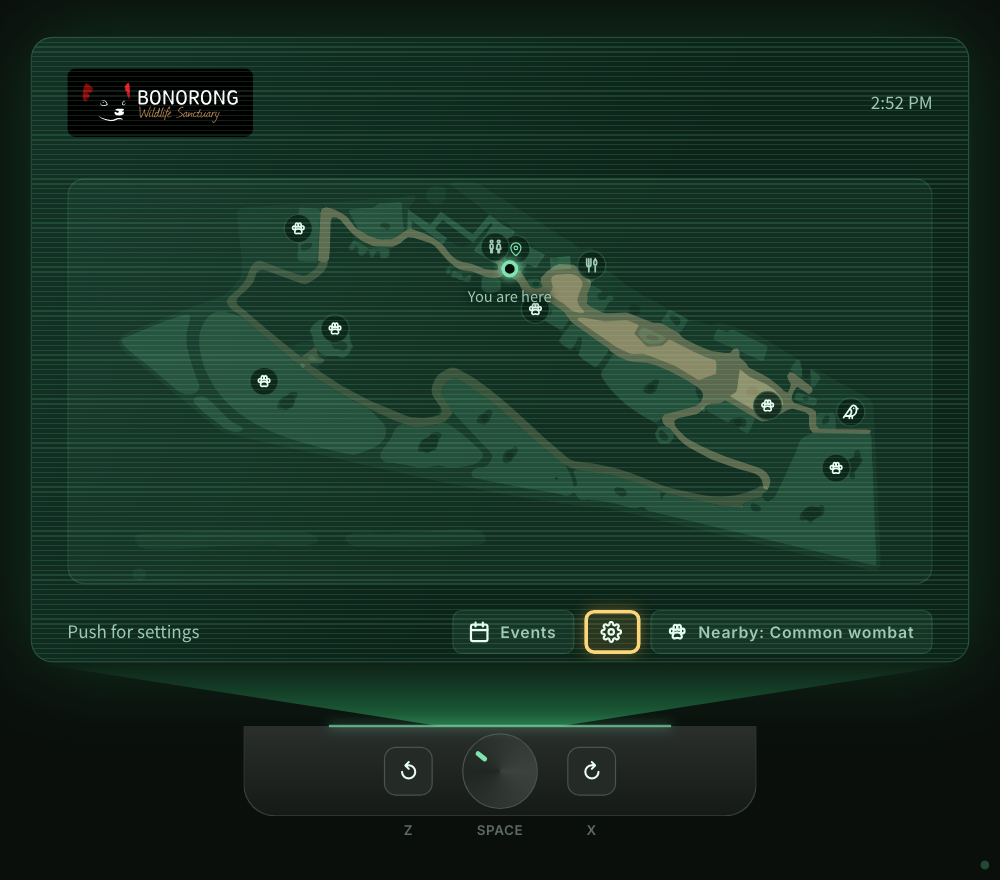
EF1Events, Map and Back had no selectable optionCritical
Requirements: FR4, FR10, FR12
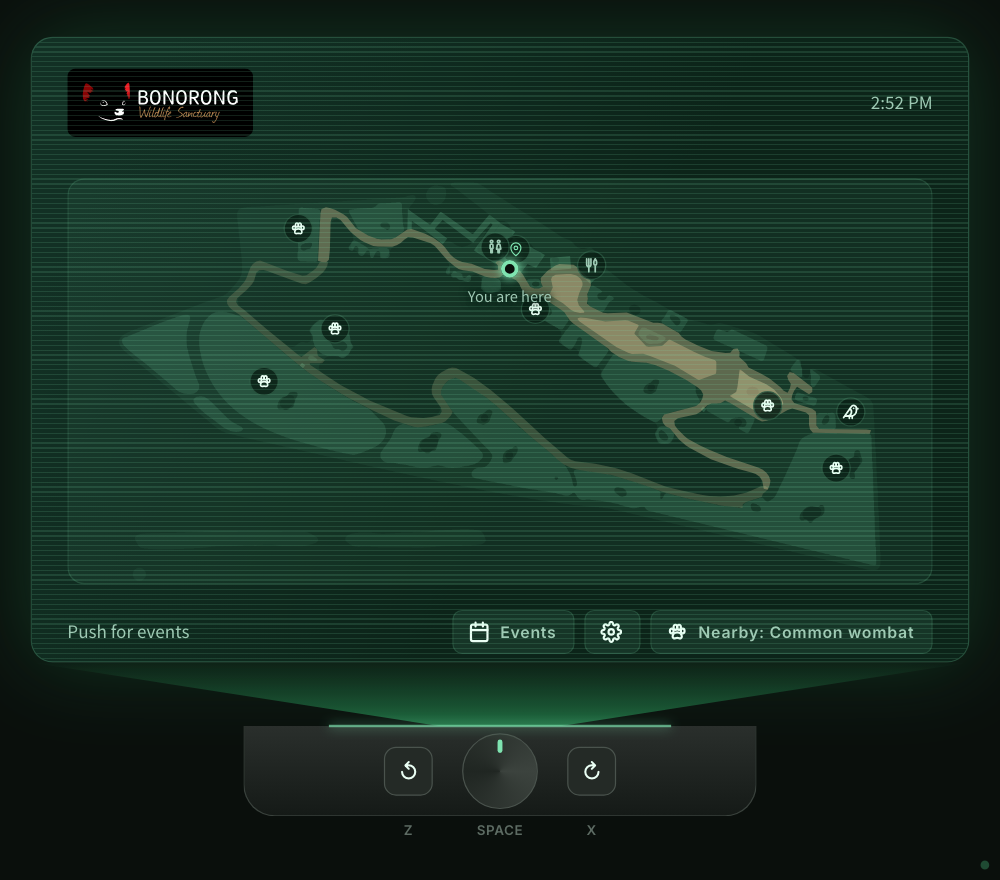
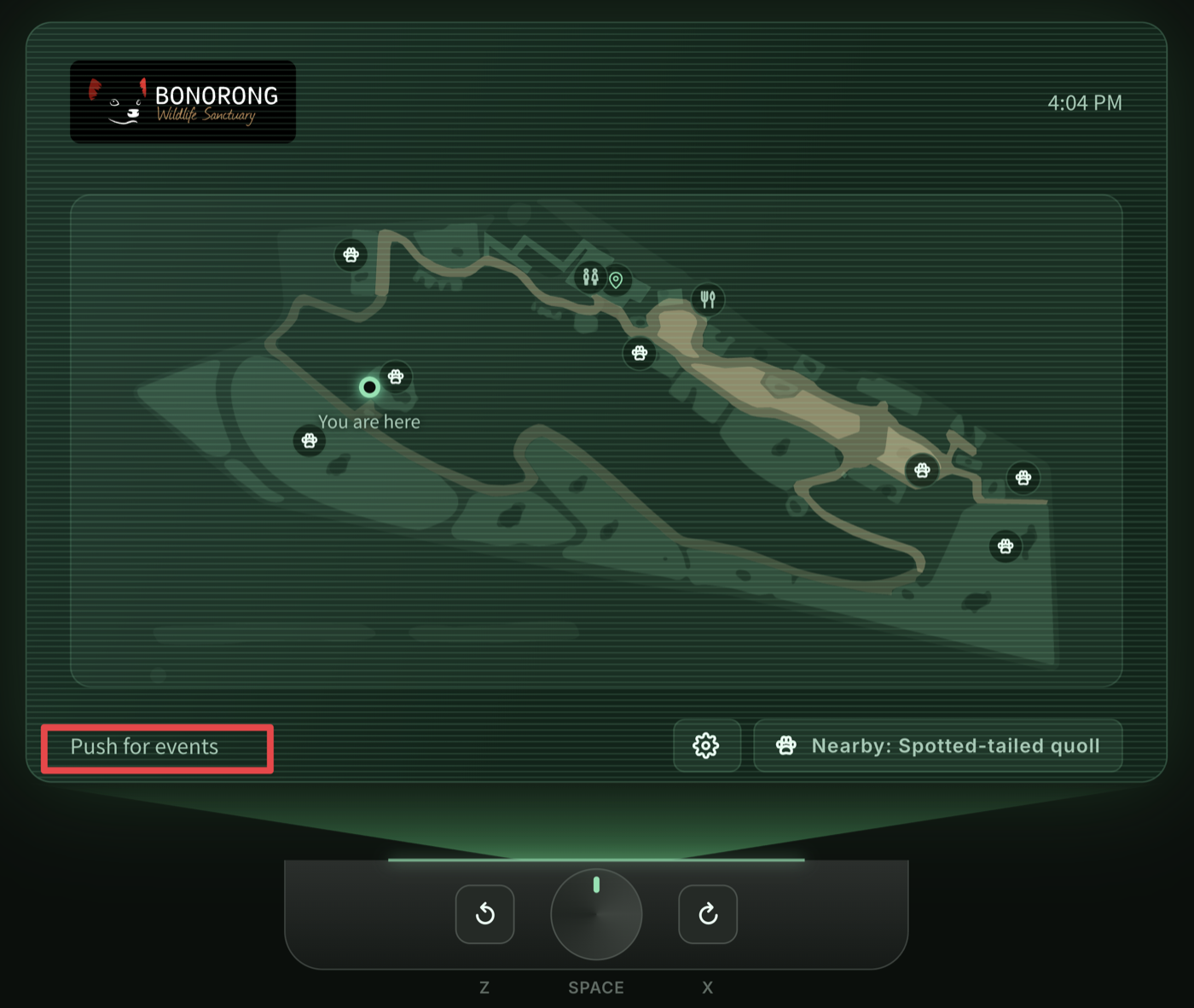
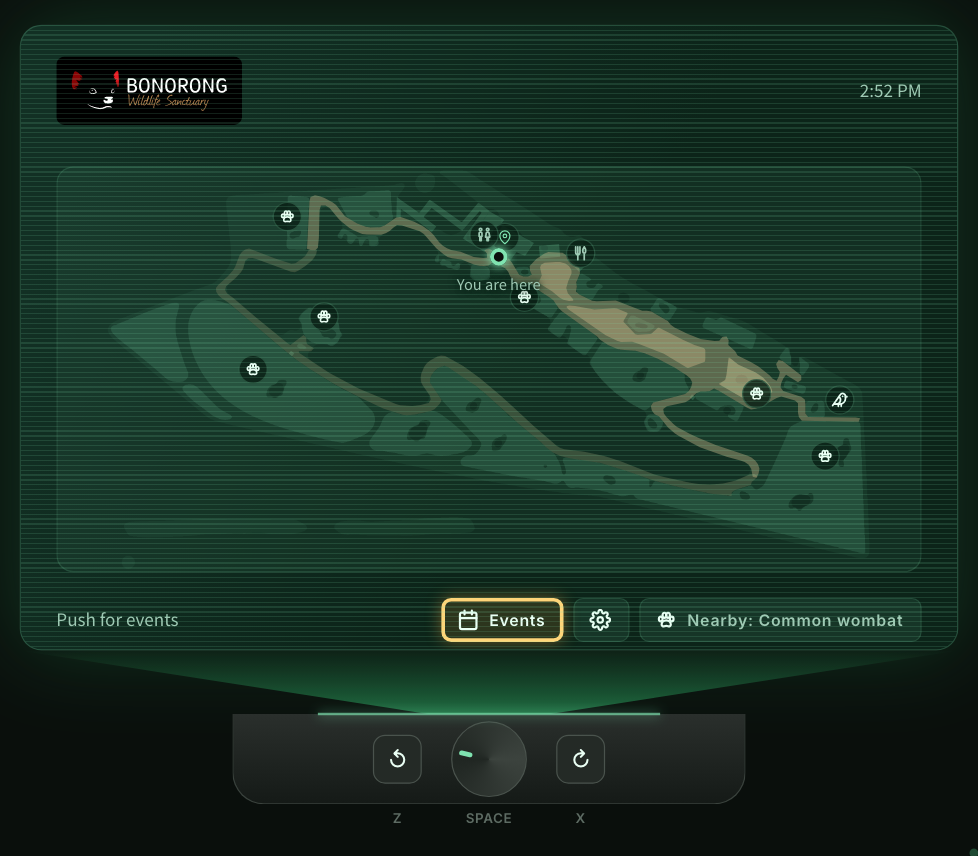
Before (v1.0)Map with nothing selected: the only cue for Events is the “Push for events” textAfter (final)A selectable Events pill on the map
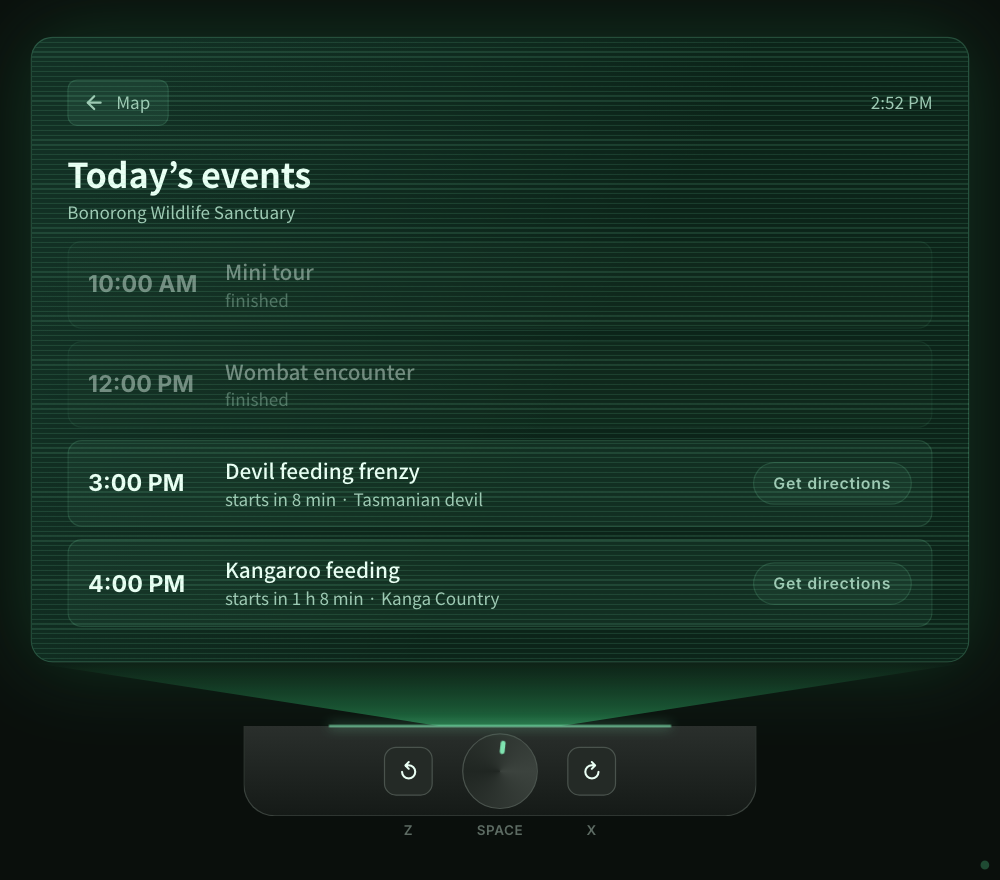
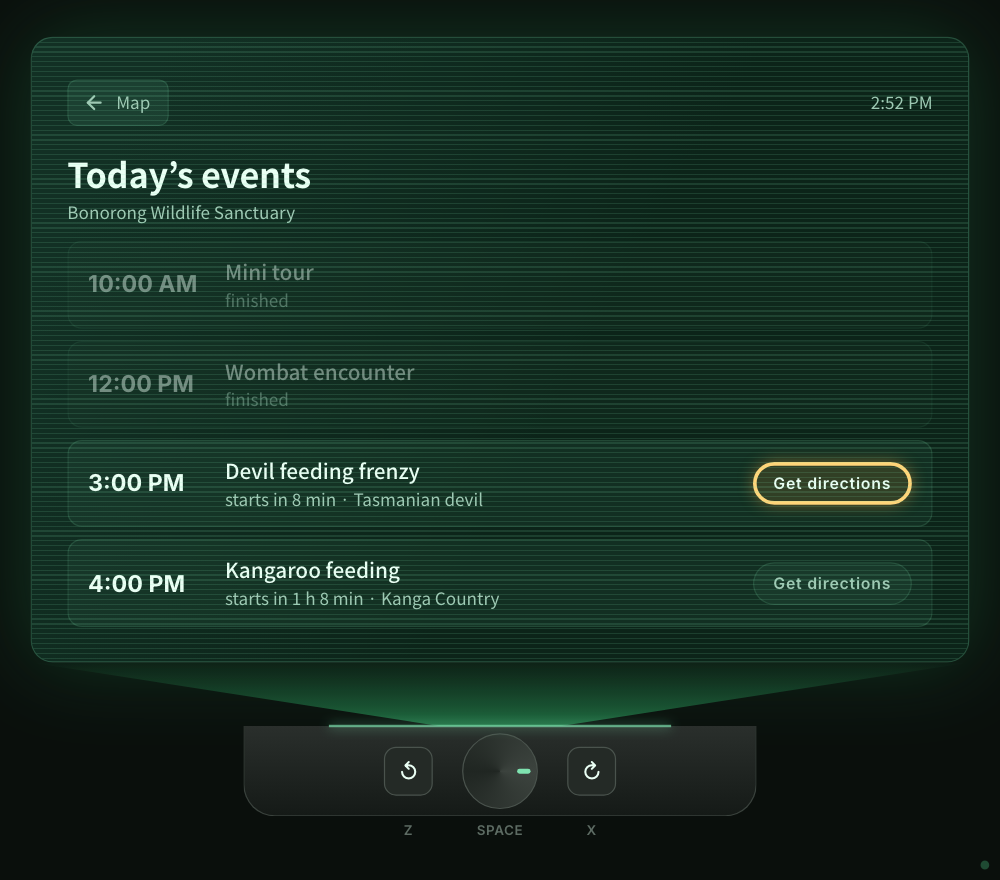
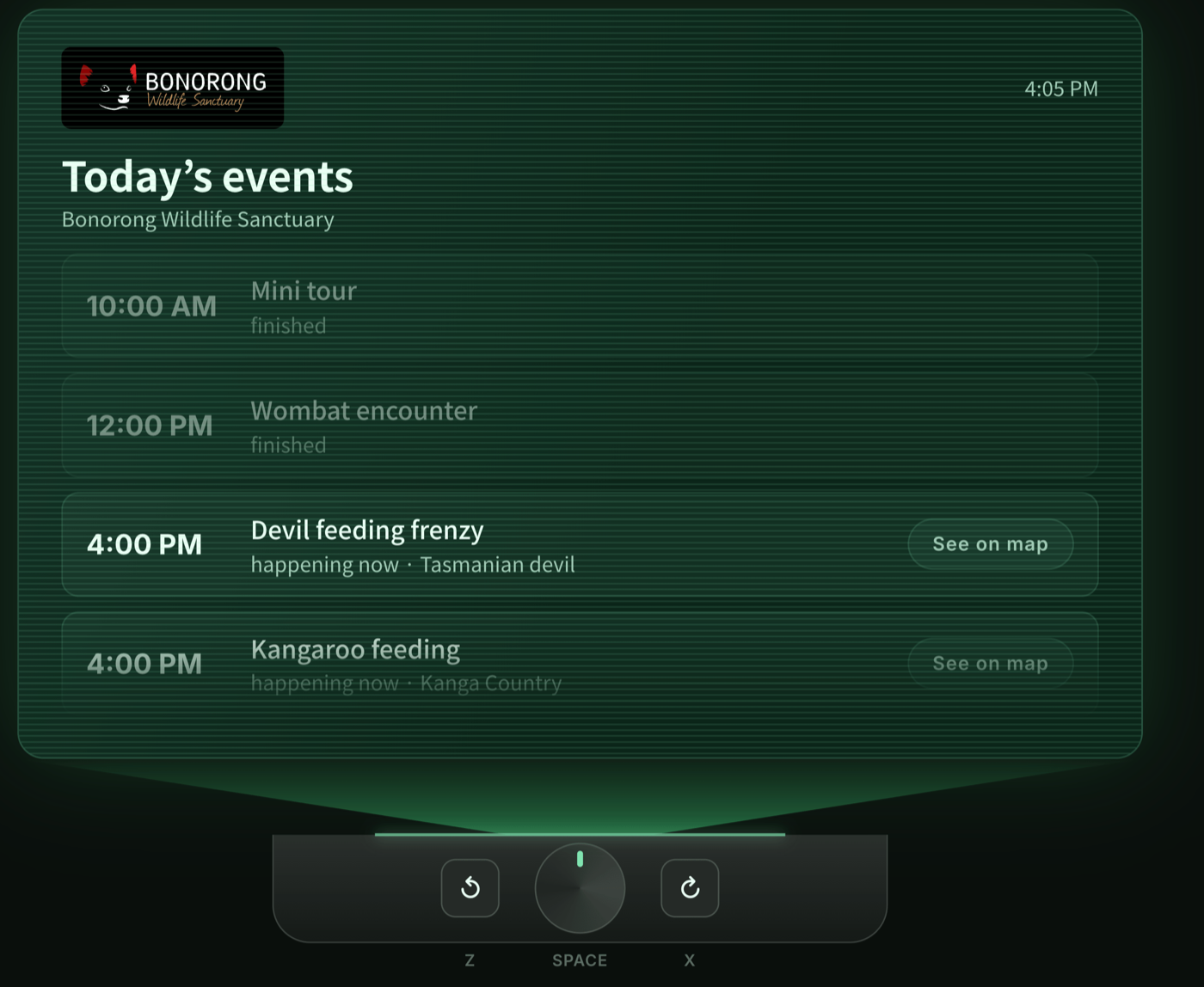
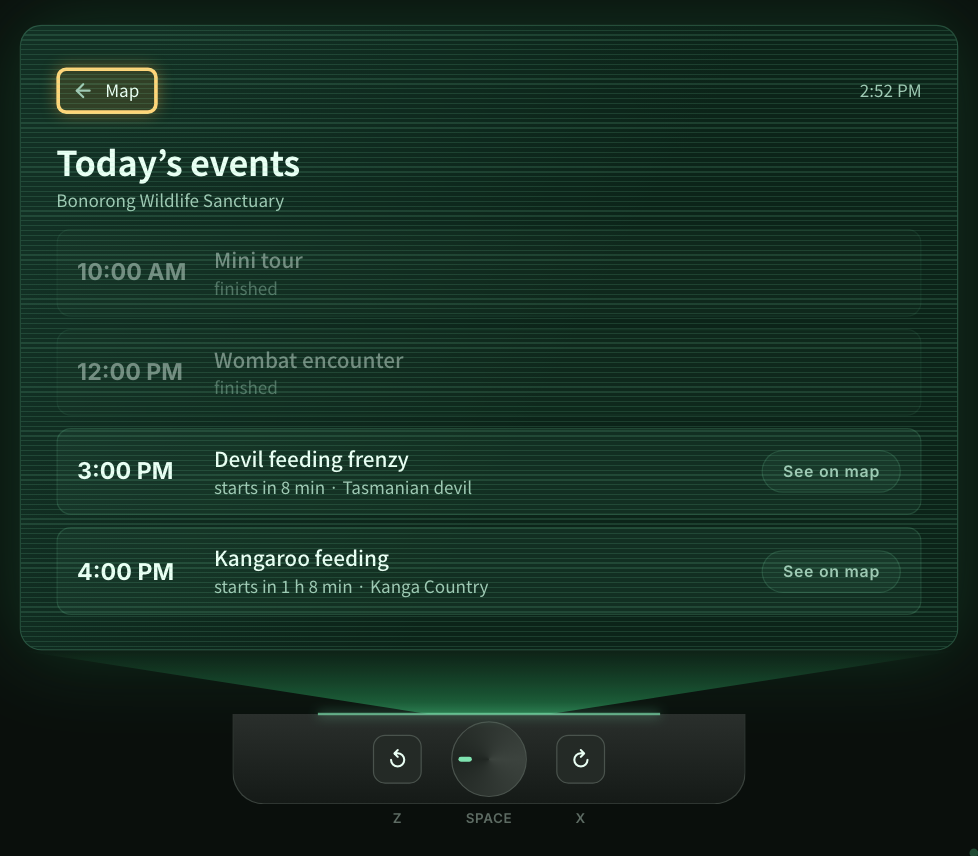
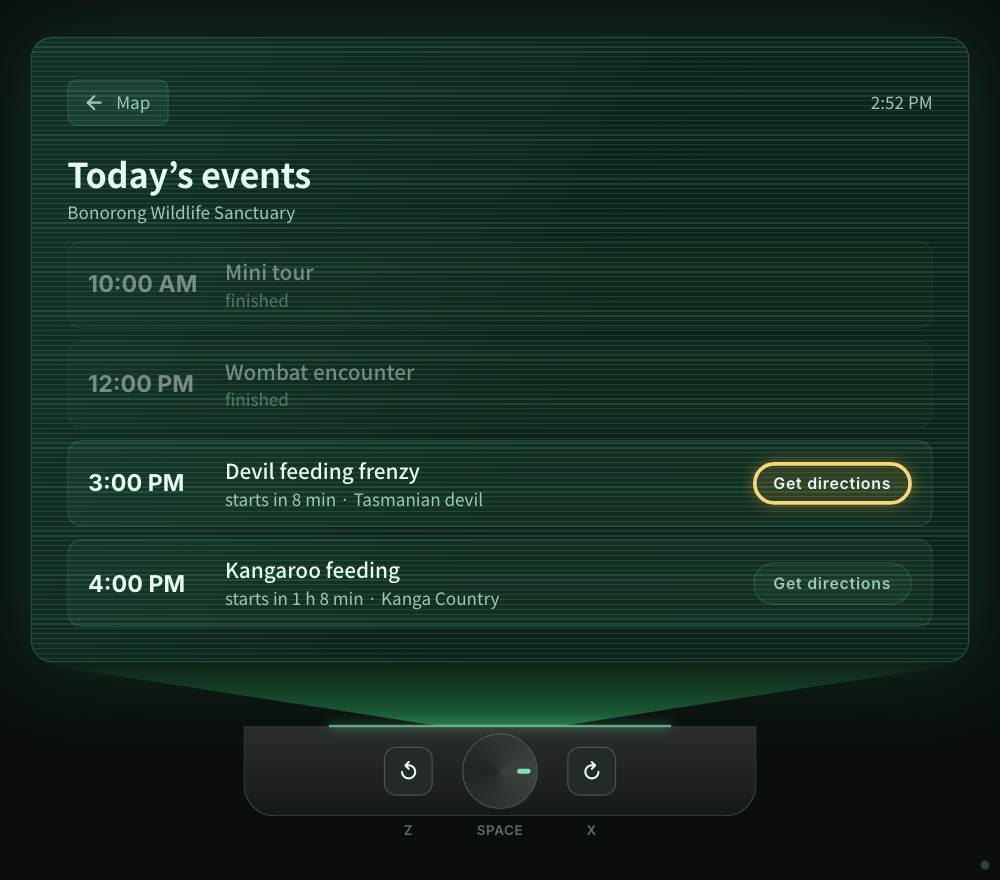
Before (v1.0)Events list with no way back to the mapAfter (final)A selectable “← Map” option on Events
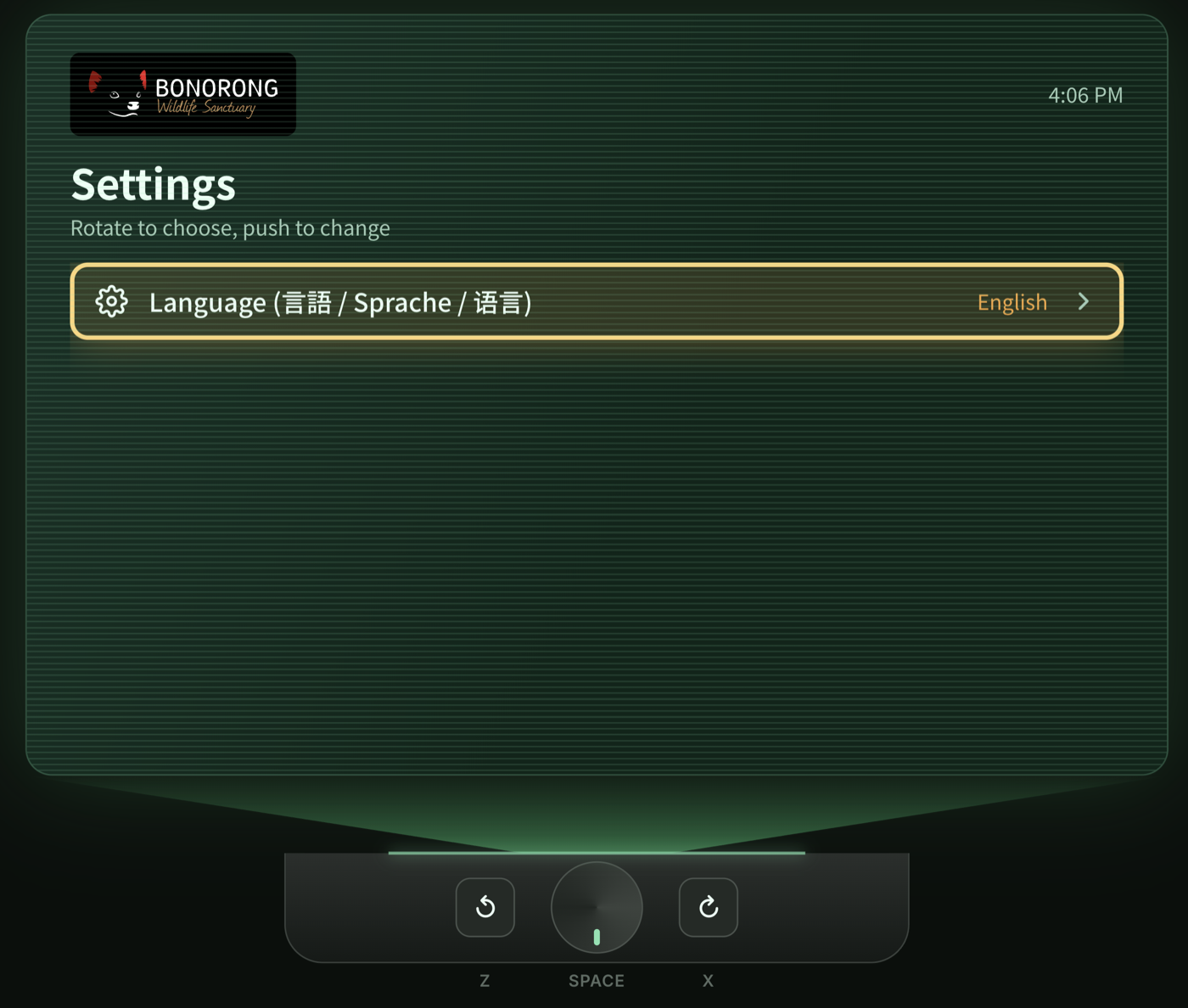
Before (v1.0)Settings with no back optionAfter (final)A selectable back option (and the new Walking pace row, EF7)
Before (v1.0)Settings → Language: “← Settings” can’t be selectedAfter (final)“← Settings” is selectable with the dial
EF2Pop-ups pre-selected the action that leaves the taskModerate
Requirements: FR1, FR5
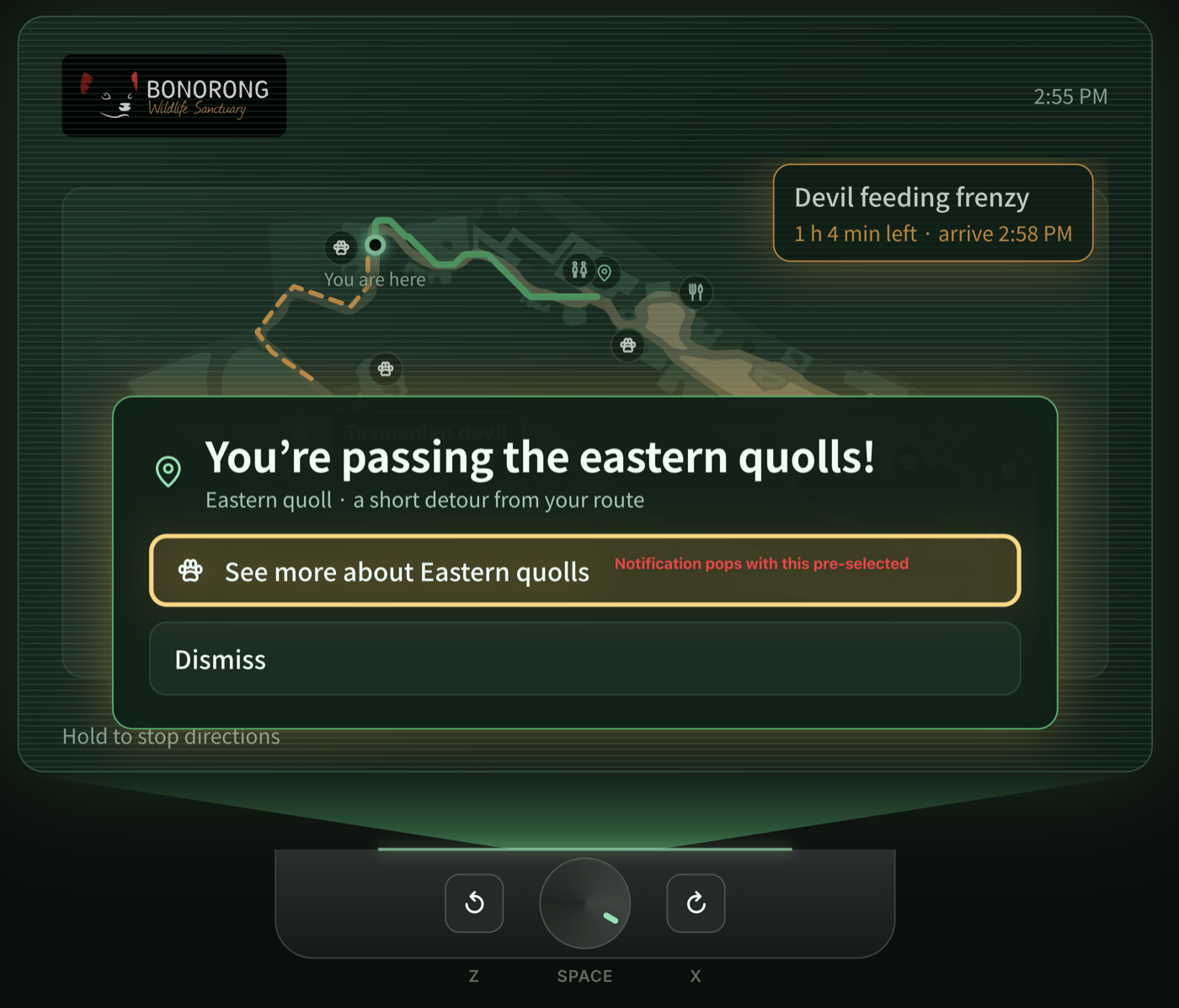
Before (v1.0)Passing the eastern quolls, with “See more” pre-selectedAfter (final)The same prompt opens with Dismiss selected
EF3Passing prompts interrupted the walkModerate
Requirements: FR1, FR5
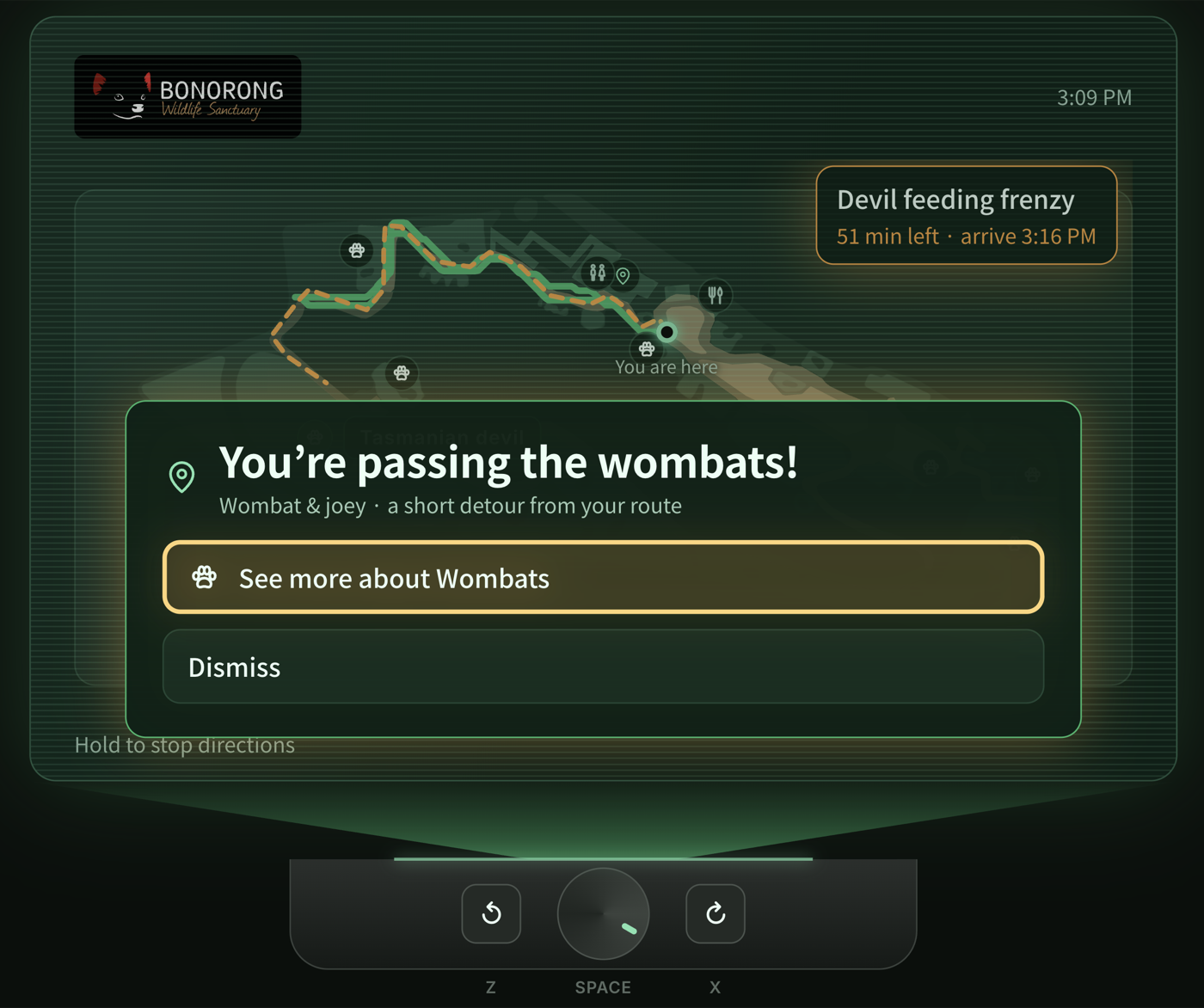
Before (v1.0)A prompt fires while simply walking past the wombatsAfter (final)Walking straight past shows nothing
After (final)The detour prompt appears only after a 5-second stop
EF4Notifications covered the route while navigatingHigh
Requirements: FR3, FR5, FR12
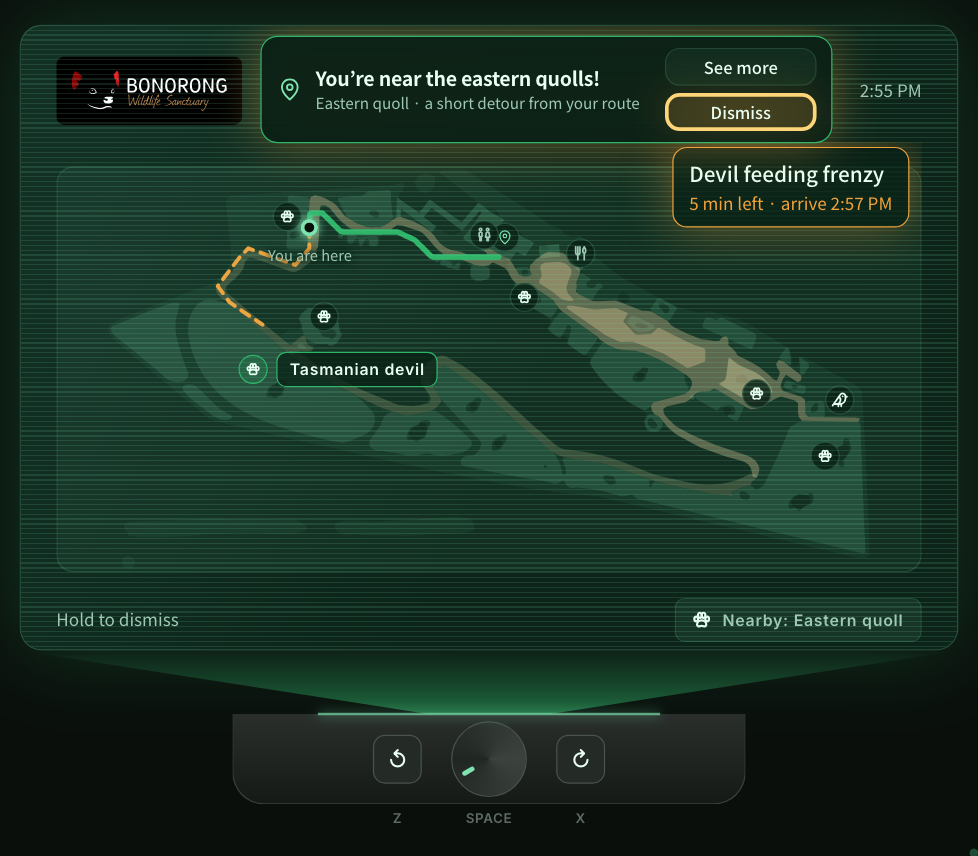
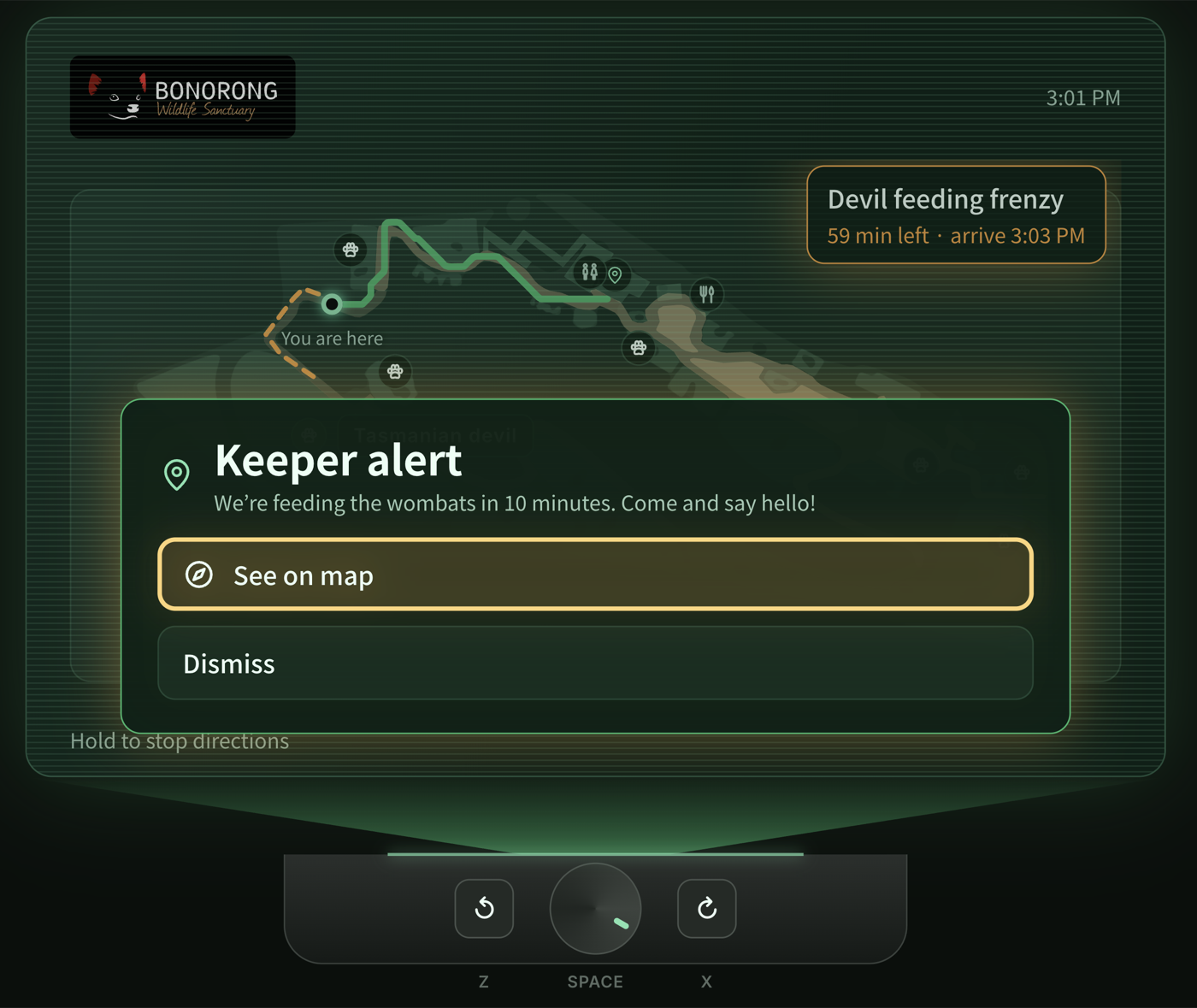
Before (v1.0)A keeper alert card covers the route and the “You are here” dotAfter (final)The alert slides in from the top, so the route stays visible
EF5The map ignored where the visitor was standingHigh
Requirements: FR1, FR3, FR13
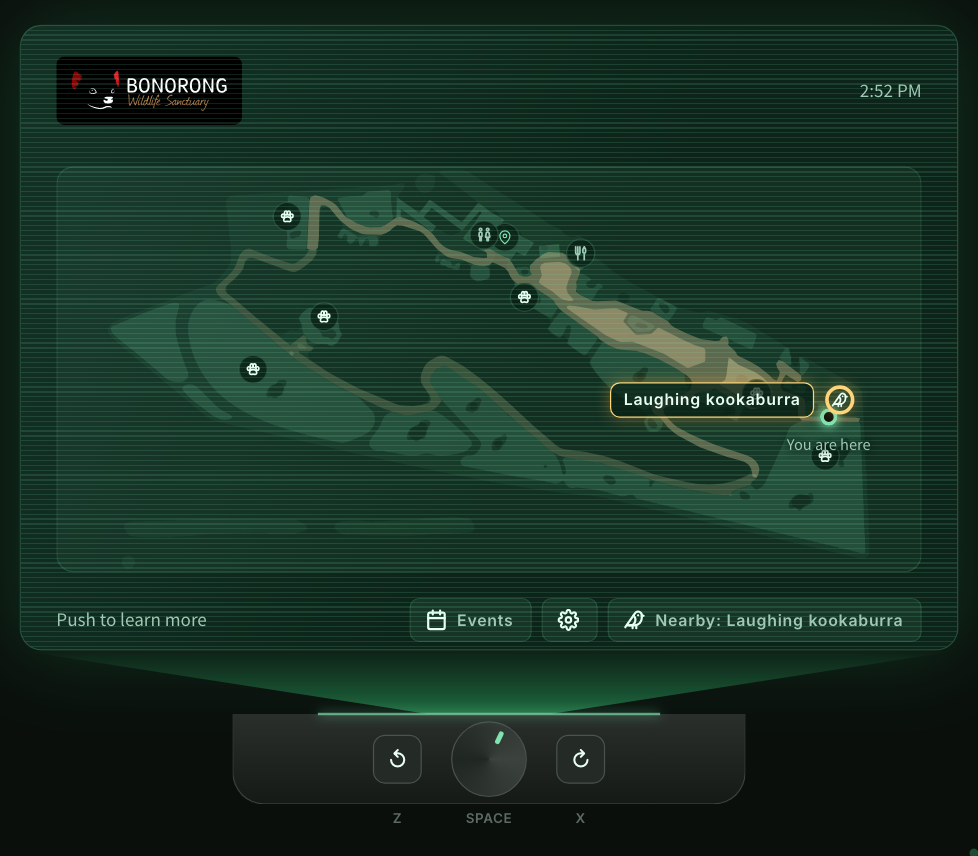
Before (v1.0)At the kookaburra end, the dial loop starts at the gift shop on the far sideAfter (final)The first dial stops are the places nearest the visitor
Before (v1.0)Standing at the echidna, selecting it offers directions (“arrive · 0 min”)After (final)Selecting it opens the echidna’s information
After (final)Beside the gift shop: “You’re at the Gift shop & entrance!”
EF6The Nearby hint was easy to miss, and absent while navigatingModerate
Requirements: FR1
Before (v1.0)Exploring: the Nearby chip isn’t highlightedAfter (final)The Nearby chip is selected as soon as it appears
Before (v1.0)Navigating past the spotted-tailed quolls: a pop-up takes over, and there’s no Nearby chipAfter (final)A Nearby chip is the first dial stop while navigating
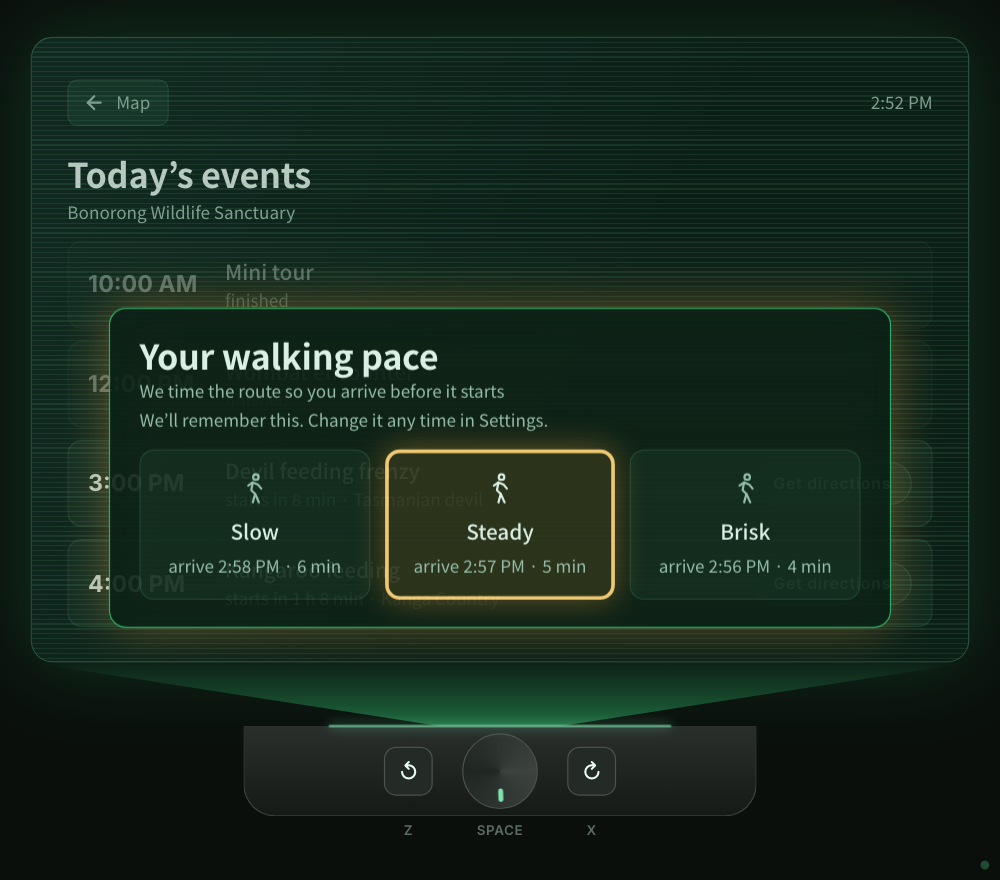
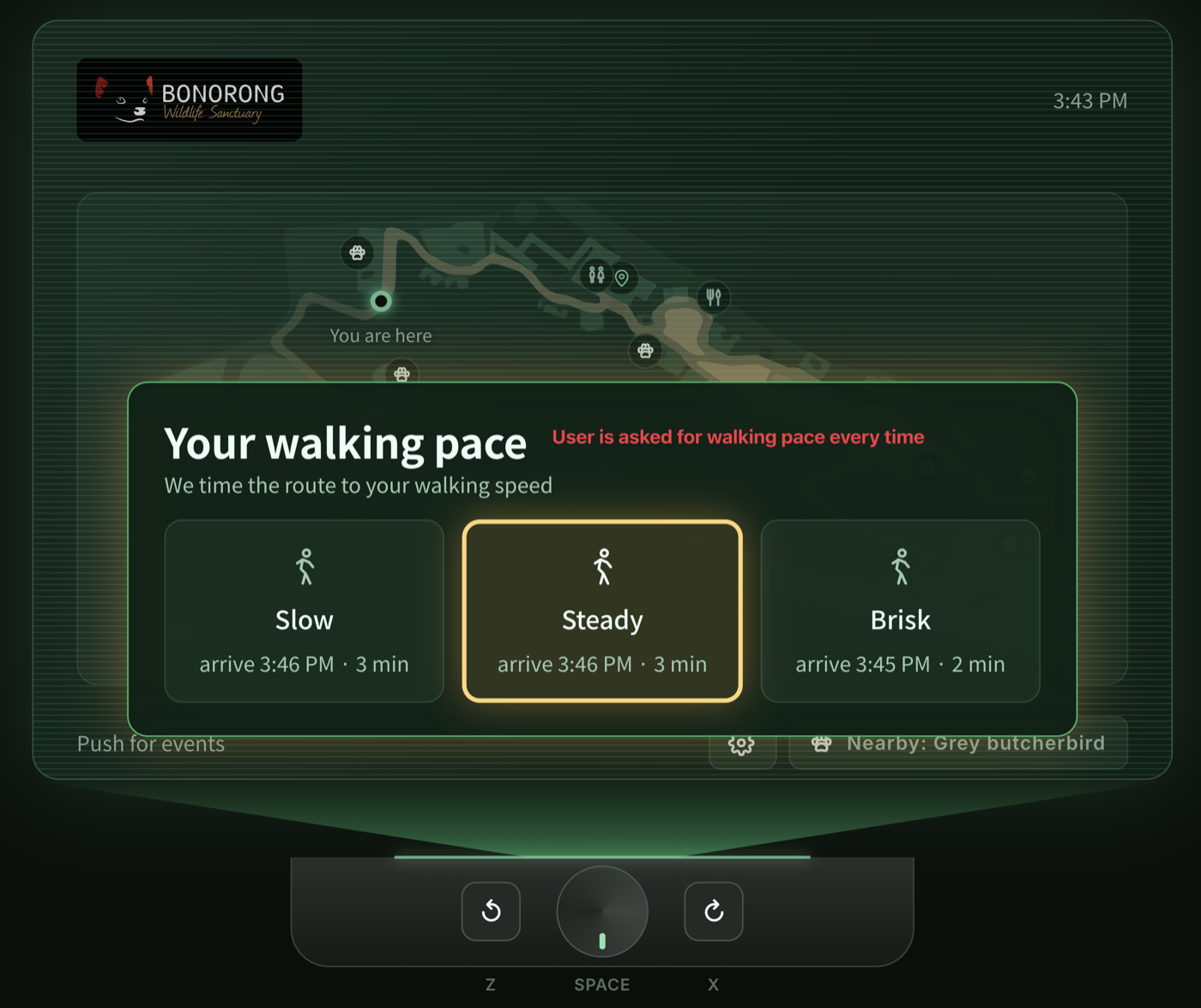
EF7Walking pace was asked for on every tripLow
Requirements: FR11, FR10
Before (v1.0)The pace pop-up appears again on a later tripAfter (final)Directions start straight away with the saved pace
After (final)The new Settings → Walking pace screen
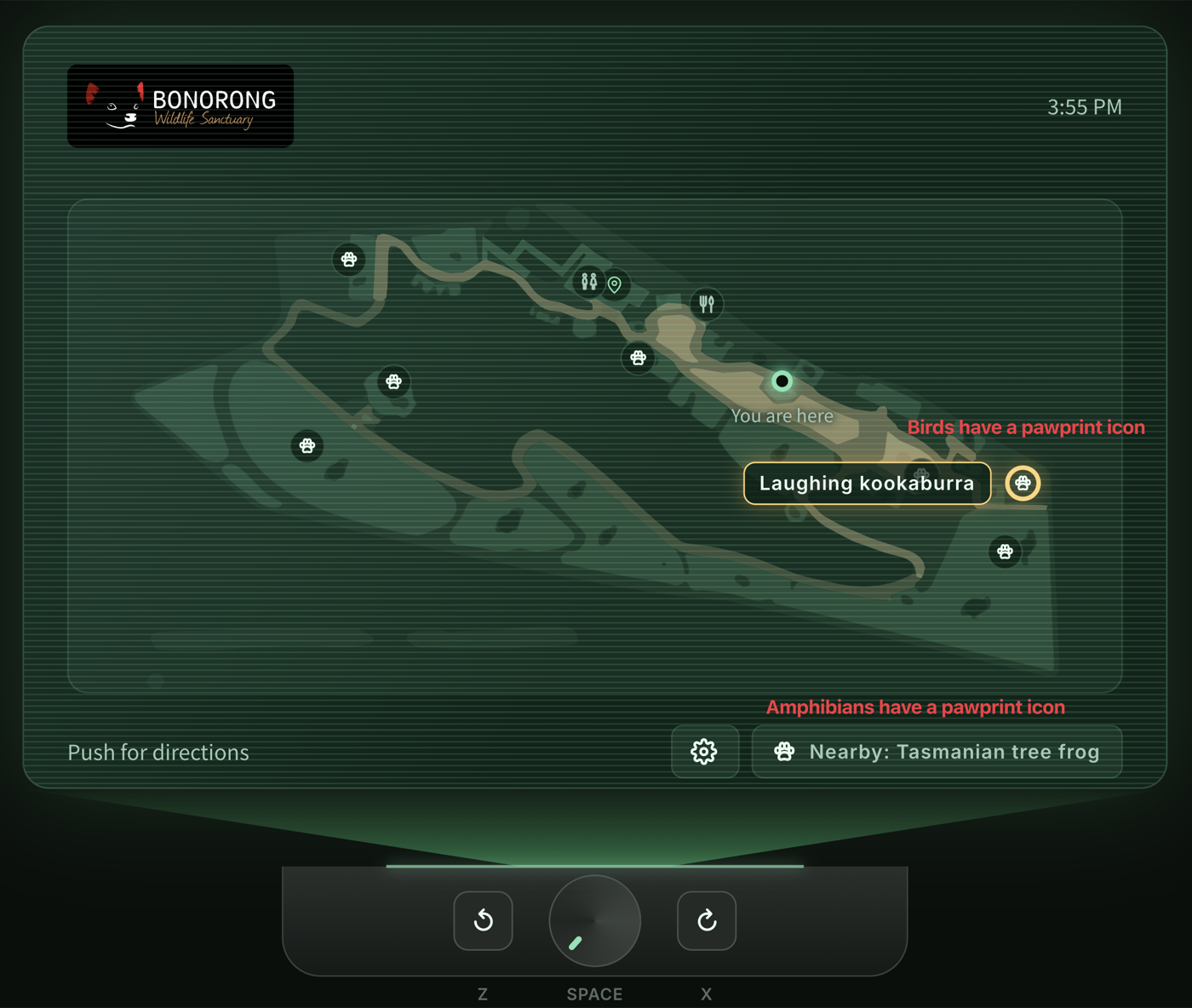
EF8Every animal had the same map iconLow
Requirements: NFR5, FR2
Before (v1.0)The kookaburra (bird) and tree frog (amphibian) share the mammals’ pawprintAfter (final)Category icons for mammals, birds, reptiles and amphibians
EF9The Events list jumped instead of scrollingLow
Requirements: FR4
Before (v1.0)The list jumps when the dial moves past the visible rowsAfter (final)Rows slide smoothly with the dial
EF10Keeper Console deletions couldn’t be undoneHigh
Requirements: FR6, FR7
Before (v1.0)Edit event: “Delete event” acts at once, with no way backAfter (final)Deleting leads to an Undo toast and a Trash tab
Before (v1.0)After a delete: a toast with no Undo, and no TrashAfter (final)A toast with Undo, and a Trash tab on the schedule
Before (v1.0)Edit animal profile: “Remove from show” acts at onceAfter (final)An Undo toast, and a Trash tab on Animal profiles
EF11Console fields the bracelet never showsHeuristic follow-up
Requirements: FR7, FR8
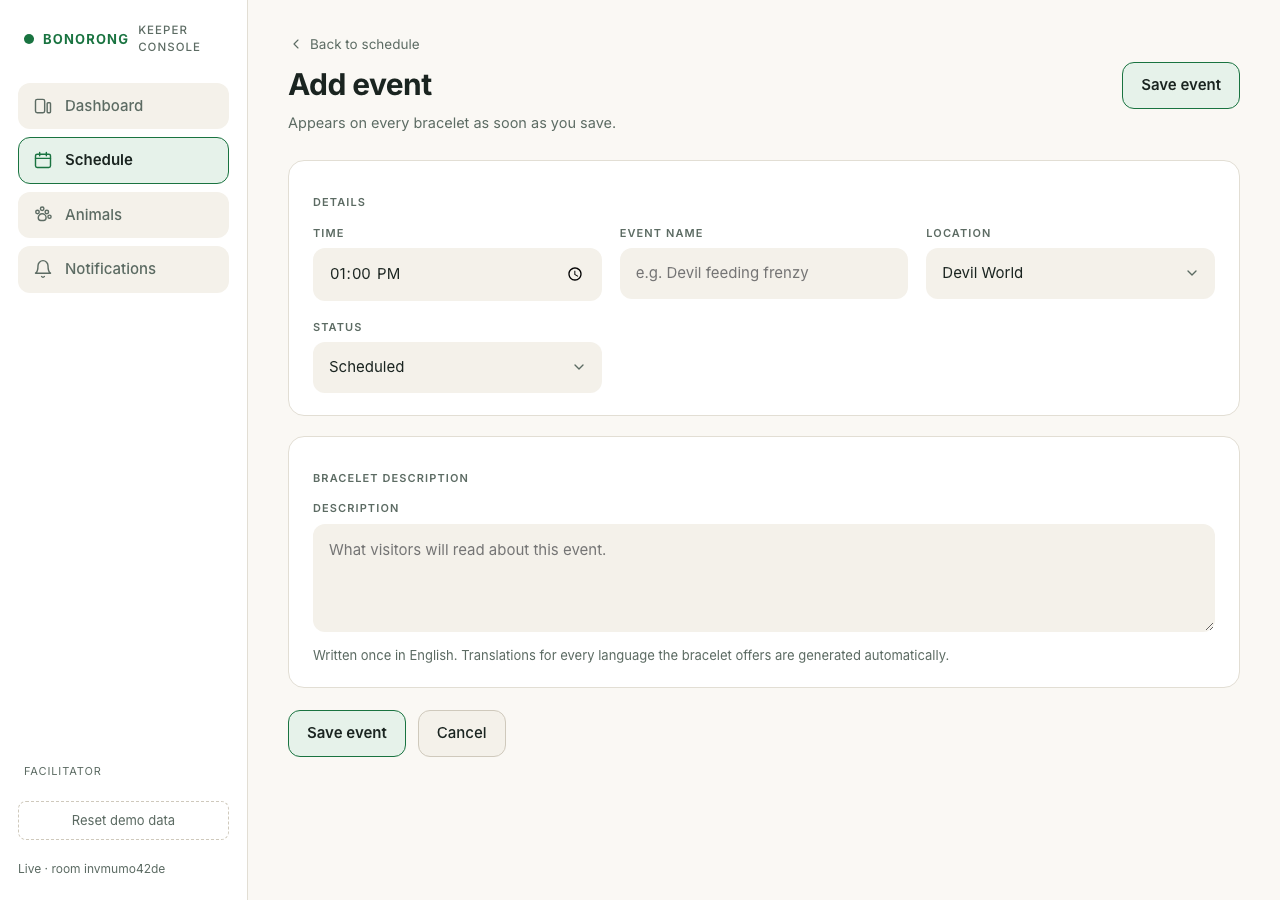
Before (v1.0)Add event has a Description field that visitors never seeAfter (final)The Description field is gone
Before (v1.0)The composer asks for a Title, but bracelets show only “Keeper alert” and the messageAfter (final)Message only
EF12Names and labels that didn’t matchHeuristic follow-up
Requirements: FR3, FR4, FR5, FR12
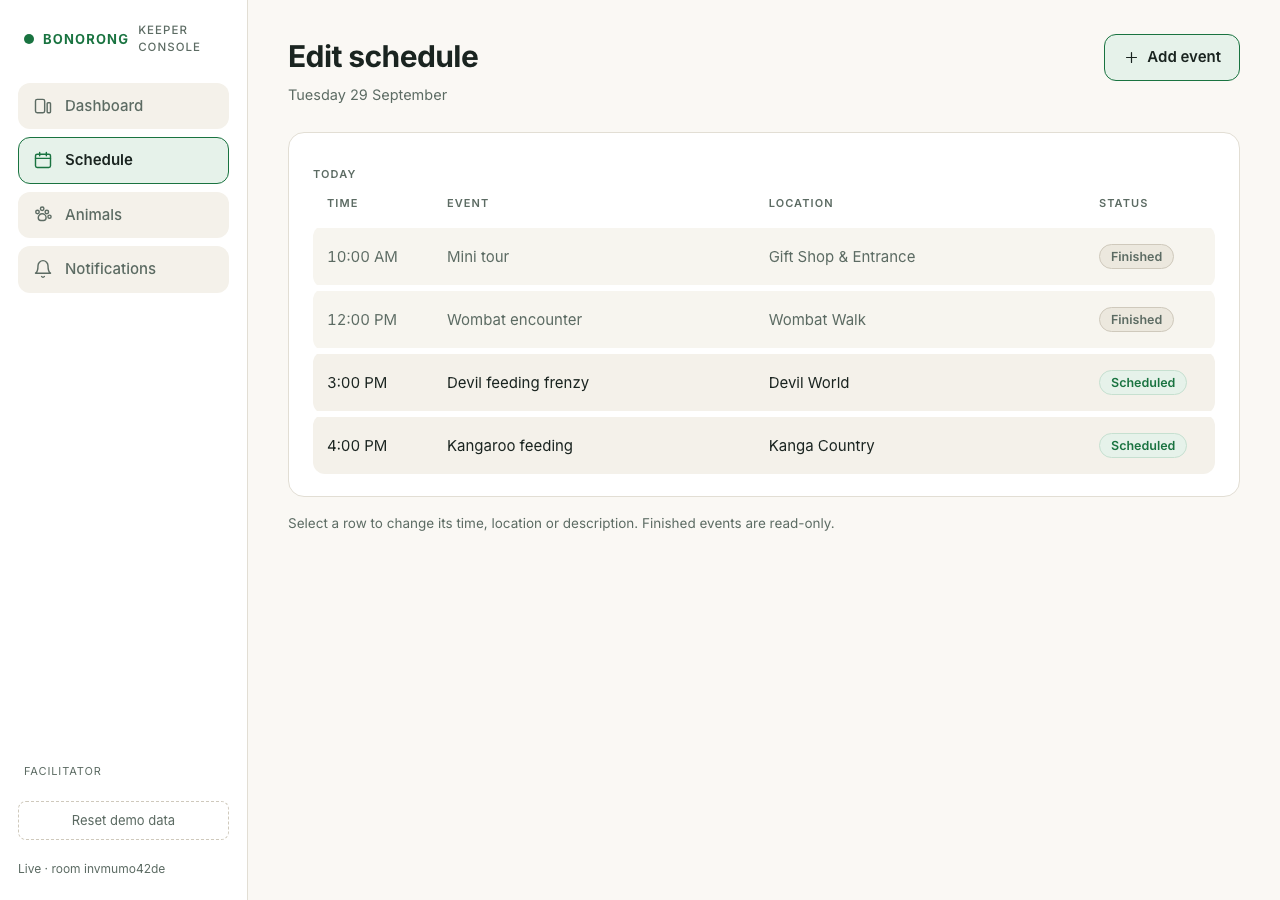
Before (v1.0)Sections had different names in the menu and page titlesAfter (final)One name per section everywhere: Event schedule, Animal profiles, Send notification
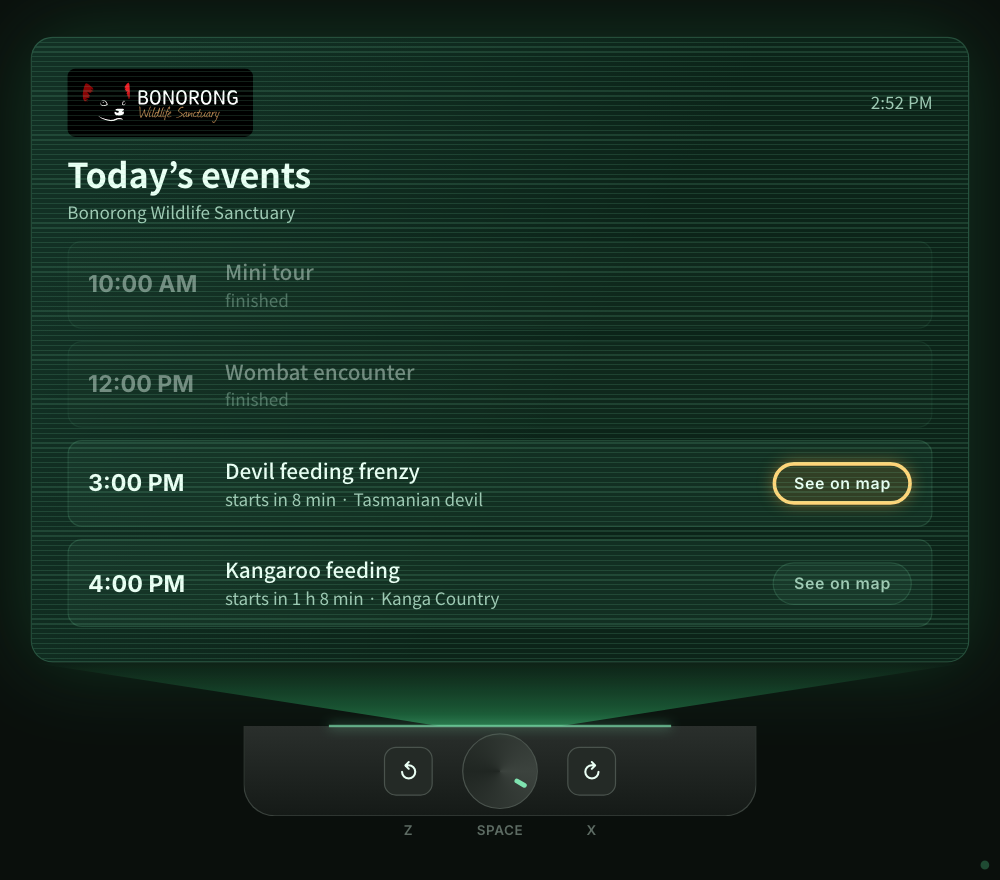
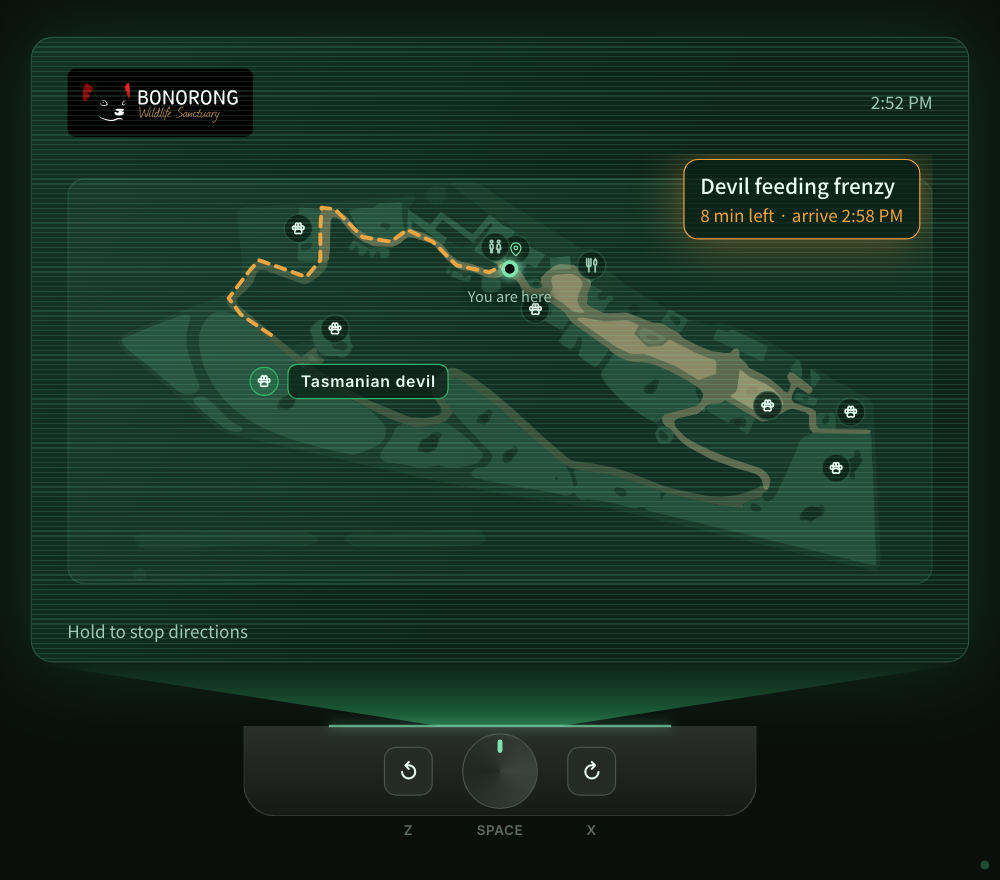
Before (v1.0)Events rows say “See on map”, but it starts directionsAfter (final)Relabelled “Get directions”
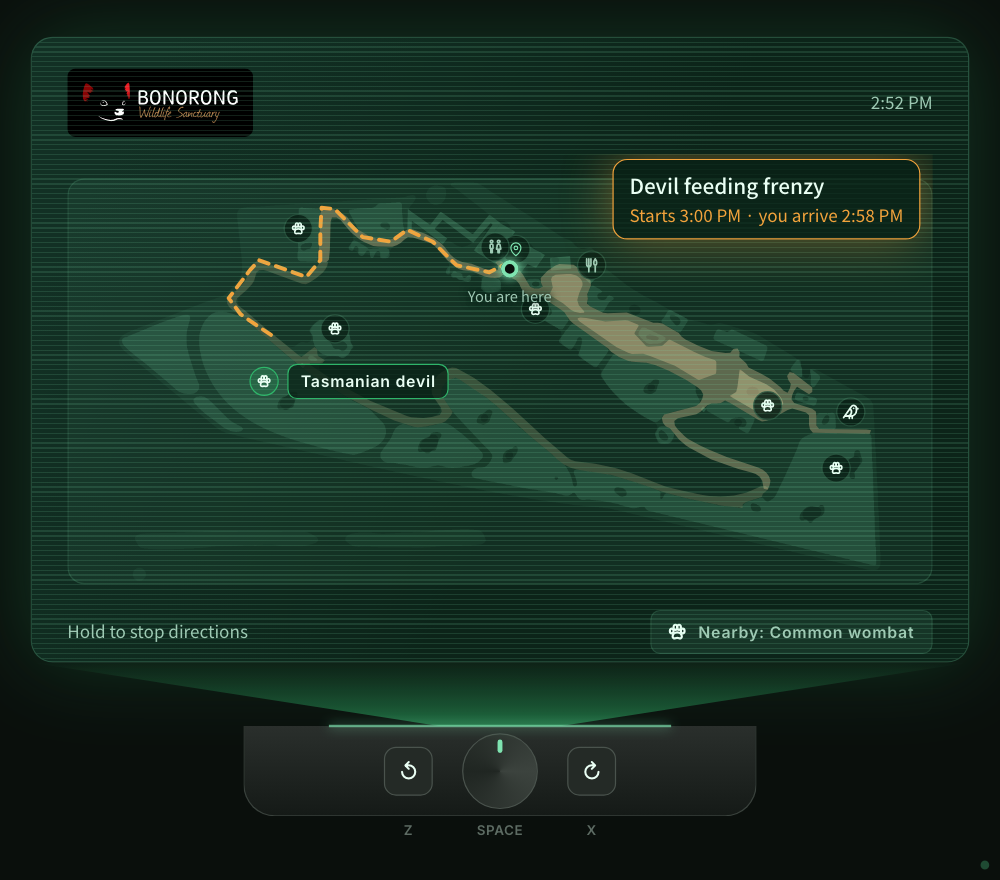
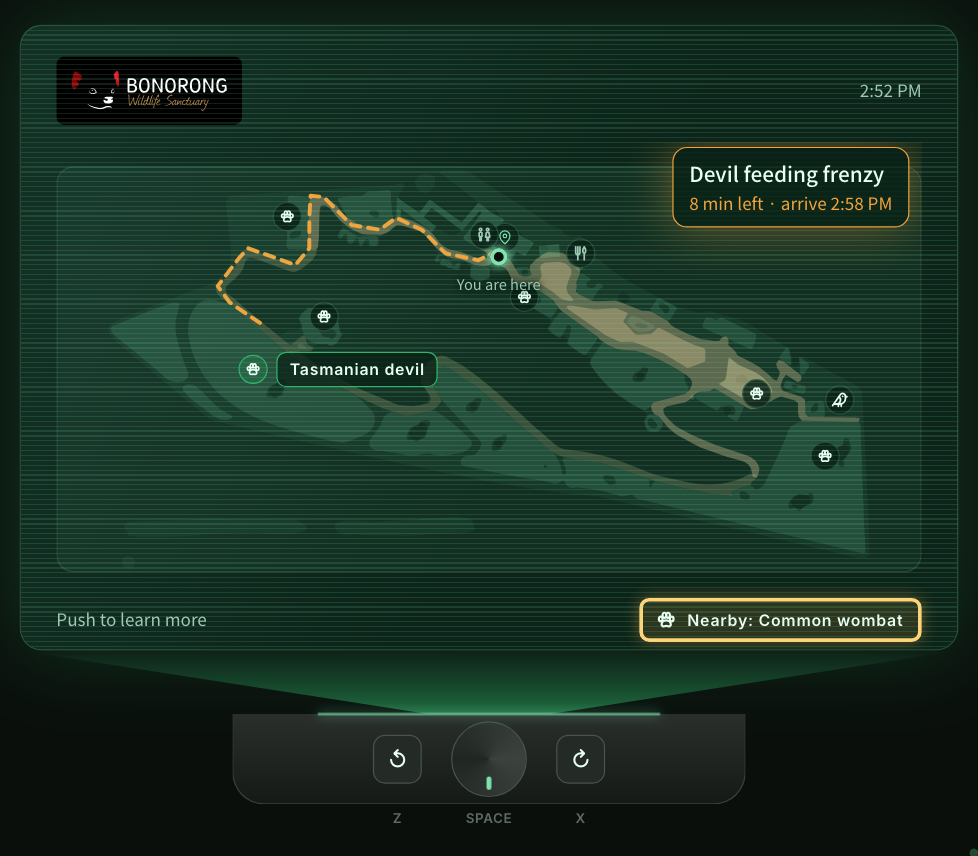
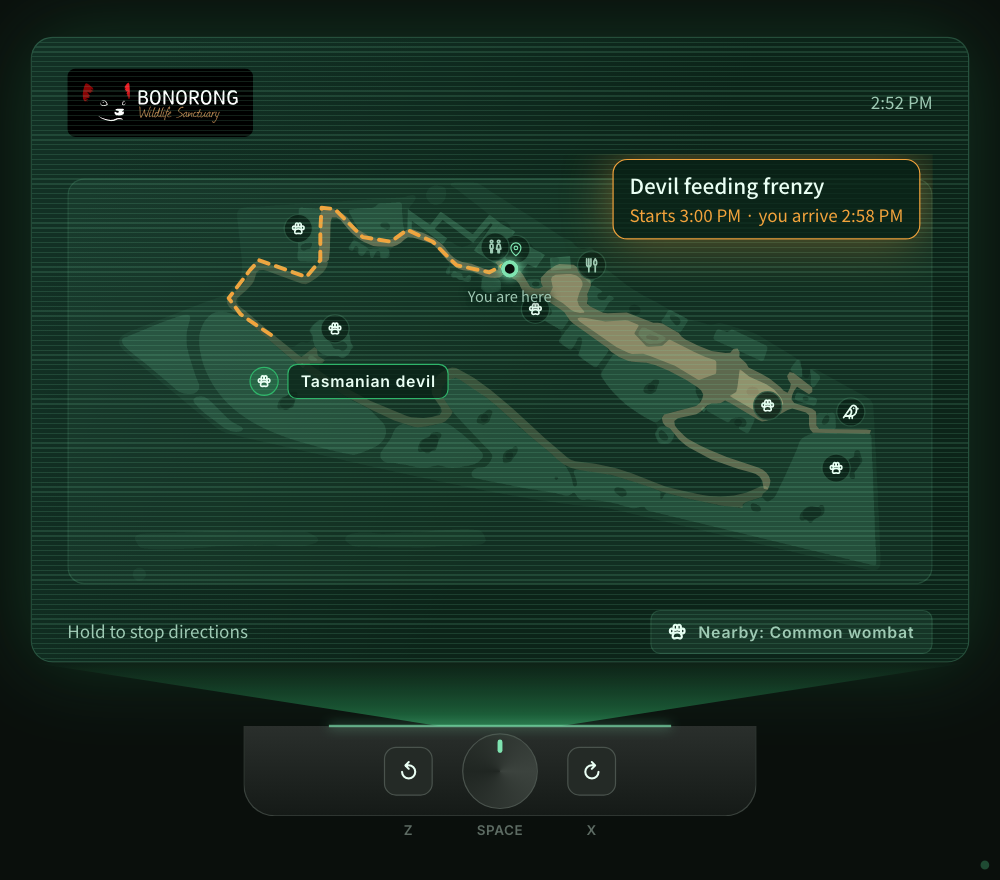
Before (v1.0)The card shows “8 min left”, which reads like walking timeAfter (final)The card shows the start time: “Starts 3:00 PM · you arrive 2:58 PM”
Before (v1.0)With an alert open, the hint row still says “Hold to stop directions”After (final)The hint reads “Hold to dismiss”, and the alert offers “Go there”
EF13No way to check content before it reached visitorsHeuristic follow-up
Requirements: FR6, FR7, FR8
Before (v1.0)Add event with no previewAfter (final)A live “Preview on bracelet” under the form
Before (v1.0)Edit animal profile with no previewAfter (final)A live “Preview on bracelet” under the form
Before (v1.0)The composer gives no guide to lengthAfter (final)A character count (160 max) beside the bracelet preview